ineo+ 224/284/364/454/554 4-13
4.5 Printing the list of destination information (for the administrator)
4
Printing a program list
Program list contains a list of programs and destinations included in the respective programs.
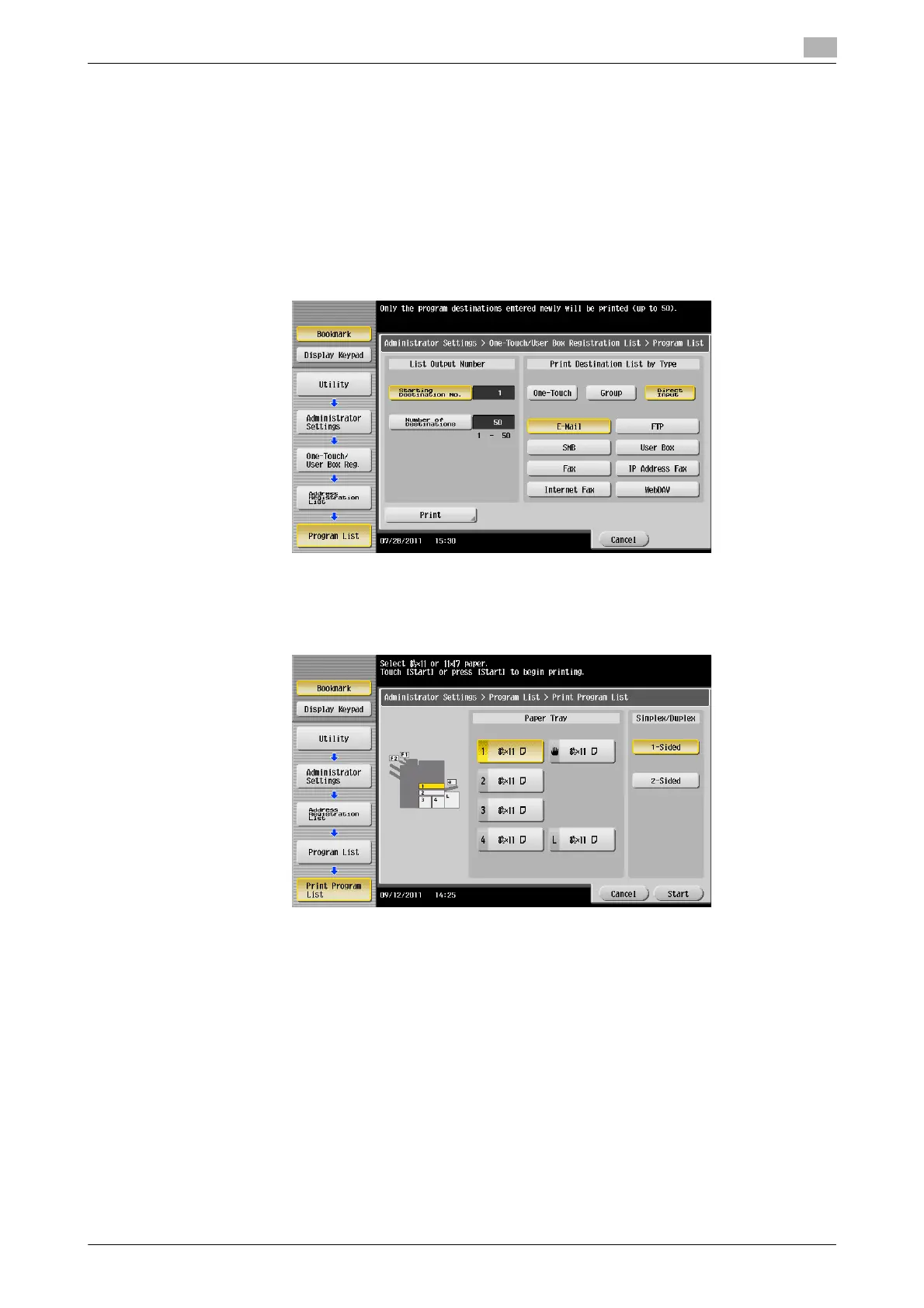
1 Tap [Utility] - [Administrator Settings] - [One-Touch/User Box Registration] - [One-Touch/User Box Reg-
istration List] - [Program List].
2 Specify the print range in [Starting Destination No.] (program registration number) and [Number of Des-
tinations].
% You can further narrow down destinations by group and destination types from the specified print
range by using [Print Destination List by Type].
3 Specify the print range, then tap [Print].
4 Select the print paper tray and print surface, then tap [Start].
List printing starts.



 To Next Page