EN - 7
DeVilbiss OSD Operation
The OSD (Oxygen Sensing Device) is a device within your concentrator that monitors the oxygen produced by your unit.
The OSD lights on the top panel are dened as follows:
• Green Normal Oxygen light–acceptable oxygen level.
• Yellow Low Oxygen light– below an acceptable oxygen level.
If the oxygen purity falls below the acceptable level, the green Normal Oxygen light will shut off, and the yellow Low Oxygen light will illuminate. Switch to your reserve oxygen
system. Refer to the Minor Troubleshooting section in this guide on page 7 and contact your DeVilbiss provider.
As an added safety feature, should the oxygen purity continue to drop, an intermittent audible signal will sound. Contact your DeVilbiss provider immediately. Do not attempt
any other maintenance.
RESERVE OXYGEN SYSTEM
As a precaution, your DeVilbiss provider may supply you with a reserve oxygen system. If your unit loses electrical power or fails to operate correctly, the Patient Alert System
will sound to signal you to switch to your reserve oxygen system (if provided) and contact your DeVilbiss provider.
CARING FOR YOUR DEVILBISS OXYGEN CONCENTRATOR
DeVilbiss recommends using only original DeVilbiss parts and lters in order to guarantee reliable operation of the product.
WARNING
Do NOT use lubricants, oils or grease.
Before attempting any cleaning procedures, turn the unit “Off.”
Cannula/Mask, Tubing and Humidifier Bottle
Clean and replace the cannula/mask, tubing and humidier bottle according to the manufacturer’s instructions.
Air Filter and Oxygen Outlet Connector
The air lter and connector should be cleaned at least once a week. To clean, follow these steps:
1. Remove the air lter, located on the back of the unit. Remove the oxygen outlet connector (if used).
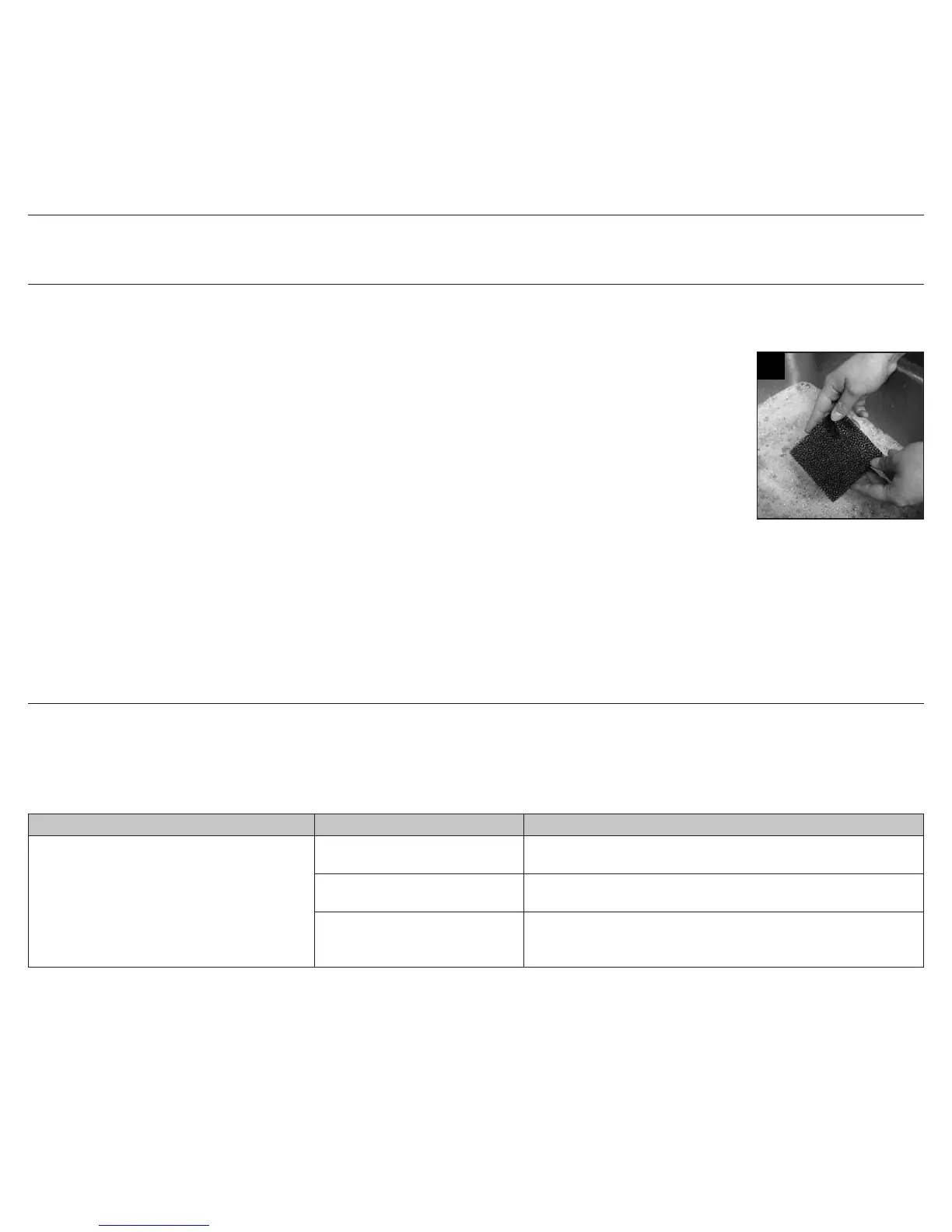
2. Wash in a solution of warm water and dishwashing detergent (Figure 5).
3. Rinse thoroughly with warm tap water and towel dry. The lter should be completely dry before reinstalling.
CAUTION– To prevent product damage, do not attempt to operate the unit without the air lter or while the lter is still damp.
Exterior Cabinet
As needed, clean the concentrator exterior cabinet by using a damp cloth or sponge with a mild household cleaner and wipe it dry.
WARNING
To avoid electric shock, do not remove the concentrator cabinet. The cabinet should only be removed by a qualied DeVilbiss technician. Do not apply liquid
directly to the cabinet or utilize any petroleum-based solvents or cleaning agents.
Use of harsh chemicals (including alcohol) is not recommended. If bactericidal cleaning is required, a non-alcohol based product should be used to avoid
inadvertent damage.
TROUBLESHOOTING
The following troubleshooting chart will help you analyze and correct minor oxygen concentrator malfunctions. If the suggested procedures do not help, switch to your reserve
oxygen system and call your DeVilbiss homecare provider. Do not attempt any other maintenance.
WARNING
To avoid electric shock hazard, do not remove the cabinet. The cabinet should only be removed by a qualied DeVilbiss homecare technician.
Minor Troubleshooting Chart
SYMPTOM POSSIBLE CAUSE REMEDY
A. Unit does not operate. All lights are off when the
power switch is “On.” Audible alert is pulsing.
1. Power cord not properly inserted
into wall outlet.
1. Check power cord connection at the wall outlet. On 230 volt units, also
check the mains connection on the back of the unit.
2. No power at wall outlet. 2. Check your home circuit breaker and reset if necessary. Use a different
wall outlet if the situation occurs again.
3. Oxygen concentrator circuit
breaker activated.
3. Press the concentrator circuit breaker reset button located below the
power switch. Use a different wall outlet if the situation occurs again.
If the above remedies do not work, contact your DeVilbiss provider.
5
A-1025








 To Next Page