23
9.6.3 TO ACTIVE THE SIMPLESMART
™
ET FEATURE FOR MULTIPLE VALVES:
9.6.3.1 OPTION 1 – SCROLLING THROUGH EACH VALVE:
1. Press
to modify this setting.
2. Press or consecutively until the number of the valve to be changed is
underlined.
3. Use or to change the program.
4. Repeat steps 2 and 3 until all desired valves are set.
5. Press to confirm your settings.
9.6.3.2 OPTION 2 – SETTING EACH VALVE INDIVIDUALLY:
1. As a shortcut, before pressing to modify this setting, press or to
change which valve is being looked at (the underline will move under the valve
number). This can also be used to view all valve SimpleSmart
™
programs.
2. Press
when the desired valve appears.
3. Modify the SimpleSmart
™
program, then press
to confirm your settings.
9.6.4 TO TURN OFF A VALVE’S SIMPLESMART
™
PROGRAM:
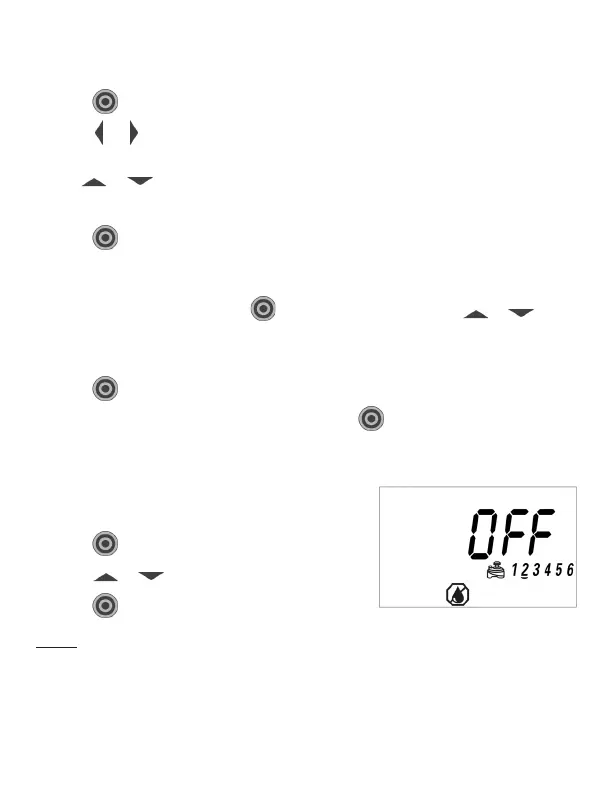
1. Navigate to the program that will be turned off
using Option 1 or Option 2 above.
2. Press
to modify this setting.
3. Press or until the display shows OFF.
4. Press
to confirm your settings.
NOTE: Turning off the SimpleSmart
™
program does not necessarily mean that the
controller will not water. The controller automatically remembers what run time
was previously set for each valve and it will return to that previously set value upon
turning the SimpleSmart
™
program off.



 To Next Page