Chapter 6: C|24 Pro Tools Controls 37
When you press a lit Insert switch, C|24 goes
into Insert Select view, and displays the chan-
nel’s inserts across the LCD displays. From Insert
Select view, you can display the all the controls
of a single plug-in in Parameter view. See “Insert
Select View” on page 74 and “Parameter View”
on page 76.
When you press and hold a lit Insert switch, the
LCD displays show information on the cur-
rently focused insert.
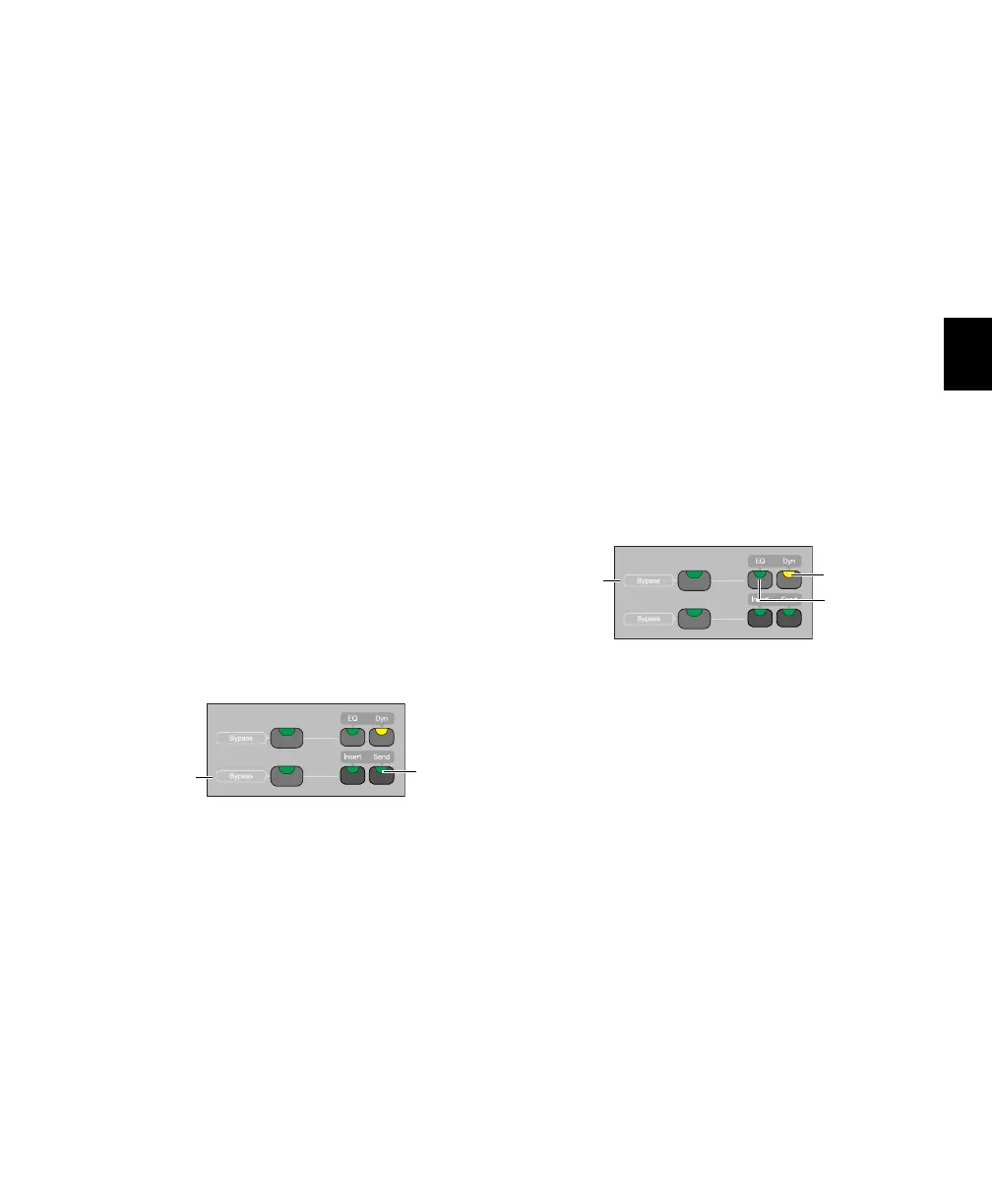
Insert/Send Bypass Switch
The Insert and Send Bypass switch changes the
function of the Insert switches on all channels,
putting them in Bypass mode. When the In-
sert/Send Bypass switch is lit, the Insert switch
toggles the Bypass state of all inserts/plug-ins on
the channel. In Bypass mode, when the inserts
on a track are bypassed, the track’s Insert switch
is lit.
See “Bypassing Plug-ins” on page 75.
Send Switch
Each channel has a Send switch that lets you se-
lect and view Sends on that channel.The switch
lights to indicate that there is at least one Send
on the channel.
When you press a lit Send switch, C|24 goes into
Pan/Send Channel view, and displays the chan-
nel’s Sends across the LCD displays. See
“Pan/Send Channel View” on page 69.
When you double-press a Send switch, C|24 goes
into Expanded Pan view, and displays the pan
controls for a track. See “Expanded Pan View”
on page 71.
Insert/Send Bypass Switch
The Insert and Send Bypass switch changes the
function of the Send switches on all channels,
putting them in Bypass mode. When the In-
sert/Send Bypass switch is lit, the Send switch
toggles the mute status of all Sends on the chan-
nel. In Bypass mode, when the sends on a track
are muted, the track’s Send switch is lit.
See “Muting Sends in Pan/Send Channel View”
on page 70.
EQ and Dynamics Switches
Each channel has EQ and Dynamics switches
that let you focus any plug-ins of the corre-
sponding type assigned to that channel. The EQ
or Dyn switch lights to indicate that there is at
least one plug-in of the corresponding type on
the channel. When you press a lit EQ or Dyn
switch, C|24 goes into Parameter view, and dis-
plays the insert’s controls across the LCD dis-
plays. See “Viewing EQ and Dynamics Plug-ins”
on page 77.
When you press and hold a lit EQ or Dyn switch,
the LCD displays show information on the cur-
rently focused plug-in.
Send switch
Insert/Send
Bypass
switch
Send switch
EQ and Dynamics switches
Dyn switch
EQ switch
Dyn/EQ
Bypass
switch



 To Next Page