Chapter 6: C|24 Pro Tools Controls 51
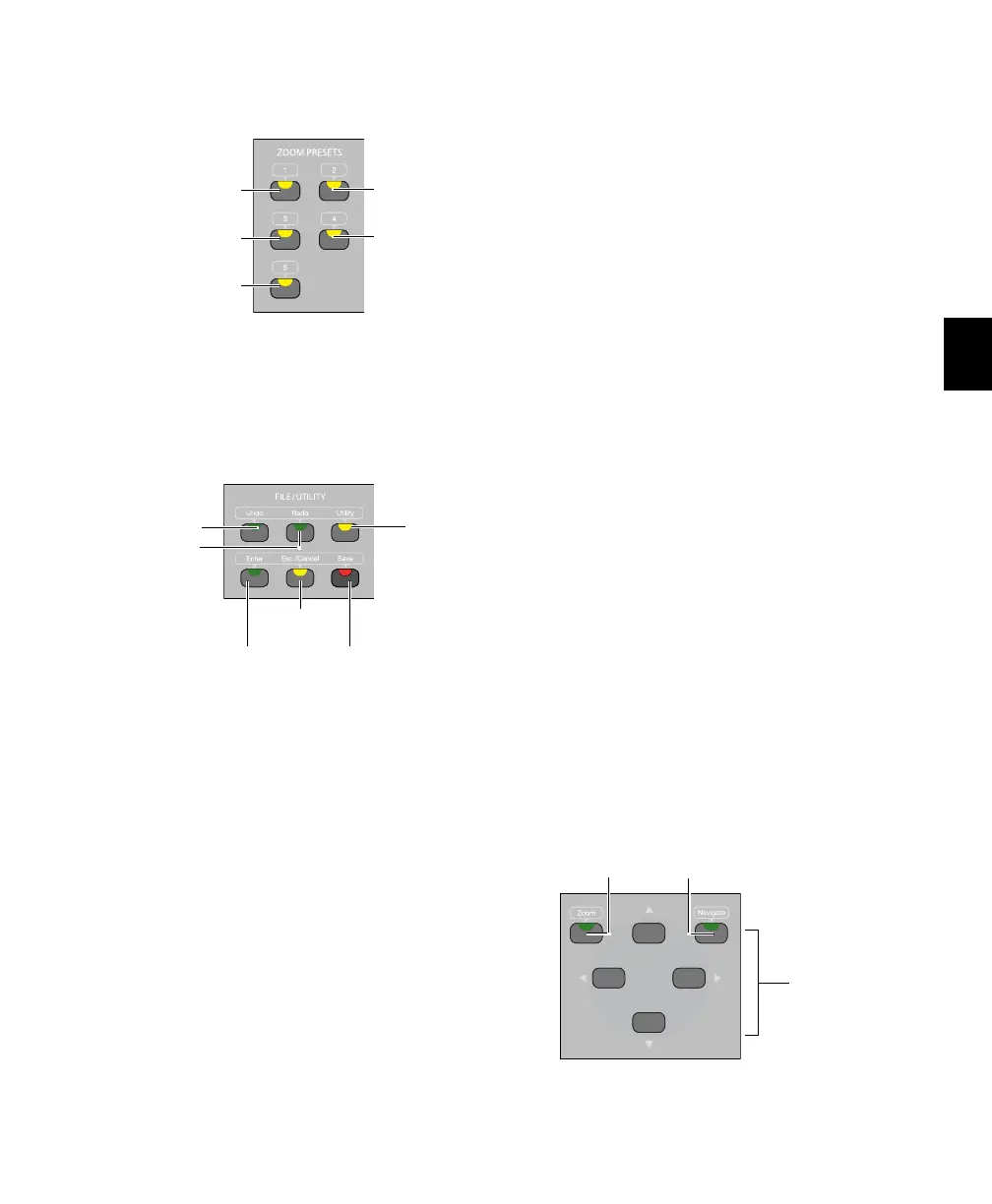
Zoom Preset Switches
The Zoom Preset switches let you set and recall
the five horizontal Zoom presets in Pro Tools.
File/Utility Switches
Undo Switch
The Undo switch executes the Undo command
in Pro Tools.
Redo Switch
The Redo switch executes the Redo command in
Pro Tools.
Utility Switch
The Utility switch places C|24 in Utility mode.
When C|24 is in Utility mode, this switch
flashes.
Utility mode lets you view C|24 system informa-
tion, run diagnostic tests, and set certain C|24
preferences. For complete information, see
Appendix B, “Utility Mode.”
Enter Switch
The Enter switch is used to confirm operations,
and is equivalent to clicking OK in Pro Tools di-
alogs.
The Enter switch is also used to create new
Memory Locations, and is equivalent to the En-
ter key on the computer numeric keypad.
Esc/Cancel Switch
The Escape/Cancel switch is used to exit modes
and to cancel operations or on-screen dialogs.
When an action has occurred that can be exited
or canceled with the Escape/Cancel switch, the
switch flashes.
Save Switch
The Save switch executes the Save Session com-
mand in Pro Tools. Whenever a change is made
in a session and the Save command is available,
this switch lights.
Zoom/Navigate Switches
Zoom Preset switches
File/Utility switches
Zoom Preset 1
Zoom Preset 3
Zoom Preset 5
Zoom Preset 2
Zoom Preset 4
Enter
switch
Esc/Cancel
switch
Save
switch
Undo
switch
Utility
switch
Redo
switch
Zoom/Navigate switches
Arrow switches
Zoom Mode
switch
Navigate Mode
switch



 To Next Page