DG-BG1000 User Manual
46
Parameter Description
disconnects the PPPoE connection.
Bridge You can select Bridged Ethernet, Bridged
PPPoE, or Disable Bridge.
AC-Name The accessed equipment type.
Service-Name The service name.
802.1q You can select Disable or Enable. After enable
it, you need to enter the VLAN ID. The value
ranges from 0 to 4095.
Apply Changes Click it to save the settings of this page
temporarily.
Return Click it to return to the Channel Configuration
page.
Source Mac address The MAC address you want to clone.
Mac Clone Click it to enable the MAC Clone function with
the MAC address that is configured.
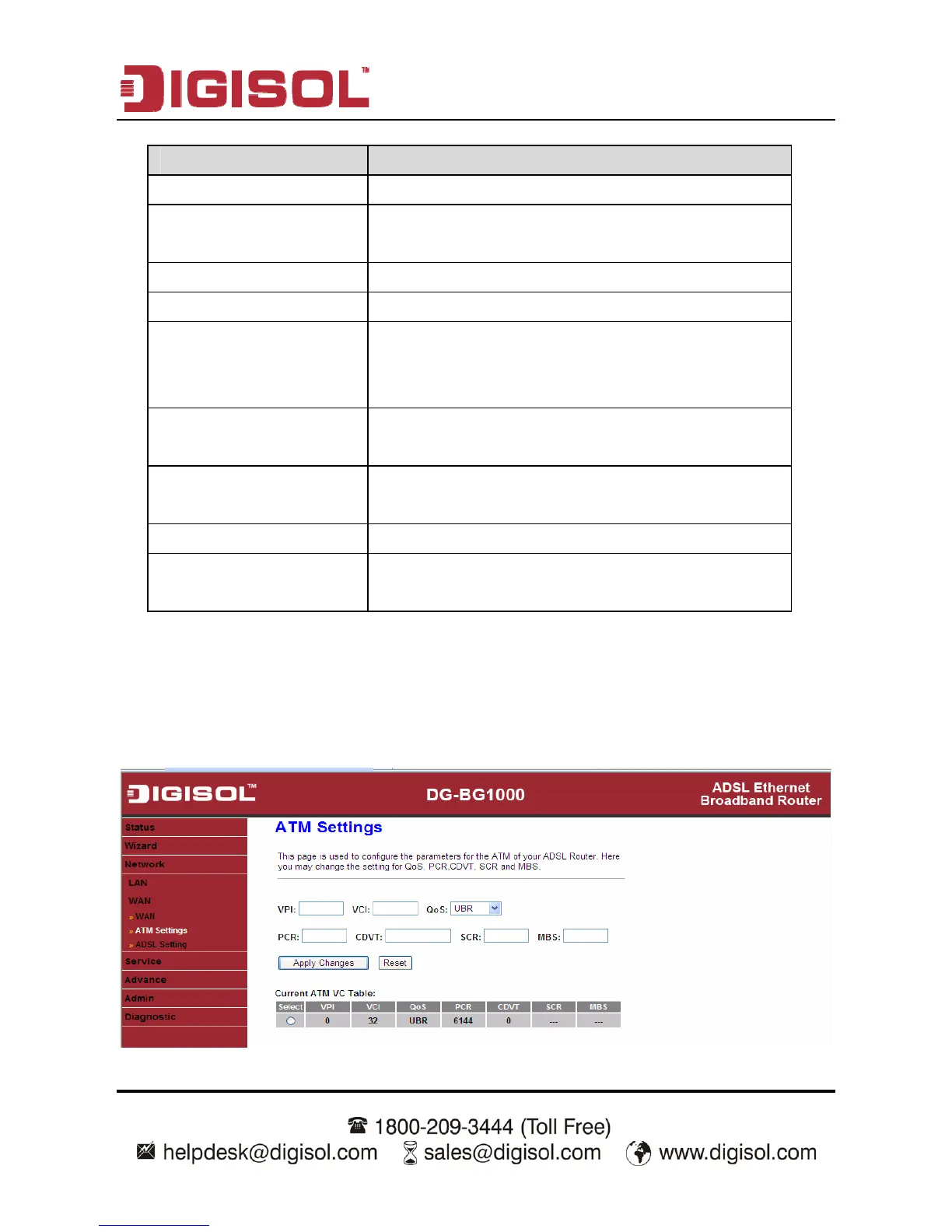
3.4.2.2 ATM Setting
Click ATM Setting in the left pane, the page shown in the following figure appears.
In this page, you can configure the parameters of the ATM, including QoS, PCR,
CDVT, SCR, and MBS.



 To Next Page