DG-BG1000 User Manual
53
3.5.2.3 URL Blocking
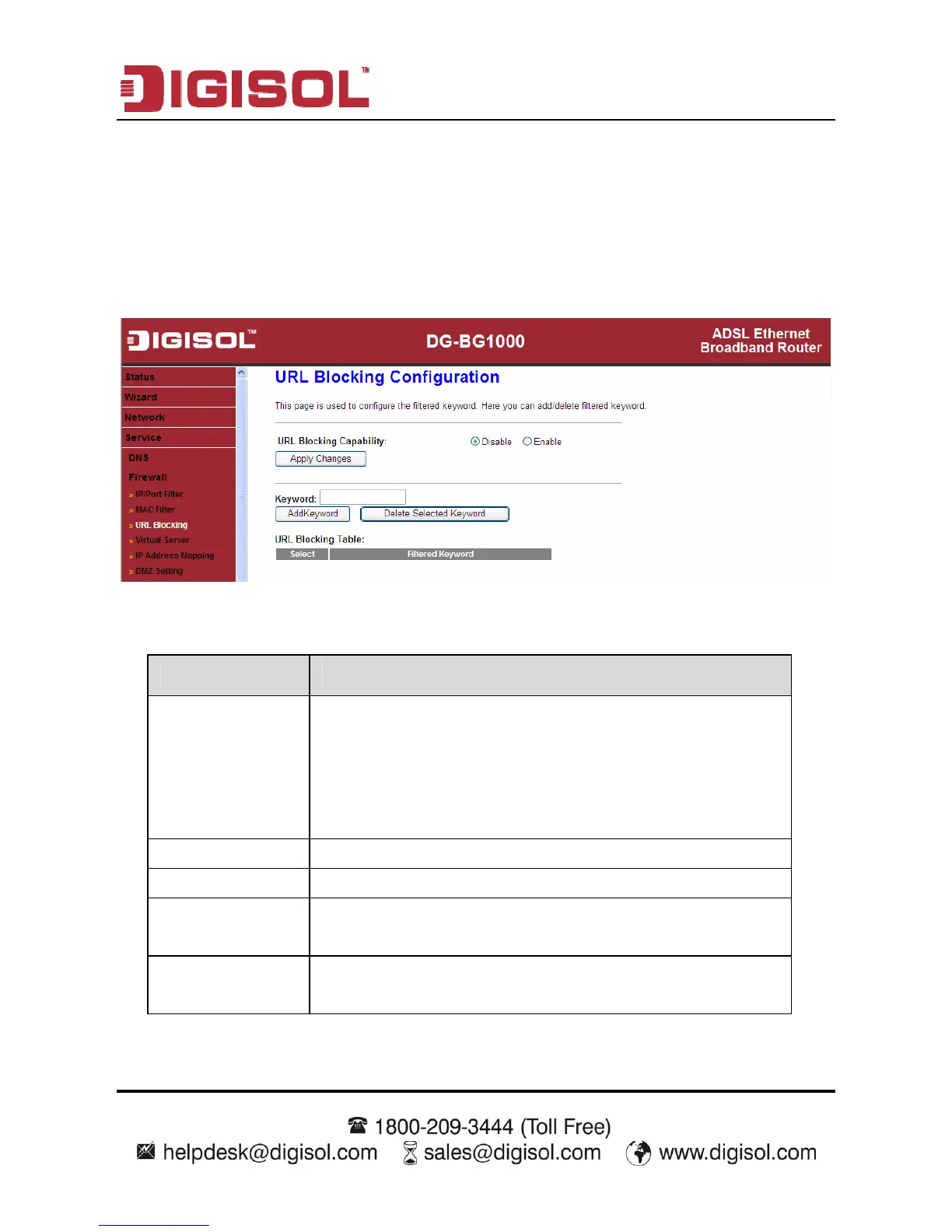
Click URL Blocking in the left pane, the page shown in the following figure
appears. This page is used to block a fully qualified domain name, such as
tw.yahoo.com and filtered keyword. You can add or delete FQDN and filtered
keyword.
The following table describes the parameters and buttons of this page:
Parameter Description
URL Blocking
Capability
You can choose Disable or Enable.
Select Disable to disable URL blocking function
and keyword filtering function.
Select Enable to block access to the URLs and
keywords specified in the URL Blocking Table.
Keyword Enter the keyword to block.
AddKeyword Click it to add a keyword to the URL Blocking Table.
Delete Selected
Keyword
Select a row in the URL Blocking Table and click it to
delete the row.
URL Blocking
Table
A list of the URL (s) to which access is blocked.



 To Next Page