DG-BG1000 User Manual
57
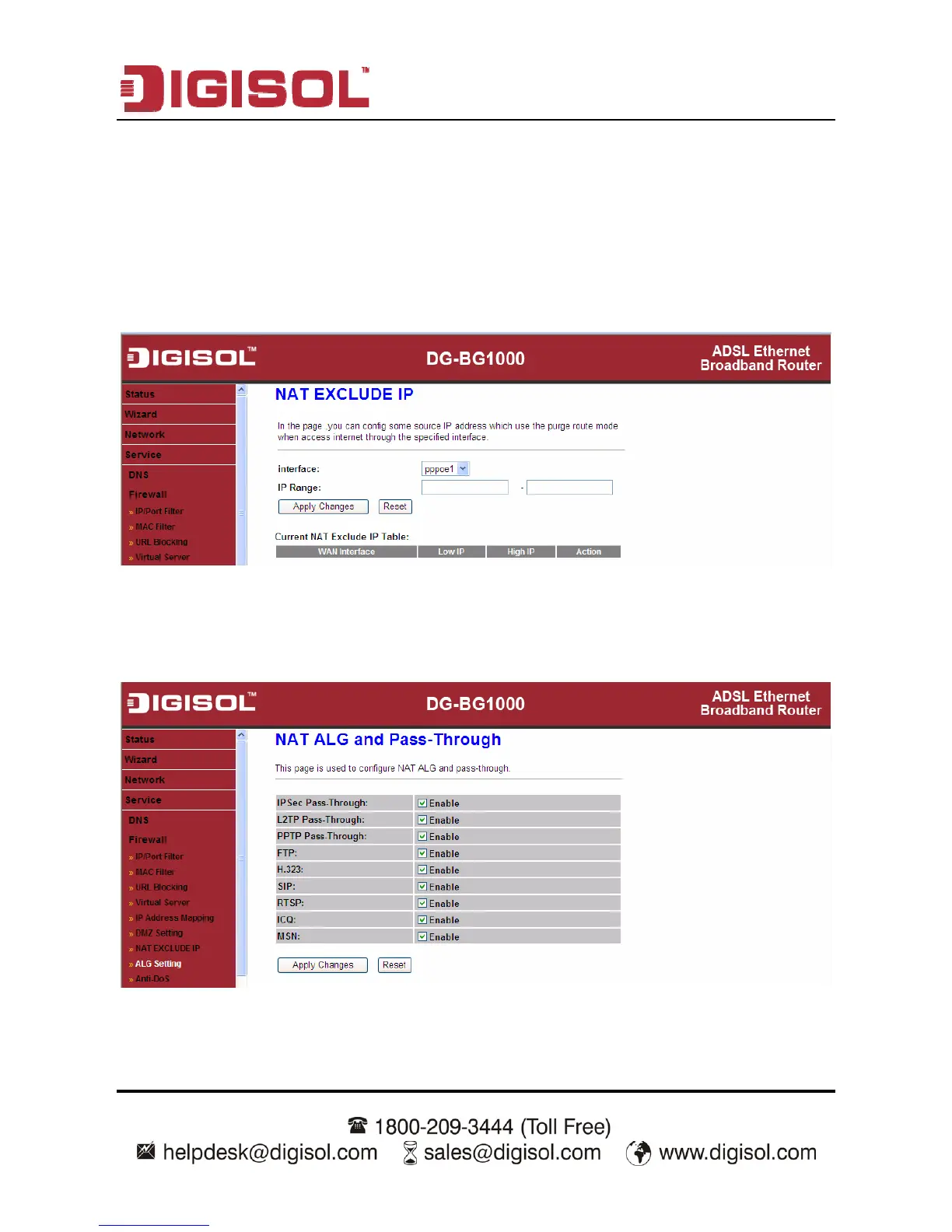
3.5.2.7 NAT EXCLUDE IP
Click NAT EXCLUDE IP in the left pane, the page shown in the following figure
appears.
In the page, you can configure some source IP addresses which use the purge route
mode when accessing internet through the specified interface.
3.5.2.8 ALG Setting
Click ALG Setting in the left pane, the page shown in the following figure appears.



 To Next Page