DG-BG1000 User Manual
68
3.6.2.2 RIP
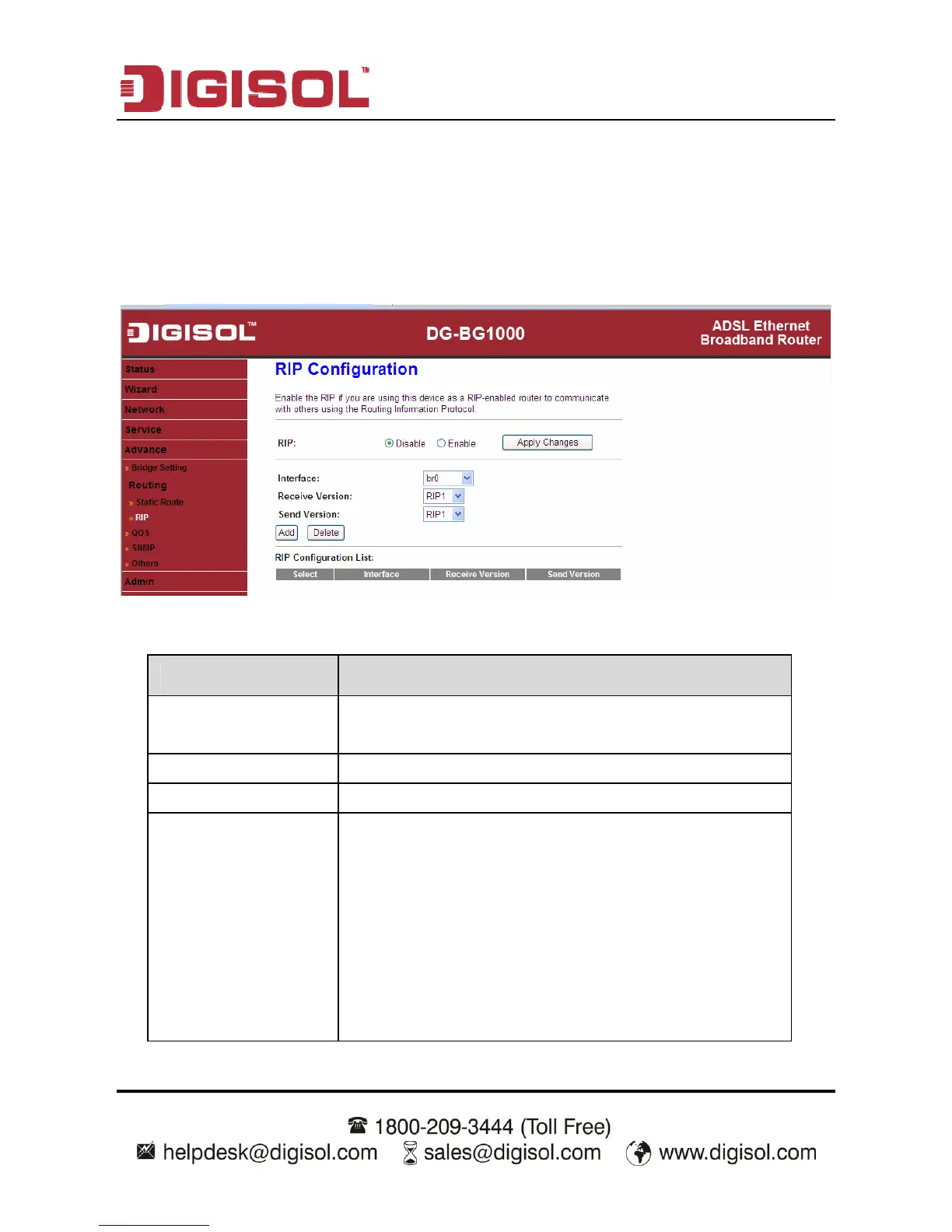
Click RIP in the left pane, the page shown in the following figure appears. If you are
using this device as a RIP-enabled router to communicate with others using
Routing Information Protocol (RIP), enable RIP. This page is used to select the
interfaces on your devices that use RIP, and the version of the protocol used.
The following table describes the parameters and buttons of this page:
Parameter Description
RIP Select Enable, the router communicates with other
RIP-enabled devices.
Apply Changes Click it to save the settings of this page.
Interface Choose the router interface that uses RIP.
Receive Version Choose the interface version that receives RIP
messages. You can choose RIP1, RIP2, or Both.
Choose RIP1 indicates the router receives RIP
v1 messages.
Choose RIP2 indicates the router receives RIP
v2 messages.
Choose Both indicates the router receives RIP
v1 and RIP v2 messages.



 To Next Page