DG-HR3400 User Manual
44
Automatically the checkbox.
Set DNS Enter the DNS IP address manually provided by your ISP.
Manually
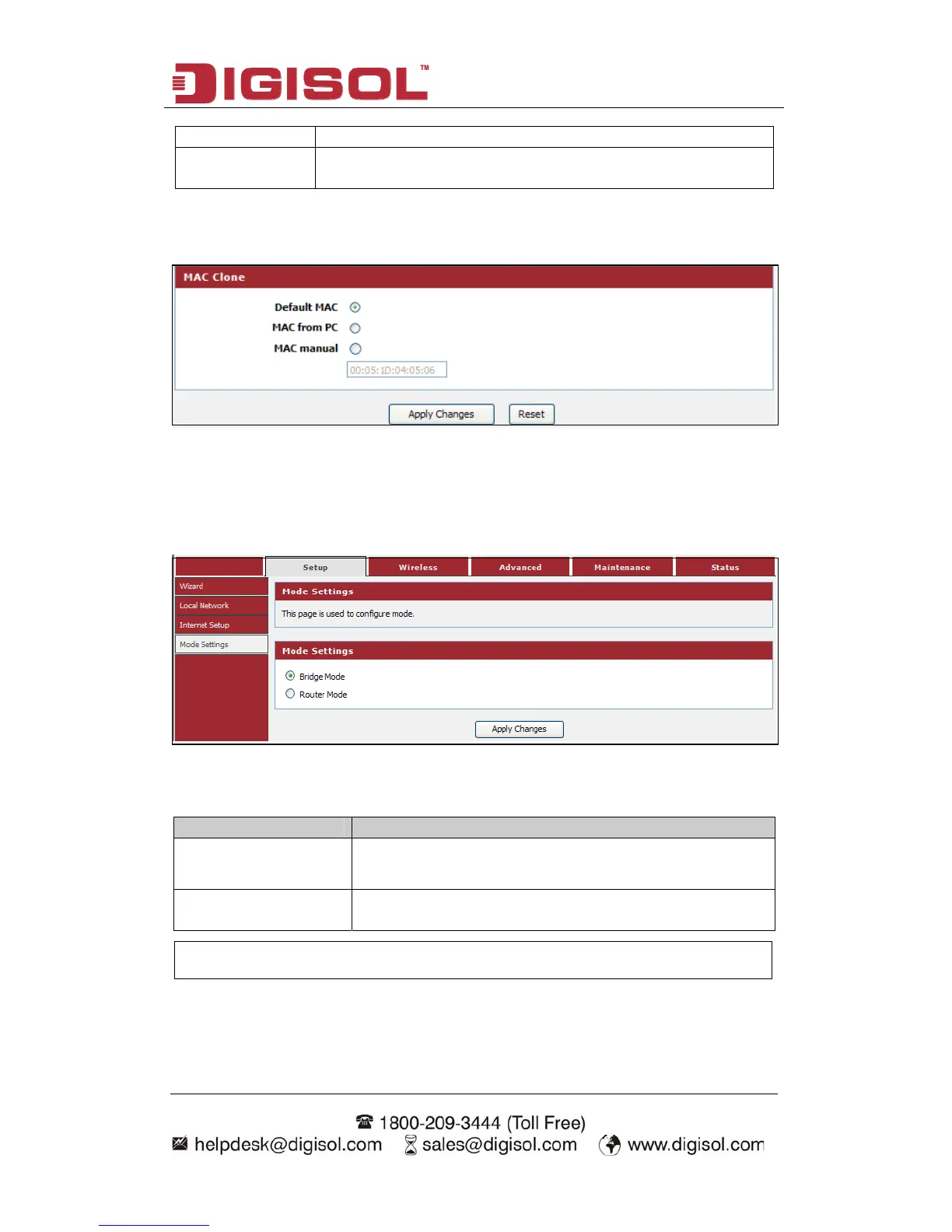
MAC Clone:
You can configure the MAC address of the WAN.
4-1-4 Mode Settings
“Setup ings”, below given screen will be displayed.
This page is used to configure mode.
Choose menu →Mode Sett
Here is the descriptio
n of every setup item:
Parameter Description
Bridge Mode The device works as a bridge. All ethernet wired ports
and wireless ports are bridged together.
Router Mode The device works as a router. It can access to the Internet
by Static IP/DHCP Client/PPPoE.
NOTE: The device would reboot if you change the mode.



 To Next Page