DG-HR3400 User Manual
61
every setup item
Here is the description of :
Parameter Description
Enable DMZ Check this box to enable DMZ function, uncheck this box to
disable DMZ function.
DMZ Host IP
Enter s of
the PC
comm
Address
DMZ host IP Address. Specify the LAN IP addres
on which you want to have unrestricted Internet
unication.
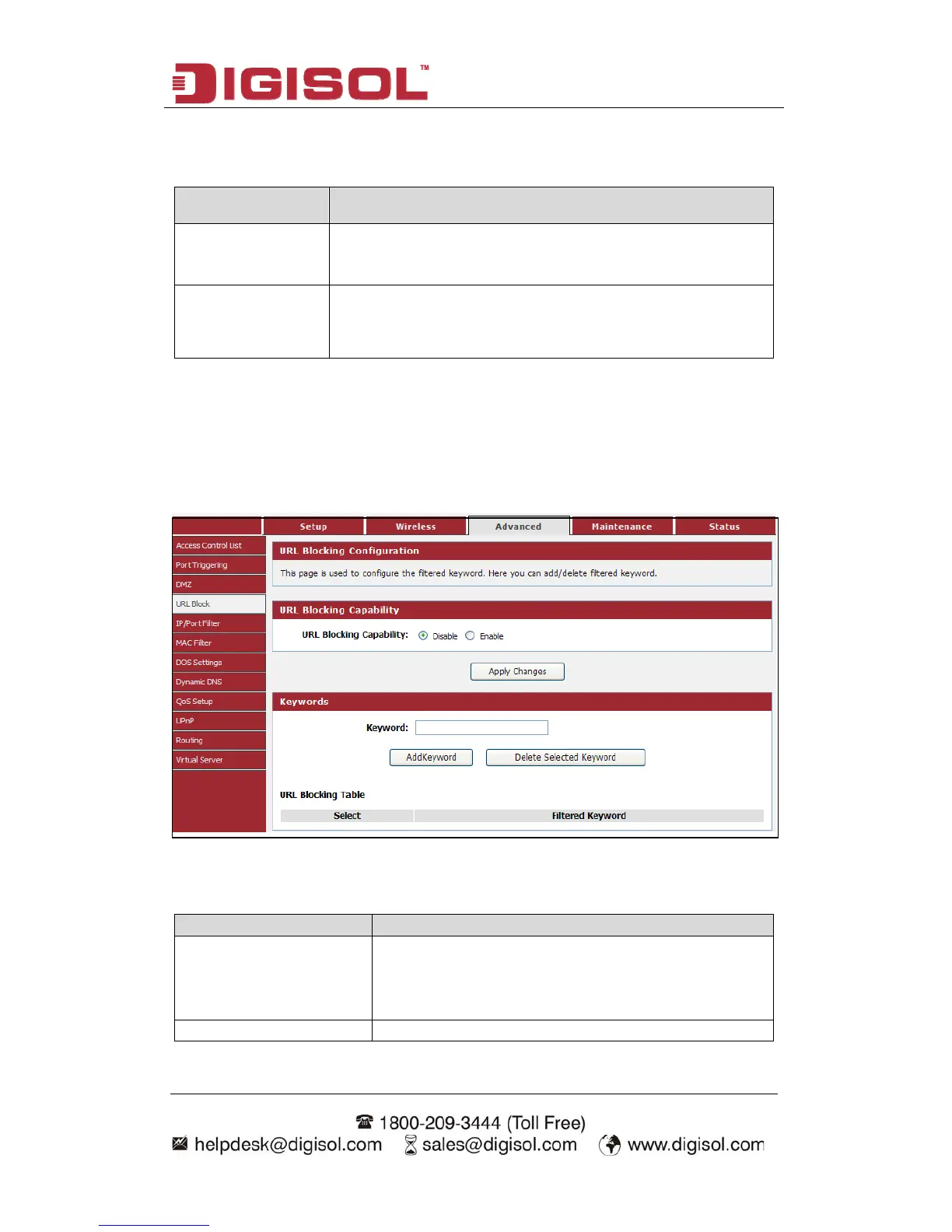
4-3-4 URL Block
This page is used to configur
keyword.
Advanced→URL
e the filtered keyword. Here you can add/delete filtered
Choose menu “ Block”, below given screen will be displayed.
Here is the description of every setup item:
Parameter Description
URL Blocking Capability
If you want to enable URL Blocking Capability
function, please select ‘Enable’; otherwise please
select ‘Disable’.
Keyword Enter the keyword that you want to block.



 To Next Page