DG-HR3400 User Manual
70
ver
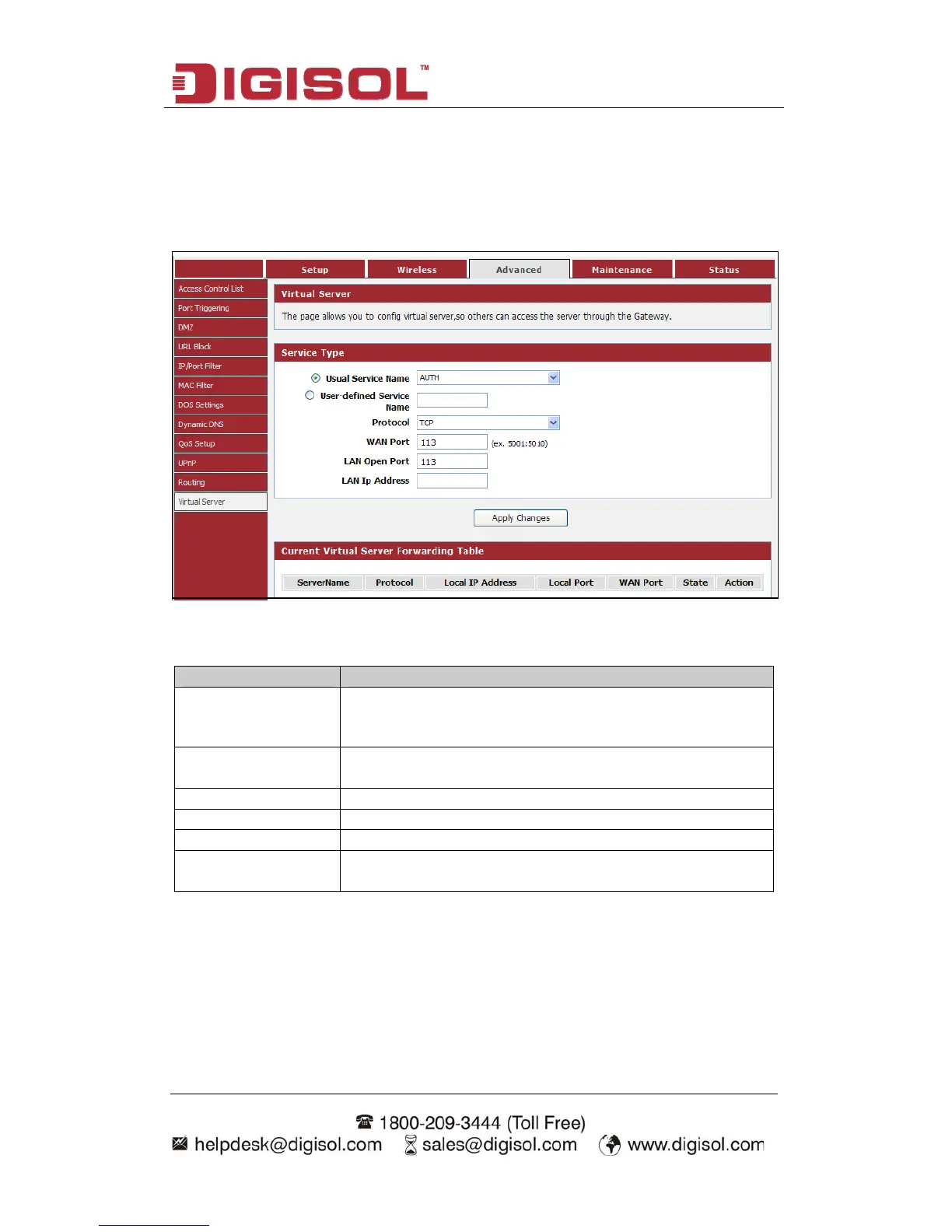
he page allows you to configure virtual server, so others can access the server
through the Gateway.
Choose menu “Advanced→Virtual Server”, below given screen will be displayed.
4-3-12 Virtual Ser
T
Here is the description of every setup item:
Parameter Description
Usual Service Name
You can choose the type for the Usual Application Name
on the pull-down list.
User-defined Service
Name
Enter a name for the rule.
Protocol The protocol used for this application, either TCP, UDP.
WAN Port Enter the port that you want to open next to WAN port.
LAN Open Port Enter the port that you want to open next to LAN port.
LAN IP Address Enter the IP address of the computer on your local network
that you want to allow the incoming service to.



 To Next Page