DG-HR3400 User Manual
PIN code on client m
Here is the description
anager.
of every setup item:
Parameter Description
Entry PIN of wireless The length of PIN is limited to four or eight numeric
NIC digits. If the AP and Station input the same PIN and click
“Start PIN” button in two minutes, they will establish
connection and setup their security key.
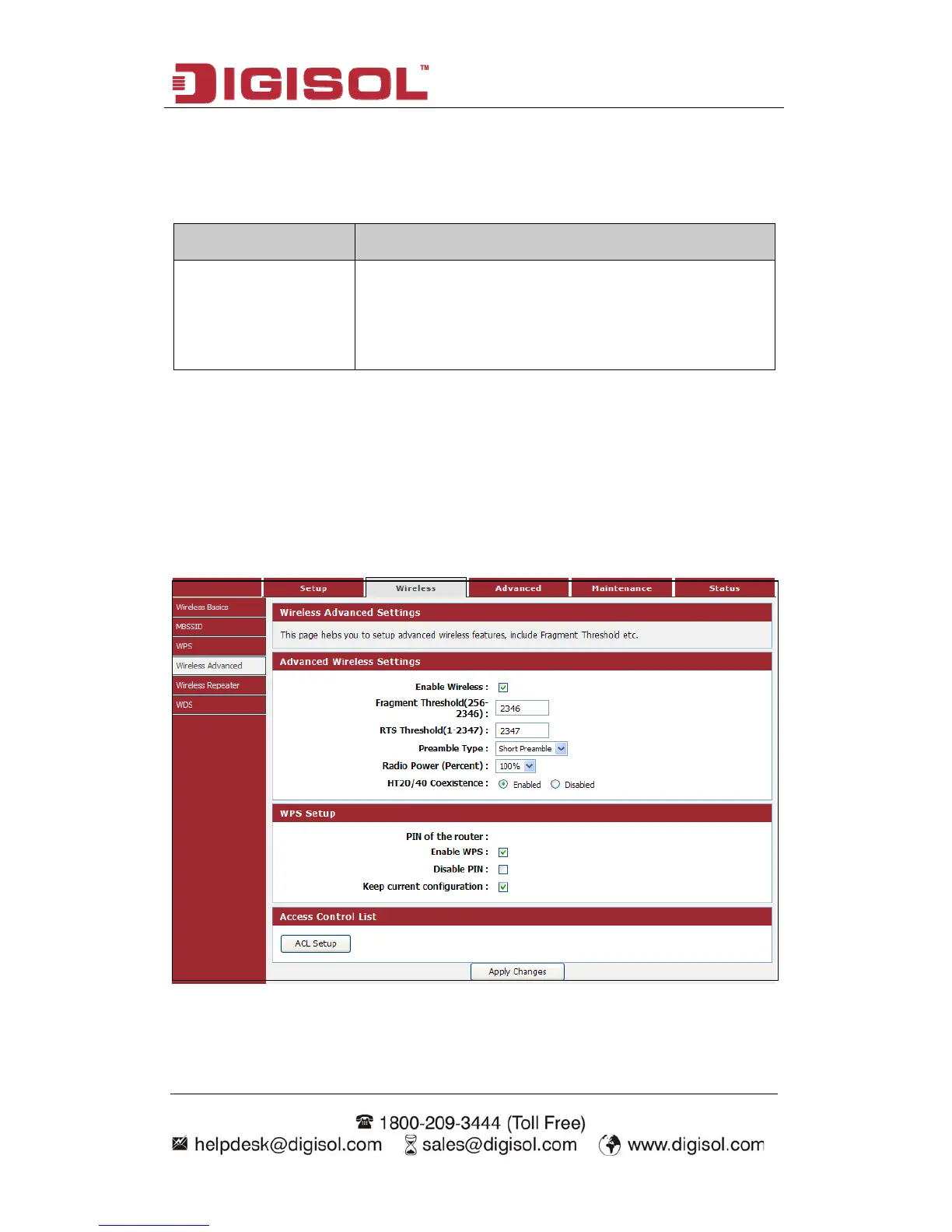
4-2-4 Wireless Advanced
This page helps you to setup advanced wireless features, include Fragment Threshold
etc.
Choose menu “Wireless→Wireless Advanced”, below given screen will be
displayed.
53



 To Next Page