DG-HR3400 User Manual
4-2-5 Wireless Repeater
55
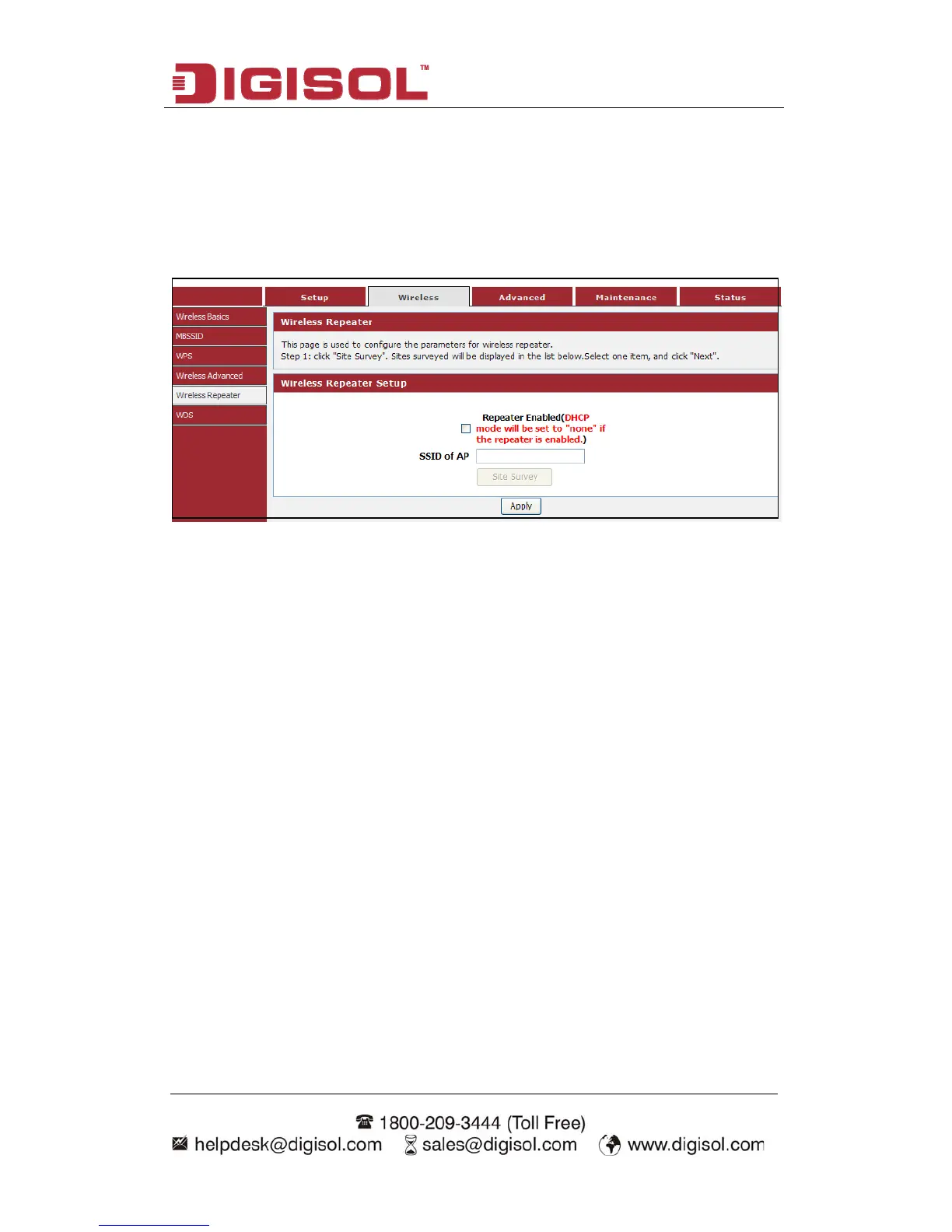
s used to parameters for wireless repeater.
“W
displayed.
This page i configure the
Choose menu ireless→Wireless Repeater”, below given screen will be
rver will a
bled if
address and DNS ad
IP address of the co
address from the up .
mplete these settings, please follow the steps below:
DHCP se
will be ena
utomatically shut down if relay mode is enabled (DHCP server
relay mode is disabled). We recommend that the computer's IP
dress is set to automatically obtain. You need to manually set the
mputer if you want to access the device, while your PC got IP
stream AP
In order to co
Click “Site Survey”. Sites surveyed will be displayed in the list below. Select
one item, and click “Next”.
Setup the wireless security. Turn on WEP or WPA by using Encryption Keys
which could prevent any unauthorized access to your wireless network.
Click “Finish” to save the configuration.



 To Next Page