5
(Step 2) – Get Connected
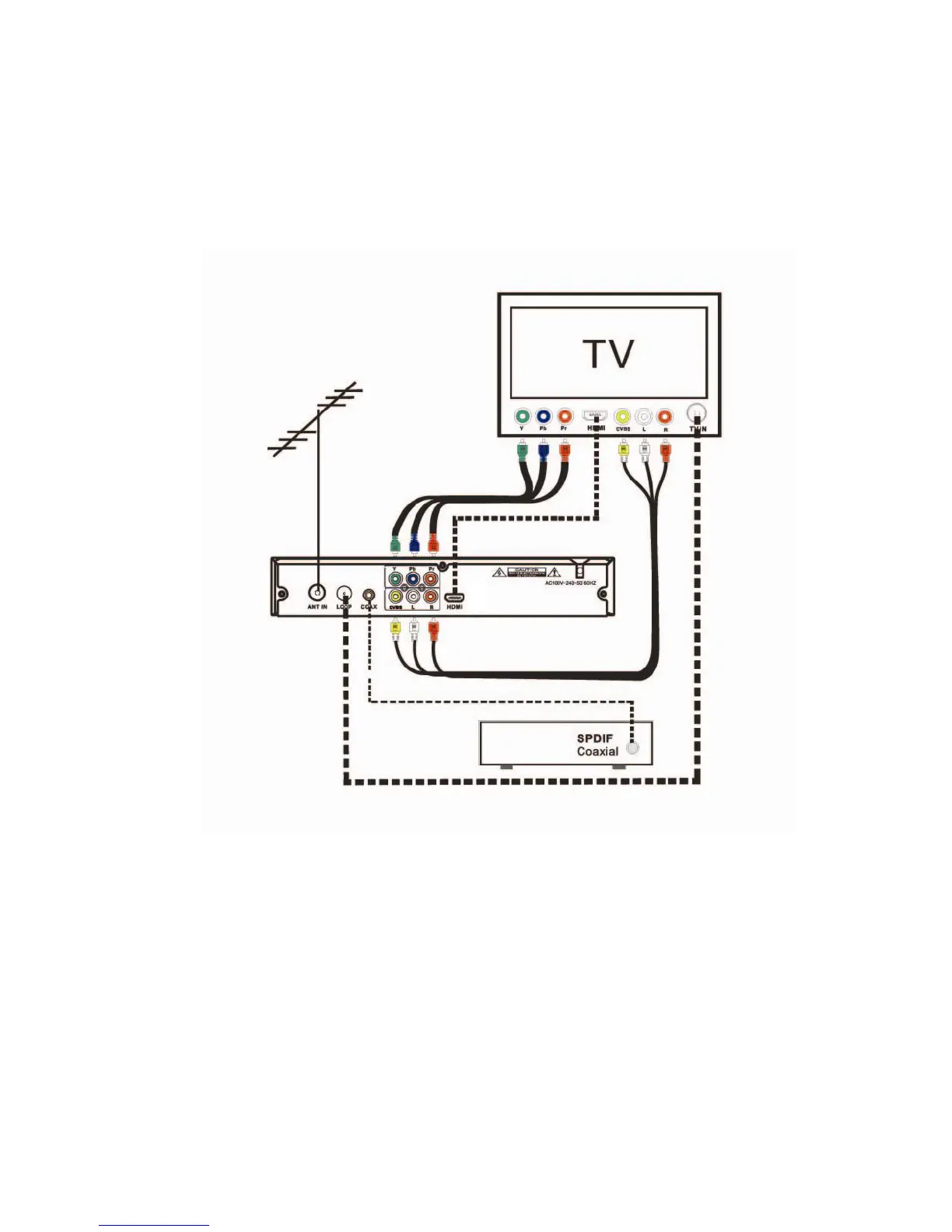
After you have chosen your television type and selected the appropriate cables to
connect your set top box. Follow the diagram below to get connected.
For the safety of you and your new set top box please have the power point
switched off before connecting your set top box to power
Please Note: You do not need to connect all of the different cable types as displayed
above, this is purely for illustration purposes. When connecting your set top box you
simply need to follow the steps above and use the one cable type that best suits your
TV.



 To Next Page