Product description
www.dilo-gmbh.com | 0200.bae
Function selection:
The desired functions are to be selected by means of the knob switch.
The following functions are available:
1: Evacuation of air
2: Recovery of SF
6
3: Filling of SF
6
4: Purge compressor
5: Pressure reduction
6: Recovery of filter
7: Evacuation of filter
8: Pressure test of compressor
9: Manual operation
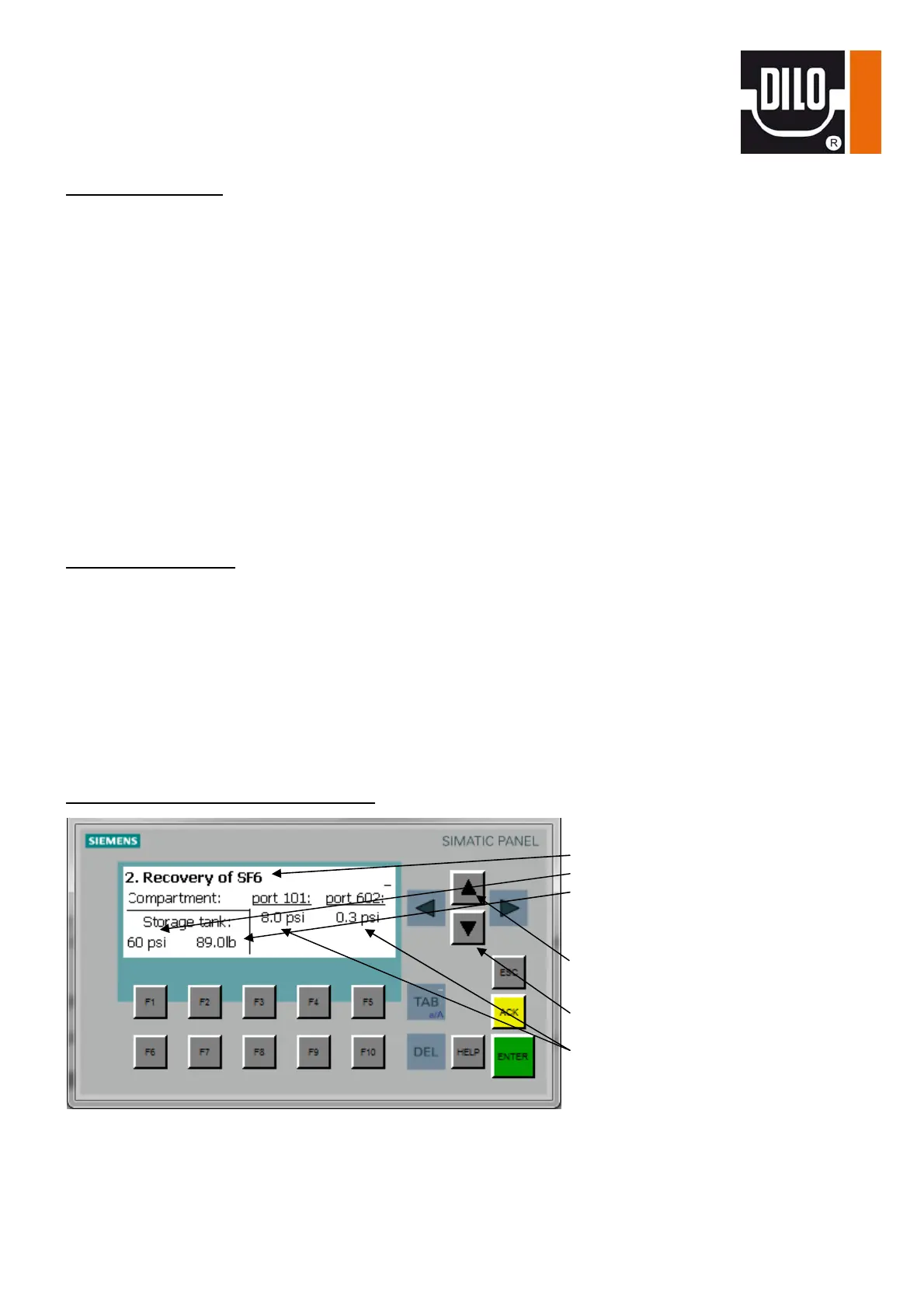
The selected function is displayed on the operating panel in the upper line.
Double key “1“/ “0“:
This double key serves for starting and stopping the functions.
0: This key has a double function.
When pressing this key the active function is completed. It is also used to confirm the indicated
malfunction message.
1: If there is no malfunction message the function selected by the knob switch can be started.
There is a control lamp between both buttons of the double key which lights up if a function is running.
Operating panel (basic configuration):
Selected function
Storage pressure
Storage weight
Screen selection “Settings“
Screen selection “Manual operation“
Gas compartment pressure


 To Next Page