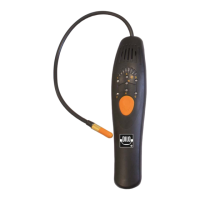
Product description
www.dilo-gmbh.com | 0200.bae
Input of values and activation of screen selection
Symbols and digits are input by means of the “F1 – F10” function keys on the operating panel.
Proceed as follows:
1. Select the desired parameter by means of the arrow keys.
2. For modification of the parameter press the <ENTER>- key.
3. Press the corresponding “F1 - F10” key until the desired digit is displayed on the screen.
The desired digit is accepted after one second or immediately after having pressed another key.
4. For navigation between the digits use the arrow keys.
5. Confirm the input by pressing the <ENTER> key.


 To Next Page