DFW series indicators DFW_03_12.07_EN_U
40
NOTES
- If the relay functioning mode has not been configured, the prolonged pressure of the ENTER/PRINT key has no effect.
- The DISABLING SET POINT must be equal or less than the ENABLING one;
if in the DISABLING SET POINT one enters and confirms a value greater than the ENABLING one, the instrument will
automatically set the same value in the ENABLING step and the anomaly is indicated through the “ModiFy” message at
the exit of the configuration MENU of the SET POINTS.
- If in the ENABLING SET POINT one enters a value lower than the DISABLING one, the instrument does not allow to
confirm.
- if one enters a set point with a number of divisions not coherent with the set minimum division it will be rounded up to
the multiple of the minimum division closest to it.
- The 0 value is valid for the enabling and the disabling of set points and just the set points greater or equal to zero are
accepted.
- The check of the weight remains active on the present value even during the modification of the SET POINT, until the
new value is confirmed.
- At start-up, the relays are managed from when the weight is displayed and these take on the configuration set in the
set-up environment. These are not managed inside the technical set-up.
- The tare operations are active.
MODE WITHOUT HYSTERESIS
It is the same as the functioning mode with hysteresis, except that one enters just one SET POINT value (therefore the
enabling threshold coincides with the disabling threshold).
11.4 SET POINT ON THE NET WEIGHT (StPn)
By selecting this functioning mode, in the normal scale status, one enables the function of the relays on the NET weight; the
entry of the SET POINTS and the functioning notes are the same as the gross weight mode.
11.5 INPUT/OUTPUT (inout)
Simple display functioning mode with in / out weighing function: the indicator acquires two weight values through the
confirmation of the operator and calculates the difference, automatically printing the data (if the presence of a printer has
been configured).
Once the in/out mode has been selected, the message “tyPE” is shown and one is asked to select with ENTER/PRINT the
printing mode of the acquired data:
- G.t. gross/tare:
GROSS Greater weight with unit of measure
TARE Lesser weight with unit of measure.
NET Difference between GROSS and TARE with unit of measure
-
1
st
.2
nd
first weigh/second weigh:
WEIGH 2 Second weight with unit of measure.
NET Difference without sign between WEIGH 1 and WEIGH 2 with unit of measure.
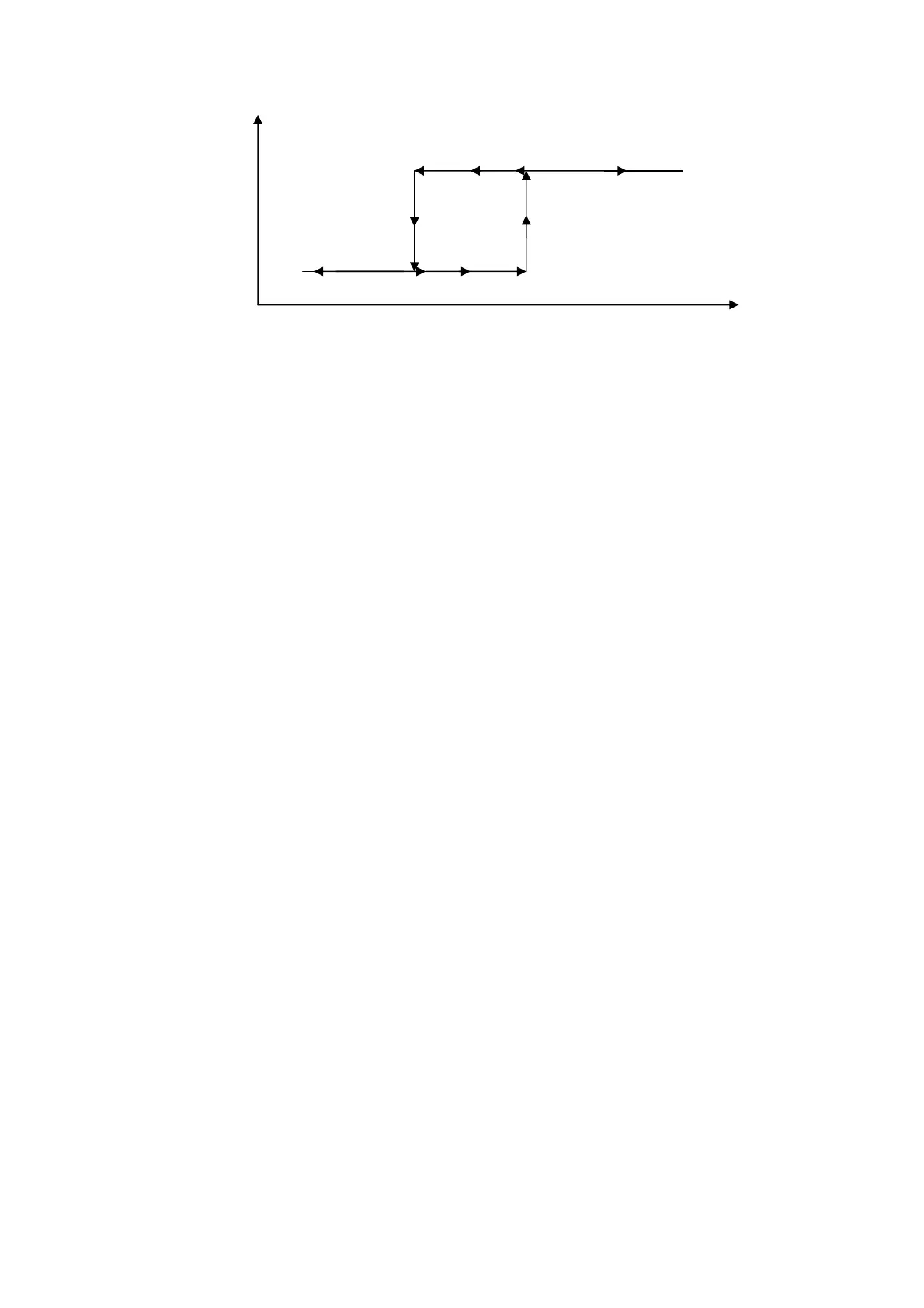
GROSS WEIGHT
RELAY 1 STATUS
ENABLED
DISABLED
Sb1.On
Sb1.OF







 To Next Page