DWG2000C-4/8G User Manual
16 / 51
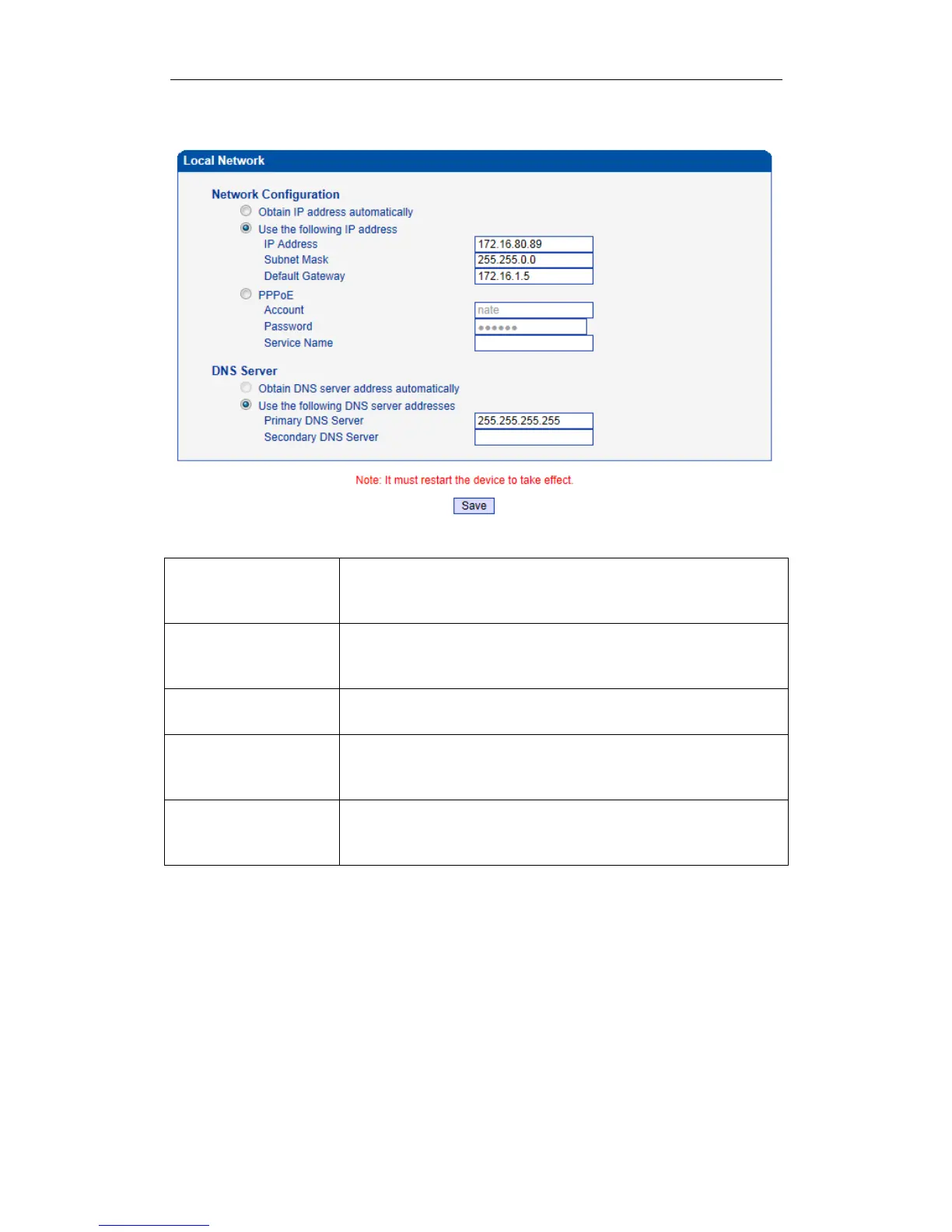
Figure 4-5-1 Local Network
Table 4-5-1 Description of Local network
Obtain IP Address
Automatically
Enable the device obtain IP Address automatically by DHCP or not.
Default is enabling
Use the Following IP
Address
Configure the "IP Address", "Subnet Mask" and "Default Gateway" by
manual
Both of account and password are provided by ISP. Use this mode when
there is not router in the local network.
Obtain DNS Server
Address Automatically
When enable the WAN port option of "Obtain DNS Server Address
Automatically" , which will be enabled subsequently.
Use the Following DNS
Server Addresses
Fill in the IP address of "Primary DNS Server" and "Secondary DNS
Server"
www.InternetVoipPhone.co.uk | sales@internetvoipphone.co.uk | 0800 088 4846














 To Next Page