MAINTENANCE & AJUSTEMENTS
97
CUTTERHEAD LINER REPLACEMENT
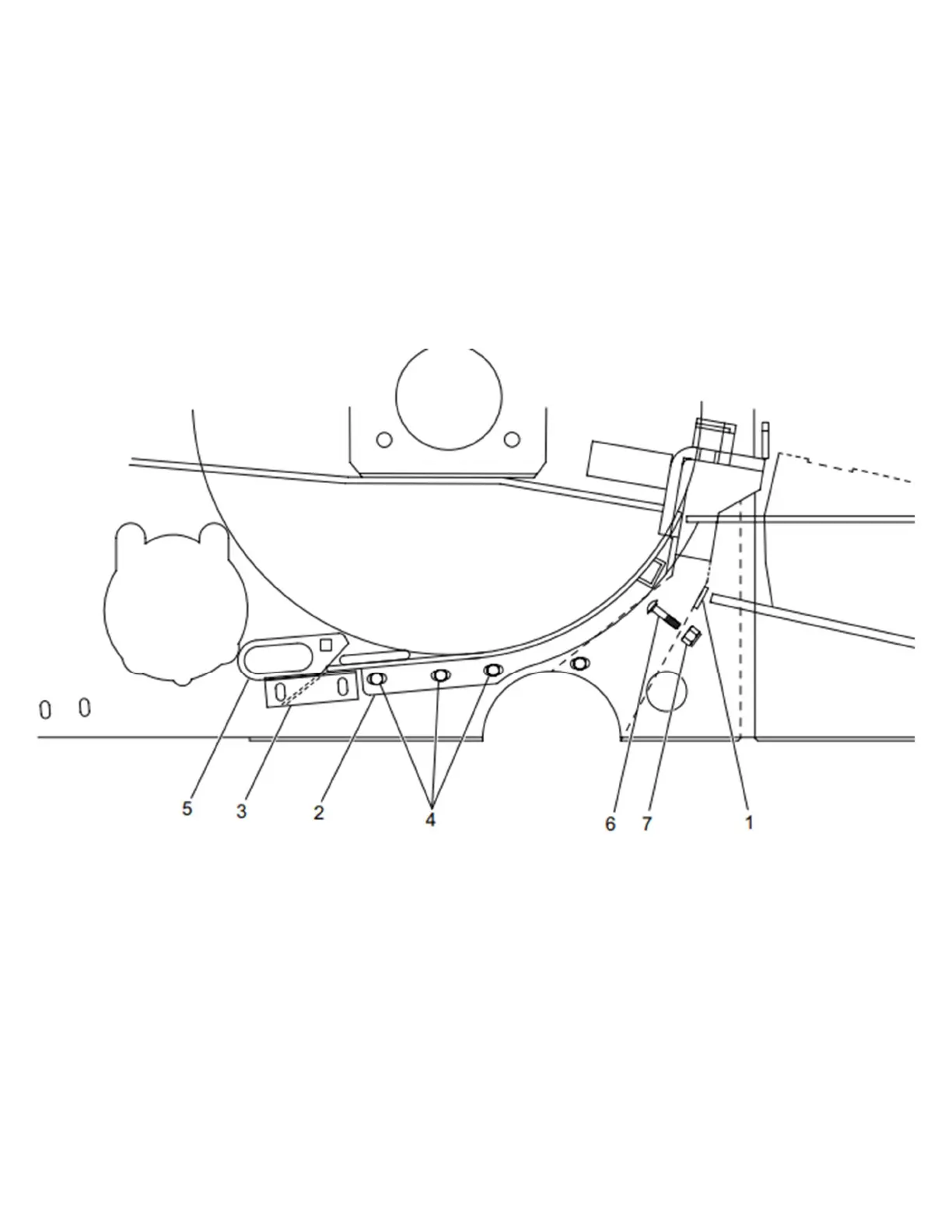
FIGURE 116
The bottom plate under the cutter head can be replaced by sliding it backwards.
1. Unbolt the bottom plate by removing the support (item 1), the two 3/8” X 3” lg carriage bolts (item 6) and 3/8”
lock nuts (item 7).
2. Remove the half bottom plate (item 3) and the three bolts on each side (item 4).
3. Unbolt the two access doors (item 5) and remove the bolts. The upper processor roll must also be removed if
necessary.
4. It is now possible to remove the bottom plate by sliding it under the cutter head.
5. Clean thoroughly before sliding in the new bottom plate.
6. Tighten the two 3/8” X 3” lg carriage bolts before tightening the three bolts on each side (item 4).
Figure 116 Cutterhead liner


 To Next Page