MAINTENANCE & AJUSTEMENTS
99
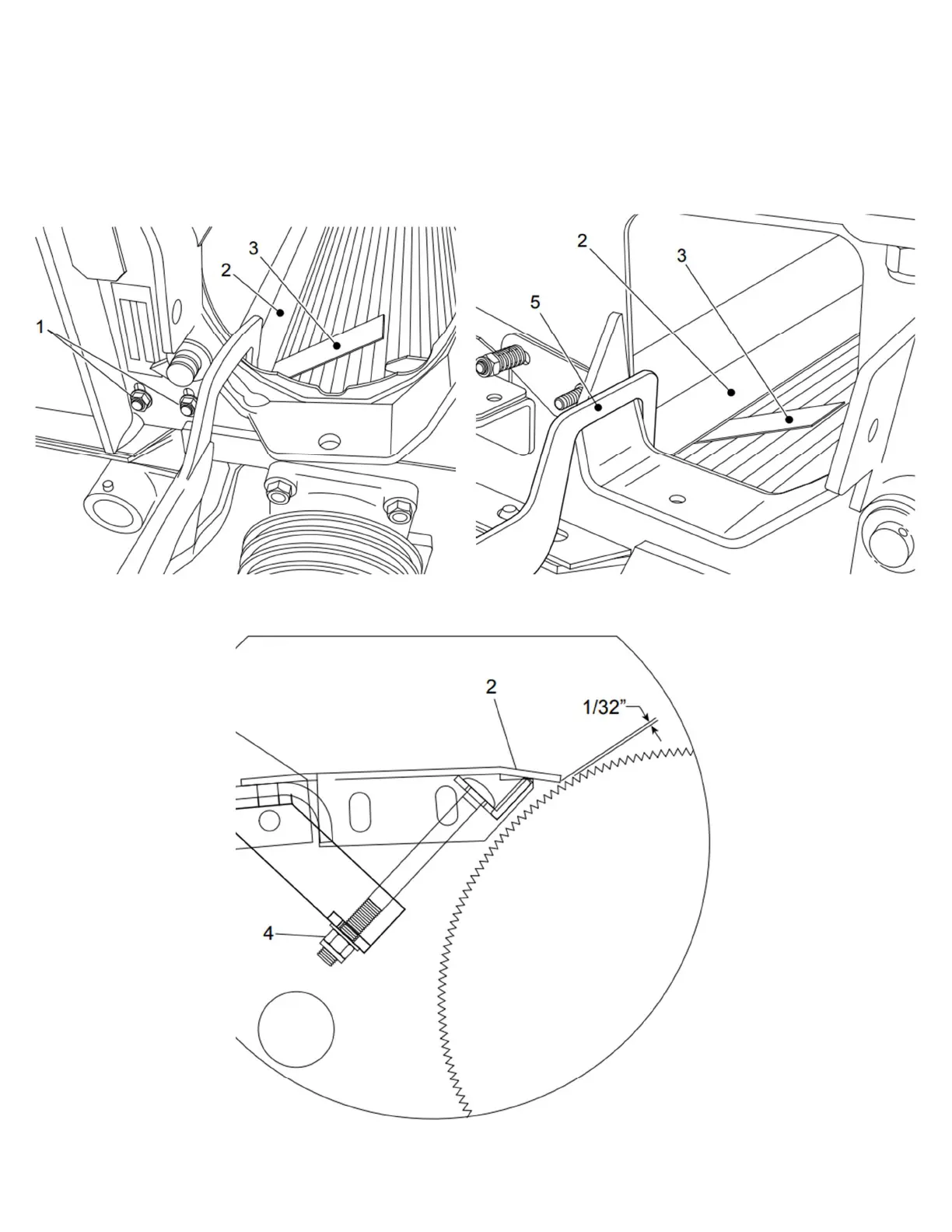
1. Hand tighten the two bolts on each side (item 1).
2. Insert a 1/32” spacer (item 3) at each end of the roll, between the roll and the half bottom (item 2).
3. Using a vise grip clamp (item 5 - Figure 119 Processor roll adjustment), lock the half bottom and roll together.
Tighten the two bolts on each side properly (item 1 - Figure 118 Processor roll adjustment)
4. Using the three 5/16” X 4 1/2" lg carriage bolts (item 4), adjust to 1/32” the gap between the roll and the half
bottom, over the entire width.
Figure 118 Processor roll adjustment
Figure 119 Processor roll adjustment


 To Next Page