
 To Next Page

M
Mr. Ruben SnyderSep 18, 2025
What to do if Directed Automobile Accessories J1850 is not detected?
- ZzmitchellSep 18, 2025
Check the J1850 wire connection. Wake up the data bus by turning the ignition on and try again.

What to do if Directed Automobile Accessories J1850 is not detected?
Check the J1850 wire connection. Wake up the data bus by turning the ignition on and try again.
What to do if CAN2 is not detected on Directed DB3 Automobile Accessories?
If CAN2 isn't being detected by your Directed Automobile Accessories, check the connections of the Orange/Green and Orange/Brown wires. Wake up the data bus by turning the ignition on and try again. If your installation does not require this connection, skip this step by pressing the programming button 5 times.
What to do if MUX is not detected in Directed DB3?
The Violet/Green or Violet/Brown wire did not detect the expected voltage value. Check the connections.
What to do if Directed Door locks MUX not detected?
The Violet/Green or Violet/Brown wire did not detect the expected voltage value.
What to do if I get a bypass processing error on my Directed Car Alarm?
If you encounter a bypass processing error with your Directed Car Alarm, reset the module and try again. If the condition persists, further assistance may be needed.
Why Directed DB3 Automobile Accessories transponder functions were skipped?
If the Directed Automobile Accessories system indicates 'Transponder functions were skipped' when RXT mode is not desired or convenience features are needed, please reset and reprogram the module.
What does it mean if Directed Automobile Accessories says ISO 2 not detected?
If the Directed Automobile Accessories system indicates 'ISO 2 not detected,' it means the Orange/Black wire did not detect the expected signal. Consult the “Installation (wiring diagrams & vehicle wiring reference charts)” to verify the connections.
Why was the brake not detected by my Directed DB3 Automobile Accessories?
The brakes were not detected by your Directed Automobile Accessories device, which prevents the system from shutting down the vehicle.
What to do if bypass data is not detected in Directed Automobile Electronics?
If the bypass data isn't being detected by your Directed Automobile Electronics, start by checking the bypass line connection. If multiple wires are involved, ensure they're not inverted. Also, confirm that the vehicle still functions correctly with the factory key.
What to do if Directed Remote Starter bypass processing error?
The bypass calculation failed. Reset the module and try again. If the condition persists, please contact Technical Support.
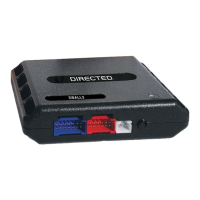
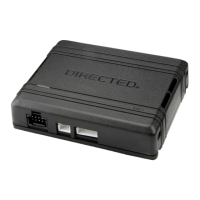
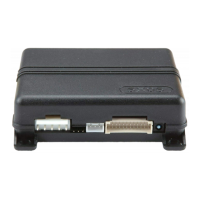
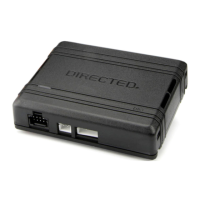
Describes the DB3 as a universal, flashable data-bus interface module.
Highlights the DB3's capability to cover over 90% of vehicles on the road today.
Lists features like RSR/RXT compatibility, programmable functions via Directechs, and RF loop support.
Details compatibility with RSR, RXT, SmartStart, and 3X Lock Start systems.
Mentions the ability to configure the module using a flash module.
Explains the warranty for Directed interfaces ensuring high-speed digital connectivity and error-free data exchange.
Warns users to check for hood detection switches before servicing to prevent unexpected restarts.
 General
| Brand | Directed |
|---|---|
| Model | DB3 |
| Category | Automobile Accessories |
| Language | English |