EasyManua.ls Logo

Directed DB3 - User Manual

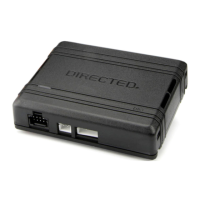
Directed DB3
6 pages
Print Icon
To Next Page IconTo Next Page
Loading...
DIRECTED
e

Other manuals for Directed DB3

Questions and Answers

  • B
    Brittany RodriguezSep 14, 2025
    What does it mean if OBDII feature is not supported in Directed Automobile Accessories?
    • M
      Mrs. Victoria SmithSep 15, 2025
      If the OBDII feature isn't supported in your Directed Automobile Accessories, it means the diagnostic data bus wasn't detected, which will limit the SmartStart features.
  • C
    Clinton GomezAug 26, 2025
    What to do if Directed Automobile Accessories CAN bus is incorrectly detected?
    • P
      pbautistaAug 26, 2025
      Verify the CAN1 and CAN2 connections. Check the connections.
  • J
    jessica10Aug 26, 2025
    What to do if MUX is not detected in Directed DB3?
    • J
      James WilliamsAug 26, 2025
      The Violet/Green or Violet/Brown wire did not detect the expected voltage value. Check the connections.
  • J
    Jonathan PattersonAug 30, 2025
    What does it mean if transponder functions were skipped on Directed Automobile Accessories?
    • M
      Melissa HarringtonAug 30, 2025
      If transponder functions were skipped on your Directed Automobile Accessories, when RXT mode is not desired or convenience features are needed (if compatible), reset and reprogram the module.
  • J
    Joshua GillAug 31, 2025
    What to do if J1850 is not detected on my Directed DB3 Automobile Accessories?
    • P
      paul47Aug 31, 2025
      If the J1850 is not detected by your Directed Automobile Accessories device, check the J1850 wire connection. You may also need to wake up the data bus by turning the ignition on and try again.
  • S
    Shawn BarreraSep 1, 2025
    What to do if initialization failed on my Directed DB3 Automobile Accessories?
    • S
      Sophia AdamsSep 1, 2025
      If initialization failed on your Directed Automobile Accessories device, reset the module and complete the programming again. If the issue persists, please contact Technical Support.
  • B
    bernardharveySep 18, 2025
    Why Directed Automobile Accessories Runsafe was not disabled?
    • A
      arielharrisSep 19, 2025
      No UNLOCK command was received prior to opening the door, or the 45 second timer expired in takeover mode.
  • C
    Casey ChangSep 6, 2025
    What to do if the CAN bus is incorrectly detected in Directed Automobile Electronics?
    • L
      Lori VaughnSep 7, 2025
      If the CAN bus is being incorrectly detected by your Directed Automobile Electronics, verify the CAN1 and CAN2 connections. Refer to 'Installation (wiring diagrams & vehicle wiring reference charts)' to check the connections.
  • N
    Nicole FordSep 13, 2025
    Why Directed Remote Starter Runsafe was not disabled?
    • J
      Jane SchaeferSep 13, 2025
      No UNLOCK command was received prior to opening the door, or the 45 second timer expired in takeover mode.
  • J
    Jason WillisAug 25, 2025
    What to do if CAN1 is not detected in Directed Automobile Accessories?
    • K
      Kevin YoungAug 25, 2025
      Check the connections of the CAN1 Tan and Tan/Black wires. Then, wake up the data bus by turning the ignition on and try again. If your installation doesn't need this connection, skip this step by pressing the programming button 5 times.

Summary

DB3 Digital Remote Start Module

Universal Data-Bus Interface Module

Describes the DB3 as a universal, flashable data-bus interface module.

All-in-One Vehicle Coverage

Highlights the DB3's capability to cover over 90% of vehicles on the road today.

Product Features and Compatibility

Key Features and Functions

Lists features like RSR/RXT compatibility, programmable functions via Directechs, and RF loop support.

System Compatibility

Details compatibility with RSR, RXT, SmartStart, and 3X Lock Start systems.

Flash Module Configuration

Mentions the ability to configure the module using a flash module.

Warranty and Safety

Lifetime Performance Matched Warranty

Explains the warranty for Directed interfaces ensuring high-speed digital connectivity and error-free data exchange.

Vehicle Servicing Warning

Warns users to check for hood detection switches before servicing to prevent unexpected restarts.

Directed DB3 Specifications

General IconGeneral
BrandDirected
ModelDB3
CategoryAutomobile Accessories
LanguageEnglish

Related product manuals