10
lIne 6 setup guIde
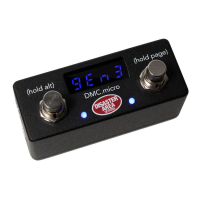
The DMC.micro supports several Line 6 devices:
M-Series: M5, M9, M13
HX Series: HX Eects, HX Stomp
To congure any supported Line 6 device to work with the DMC.micro, rst congure the
controller with the correct device driver for the device slot you wish to use. For example, to use
an HX Stomp as device A, set DEVICE A = HX Stomp.
Then, set up the MIDI receive channel on your device to the matching MIDI channel.
For HX Stomp and Eects, enter the global menu and set:
MIDI Base Channel to match - for example DevA = CH1, DevB = CH2.
MIDI THRU = ON
Rx MIDI Clock = MIDI IN or AUTO
MIDI PC Rx = ON
For M-Series, enter the Prefs menu and set:
Manual Save
MIDI CH to match your device slot selection, for example DevA = CH1, DevB = CH2.
HX Stomp users please note that the default expression pedal commands send EXP1 or PEDAL1,
so you’ll need to use this conguration rather than assigning the pedal to a single command.
You can use MULTIJACK = UTIL, then assign J TIP TYP = an unreserved MIDI command if you
want to assign the pedal to a single function.
The DMC.micro Looper mode can control the looper in the M9, M13, HX Stomp, or HX Eects.
The M5 does not have a looper and is not supported for looper control.
The M9 and M13 loopers are always accessible, and run “in the background” regardless of which
scene is selected on the pedal. Simply set the UTIL MOD Y = LOOPER to match the device slot
you’ve chosen for your M-series pedal. For example if your M9 is set to DevB / Channel 2, then
set UTIL MOD Y = LOOPER B.
The HX Stomp and Eects loopers require you to have one block of your preset set to the
Looper. You’ll then need to congure the UTIL MOD Y = LOOPER to match the device slot you’ve
chosen as detailed above. You can use the looper on the HX series regardless of where it is in
the patch and whether you’re in a mode that allows access to its controls or not.


 To Next Page