19
CloCk Mode
Clock mode allows you to control the DMC.micro’s internal MIDI clock source.
To enable Clock mode, change the CLOCK MODE / CLK parameter in the setup menu.
OFF = Clock mode is disabled. PRESET/ PRST = Each preset has its own saved tempo,
GLOBAL / GLB = the clock will maintain one tempo regardless of the current preset.
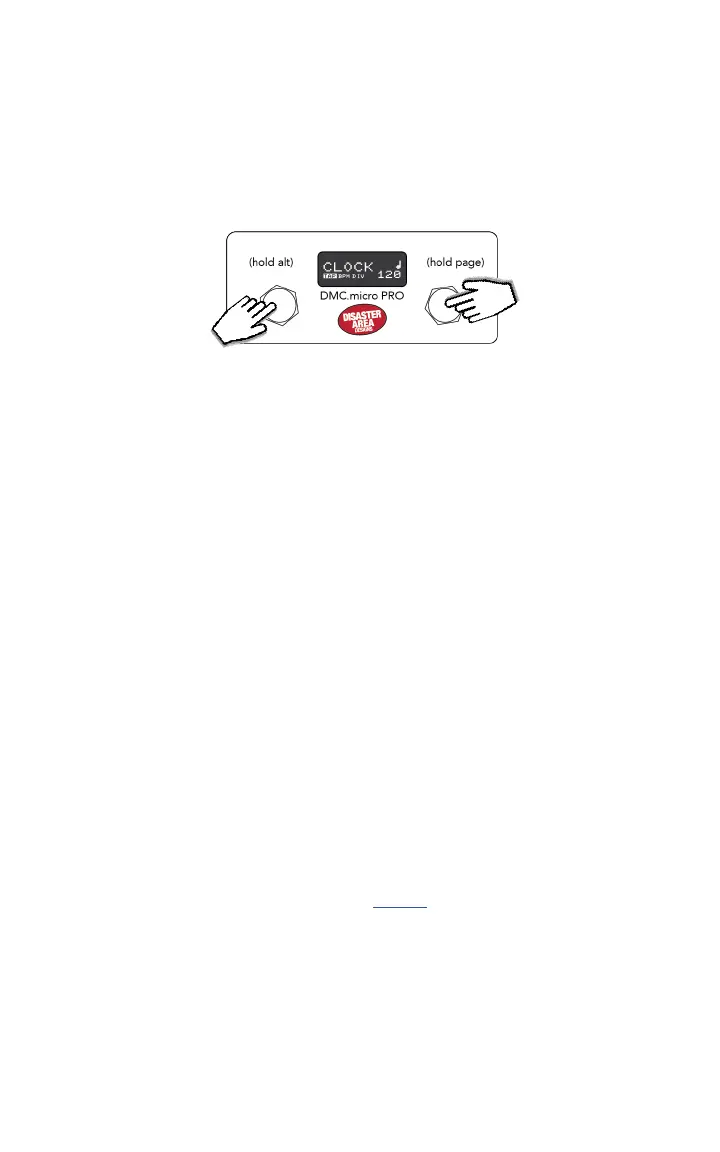
Hold and release the right button to step through your available modes until CLOCK / T is
shown.
The current clock function is shown by the display or the left LED (LED4 version.)
TAP: Tap the left or right footswitch to set the tempo, hold left to move to the next clock
function. The LED4 version will blink the left LED blue in this mode.
BPM: Tap the left or right footswitch to set the tempo by BPM, hold left to move to the next
clock function. The LED4 version will blink the left LED red in this mode.
DIV: Tap the left or right button to select the tap division for the analog tap output only. The
tap division does not aect the master MIDI clock in any way. The LED4 version will blink the
left LED violet in this mode.
To stop the MIDI clock, set the BPM to its minimum setting in BPM mode, then tap the left
button once more to stop the clock. Tap right or input a new tempo in TAP mode to start the
clock again.
The DMC.micro sends MIDI clock, which is a stream of MIDI messages that pedals and other
MIDI devices use for timing purposes. If your device doesn’t follow the tempo set by the DMC,
consult its manual to make sure that MIDI clock is enabled or active. Many devices disable
MIDI clock by default, so please check your device manual before emailing support!
If you have set CLOCK = PRESET (CLK = PRST) then the DMC.micro will save the current
tempo and division setting to your presets for later recall. Simply set the tempo, then save
the preset using the Preset mode save function. The DMC will recall your tempo, division, and
clock stop / start state when the preset is next loaded.
To send tap tempo to a non-MIDI device, rst congure the MultiJack for normally-open or
normally-closed relay operation, and make sure that your DMC.micro DIP switches are set to
OFF-OFF-OFF. Consult the MultiJack section on page 22 for more details. BOSS pedals use
normally-closed, most other pedals use normally-open but check with the manufacturer if
you’re not sure.
Once the MultiJack has been congured, connect a suitable cable from your DMC MultiJack
to the tap tempo input of your pedal and enter CLOCK mode. Tap a new tempo on the DMC
and you should see your device change tempo. If your device doesn’t respond, you can try
changing the TAP LENGTH / TLEN parameter in Setup to a higher value. Many Walrus, Keeley,
and Dunlop pedals require longer tap length.
HOLD TO CHANGE
FUNCTION
HOLD FOR
NEXT MODE
TAP TO SET TEMPO
OR DIVISION


 To Next Page