20
utIlIty Modes
The DMC.micro features two Utility modes, each of which allows you to send up to three
dierent user-denable MIDI messages to your devices.
To use Utility Mode X, enter the DMC setup and congure UTIL MOD X (UTL.1) to ON.
To use Utility Mode Y, congure UTIL MOD Y (UTL.2) to UTIL Y / UTL.2.
Although only a single button is shown in the example below, each action in Utility Mode is
congured in the same way.
UT X. L TYP / U Lt Utility Mode, Left Button Message Type. This sets the type of message
that the left button will send.
ONE: MIDI CC message will be sent with the same value each time the button
is pressed.
TOGG: MIDI CC message will be sent with two alternating values when the
button is pressed.
NOTE: MIDI Note on and note o message will be sent when the button is
pressed.
b UP: Bank up message will be sent for Strymon devices.
b DN: Bank down message will be sent for Strymon devices.
TAP: Tap tempo CC message will be sent. If the MIDI clock modes are
enabled, this will control the clock tempo.
UT.X L NUM / U Ln Utility Mode, Left Button Message Number. This sets the MIDI CC
controller number or MIDI note number that the left button will send. Ranges from 0-127.
UT.X L LOW / U LL Utility Mode, Left Button Low Value. This sets the MIDI CC lower number
for use with the Toggle message type.
UT.X L HI / U LH Utility Mode, Left Button High Value. This sets the MIDI CC upper value
for use with the Toggle message type, or the value sent for the ONE shot message type. Also
sets the velocity of the MIDI note sent for the NOTE message type.
UT.X L CH / U LC Utility Mode, Left Button Channel. This sets the MIDI channel or
channels that the left button will use to send messages. The channel is indicated with the
letters A, B, C. If you wish to send a message to the A, B, or C device its letter must be shown.
If a zero is shown in a particular location, that channel will not receive the messages from this
button. For example, U LC = AB0 means that the left button in Utility Mode will send MIDI
messages to Devices A and B but not to Device C.
As mentioned earlier, the congurations for the ALT / A and RIGHT / R button messages are
identical to the above, as well as the UTIL MODE Y settings.
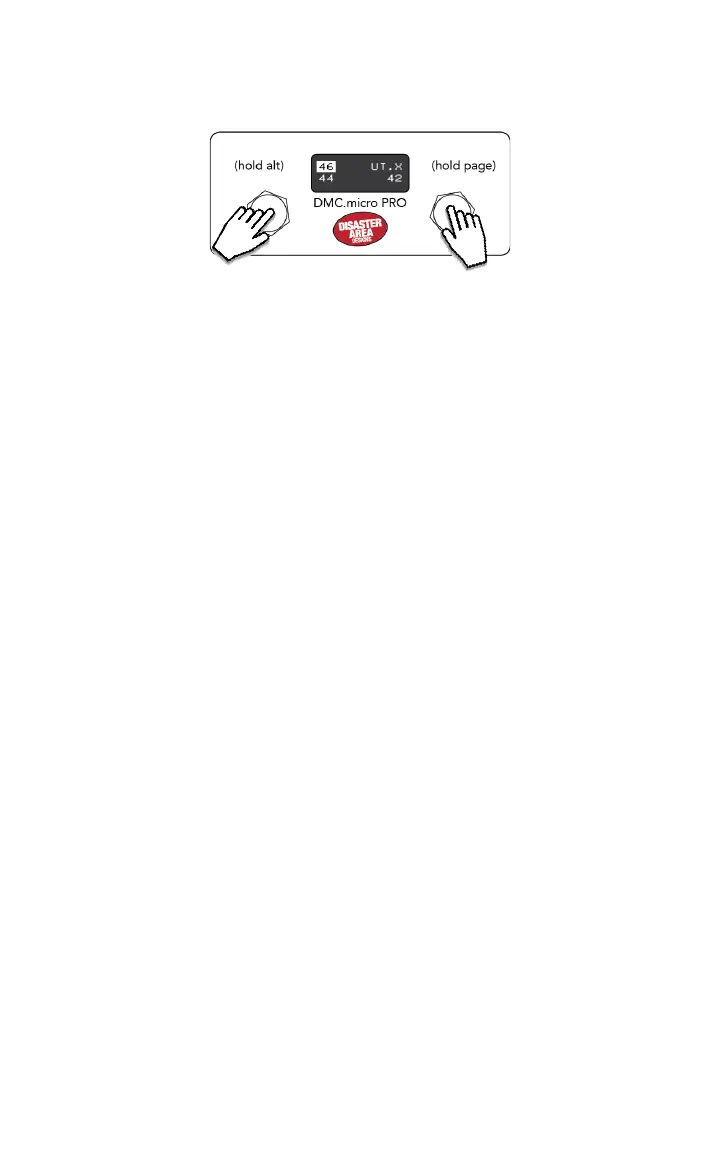
If one or more of your UTIL actions are set to TOGG, the display will highlight them when they
are at the HI value and display them normally when at LO. The LED4 version will light up the
associated LED (blue for L and R, red for A.)
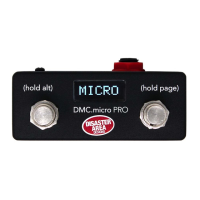
TAP TO SEND LEFT MESSAGE
HOLD TO SEND ALT MESSAGE
TAP TO SEND RIGHT MESSAGE
HOLD FOR NEXT PAGE


 To Next Page