11
MerIs setup guIde
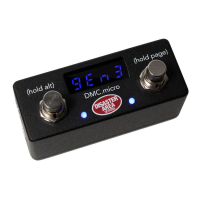
To congure your Meris pedal with DMC.micro, plug in a TRS / mono cable from the MultiJack
on DMC.micro to the EXP / MIDI jack on the back of the Meris. Alternatively you can use a
5P-TRS PRO cable to connect from the DMC.micro MIDI port to the Meris EXP / MIDI jack. This
conguration will allow you to use the DMC.micro MultiJack to connect to an expression pedal.
Enter Setup on the DMC.micro and congure MUKTIJACK = MIDI TIP to connect with TRS cable
or EXP if you’re using a MIDI cable. Set your desired device mode to MERIS. Remember to hold
the right footswitch to save. Set the DIP switches to ON-ON-ON.
Example: If you want to use a Polymoon as your B device,
connected to the MultiJack, set DevB = MERIS,
JACK = MIDI, JACK CHAN = CH B
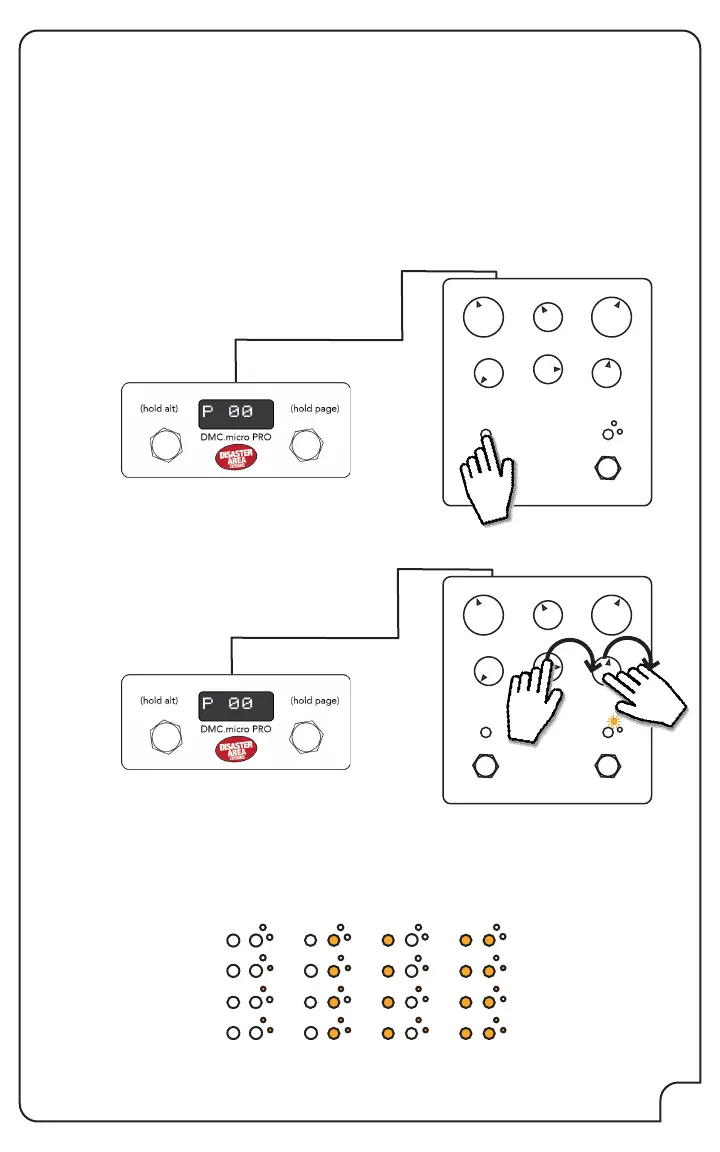
Power on the Meris pedal while holding the LED button over the left footswitch. All of the
Meris LEDs will blink three times to indicate that it is now in setup mode.
Rotate the lower right knob fully CLOCKWISE to set the EXP jack to MIDI. The far right small LED
will light to indicate MIDI mode.
Rotate the lower middle knob to set the desired MIDI channel - the LEDs on the pedal will light
to show the MIDI channel as you turn the knob. Example: To set the pedal to MIDI channel 2
(DevB,) turn the lower right knob until the lower small LED on the right side is lit.
01
02
03
04
05
06
07
08
09
10
11
12
13
14
15
16
Power your Meris pedal o and back on to save the conguration.
Your Meris pedal is now congured!



 To Next Page