3
setup Menu (ContInued)
SETUP MENU ITEMS:
As you move through the menu you’ll see the following items to edit. Feel free to tweak the
settings to your satisfaction, but if you’re not sure about anything we recommend the default
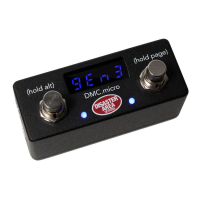
settings as listed. The menu names for the DMC.micro LED4 are shown in BLUE.
MAX PRESET / PRST: Number of presets available in Preset mode. If PRST is set to OFF, preset
mode will be disabled. Range OFF to 99, default 16.
PRST CHAN/ P CH: Sets the channels the DMC will send using Preset Mode. Set A, B, C, D to
send on channels 1, 2, 3, 4. Set any channel to 0 to disable sending on that channel.
DEVICES / DEV: Number of available device modes. Each device mode controls one MIDI
device on channels 1-4 (devices A-D.) Range OFF to DevD, default DevA.
DEVICE A / DEV.A Device mode assignments. Select the device type assigned
DEVICE B / DEV.B to each channel of the controller to automatically set up the
DEVICE C / DEV.C correct MIDI commands for each device.
DEVICE D / DEV.D
UTIL MOD X / UTIL.X Enable or disable Utility Mode X
UTIL MOD Y / UTIL.Y Enable or disable Utility Mode Y or Looper Mode. Set this to DevA-
DevD to assign the looper controls to that device.
CLOCK MODE / CLK: Enable or disable the Clock Mode. Set this to OFF to disable, Preset
(new tempo loads for each preset) or Global (one tempo for all presets)
UTIL MOD X / UTIL MOD Y: Congure the functions the DMC will use for Utility Mode X and Y.
Please consult the Utility Mode section on page 20 for further details. Note: these menu items
will be hidden if Utility Modes are disabled.
MULTIJACK / JACK: Congures the MultiJack hardware, please see the MultiJack section on
page 22 for full details.
EXP: Jack connects to expression pedal (TRS type required)
FT.SW: Jack connects to single foot switch for tap tempo
N-O: Jack functions as normally-open tap tempo output*
MIDI TIP / MID.T: Jack sends MIDI from tip
MIDI RNG / MID.R: Jack sends MIDI from ring
MIDI T&R / MD.TR: Jack sends MIDI from both tip and ring
MIDI I/O / MD.IO: Jack sends MIDI from tip, receives MIDI from ring
UTIL: Connect dual footswitch to jack OR expression pedal, control functions
programmable using UTIL J TIP and RING functions
N-C: Jack functions as normally-closed tap tempo output*
Functions marked * require the jack DIP switches to be set to OFF-OFF-OFF
JACK CHAN / J CH: Sets the MIDI channels that the MultiJack will send.
J TIP / J RNG: Congure the functions the MultiJack footswitches or expression pedal will
send. Please consult the MultiJack section on page 22 for further details. Note: these menu
items will be hidden if MultiJack is not set to UTIL.
TAP LENGTH / TLEN: Congures the MultiJack tempo output. Longer settings increase the
time the output is held after a tap, increase this if your tap tempo device doesn’t respond to
taps. Only controls the MultiJack in N-O or N-C modes, does not aect any other settings.
(continues next page)


 To Next Page