B-44
1-14. Supply Air Pressure Check
Procedures to check supply air pressure
Step No.
Procedure
(Continued from the previous section)
1
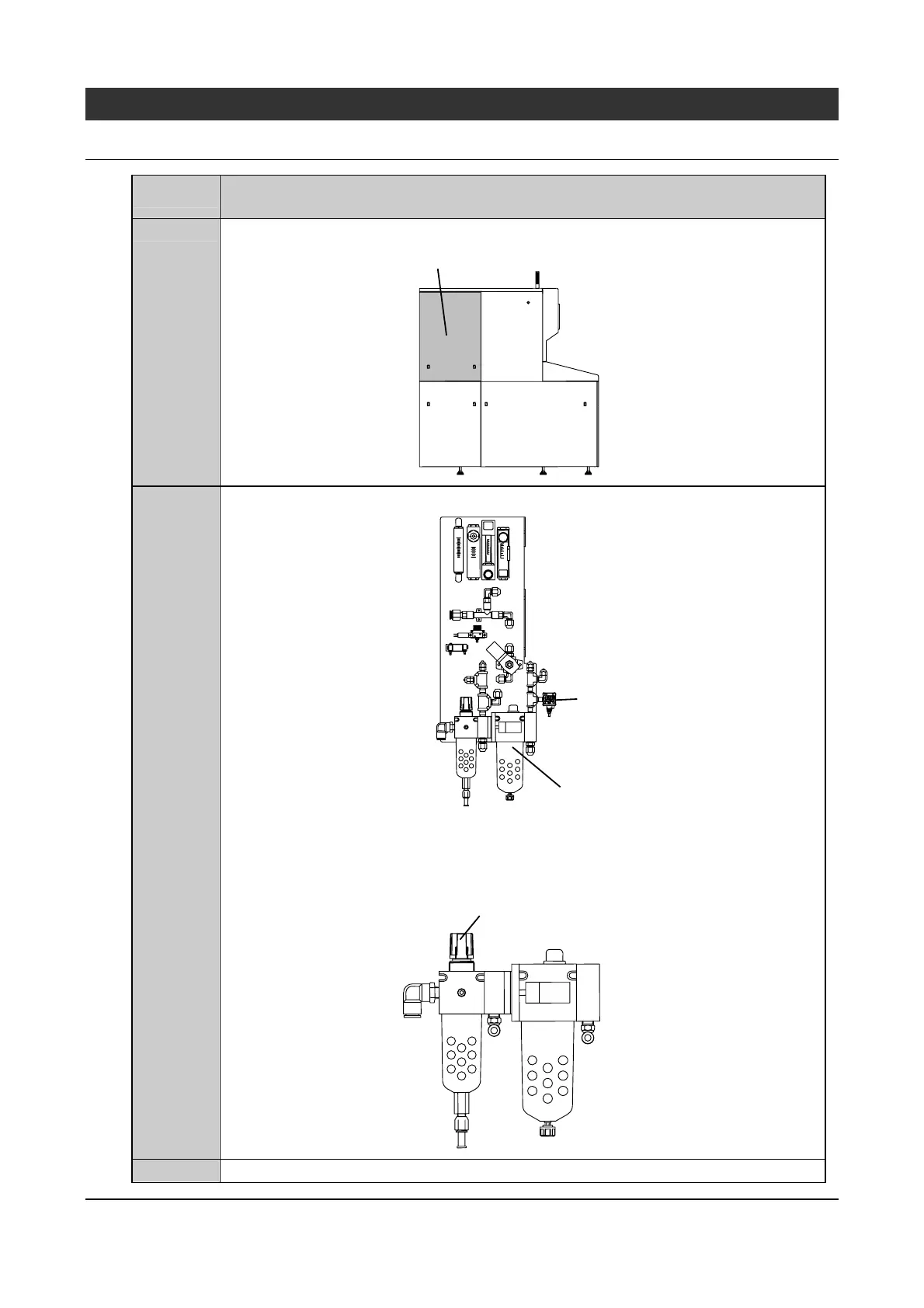
Remove the cover shown in the figure below.
Remove this cover
2
Check to make sure that the indicated value on the pressure sensor (main air) is 0.5 MPa.
Pressure sensor
(main air))
Air unit
・If the indicated value is not 0.5 MPa, make adjustment using the regulator of the air unit
to obtain 0.5 MPa.
Regulator
(Pull up the knob to turn it for adjustment. Push
the knob back after adjustment.)
3
Install the cover removed in step 1.
Continued in the next section.



 To Next Page