37
Wally User Guide
Recording and Watching DVR Programs
6
Resolving Recording Conflicts
Recording conicts happen when you attempt to record a program that overlaps with another recording, either live
or scheduled. Recording conicts happen in the following ways:
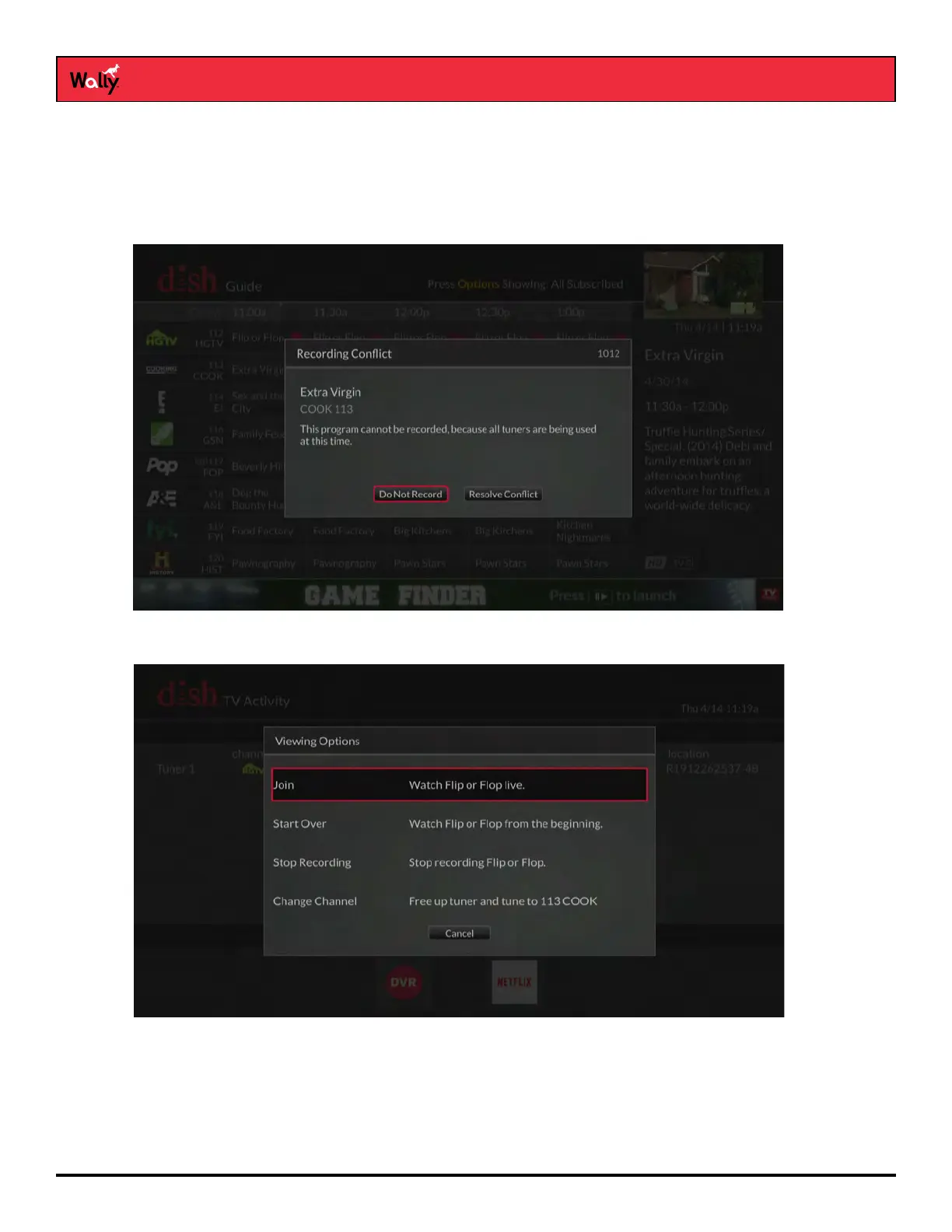
• On the Program Guide – When a conict occurs, the Recording Conict popup displays and allows you to not
record the program or to resolve the conict by canceling the conicting program.
• When Changing the Channel – If you’re recording a program and attempt to change the channel, the TV
Activity screen displays to show you what’s being recorded.
From this screen, you can decide to watch the same program being recorded (live or from the beginning), stop
it from recording, or change the channel. If you don’t want to stop the recording, you have the option to watch
a DVR or pay-per-view program.
Note: You can display the TV Activity screen while watching a program by pressing OPTIONS on the remote
and selecting TV Activity.










 To Next Page