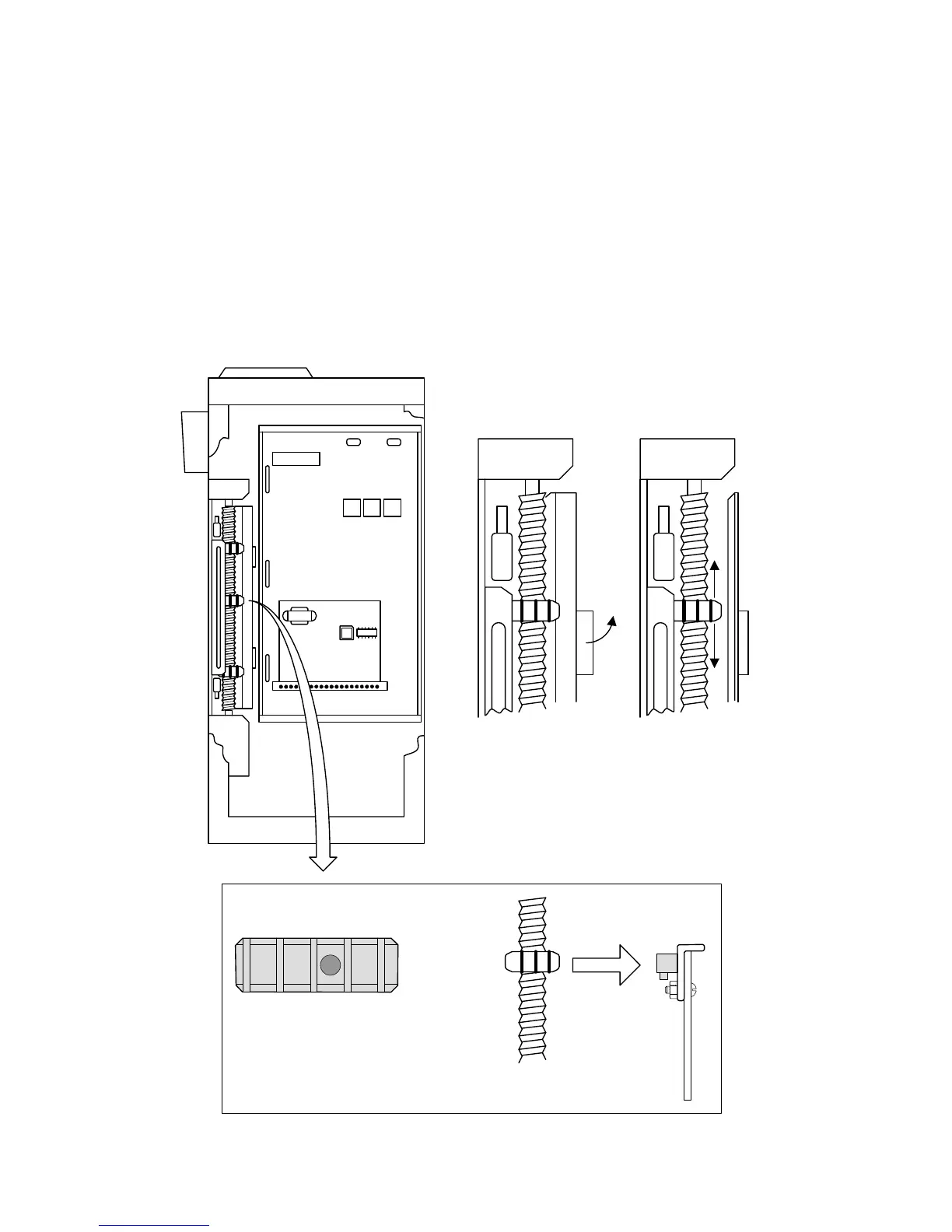
3.3 Limit Adjustment
3.3.1 Limit Adjustment for 9210 Operator
1. Turn power off.
2. Push the lock plate handle down to adjust the Open and Close limit nuts.
3. After adjusting the limit-nuts, be sure that the lock-plate is engaged in the slots on the
limit-nuts to prevent them from slipping.
4. Turn power on and activate the gate operator.
5. Re-adjust the limit-nuts as necessary for full-open and full-close gate travel.
6. If using the partial open feature (input to terminal 5), adjust the middle limit nut being
sure to align the magnet in the limit nut with the magnetic pick-up.
Be sure the magnet
imbedded in the partial
open (center) limit nut is
aligned with the partial
open magnetic pick-up
Partial Open Limit
Page 36 9210-065-H-8-08



 To Next Page