15
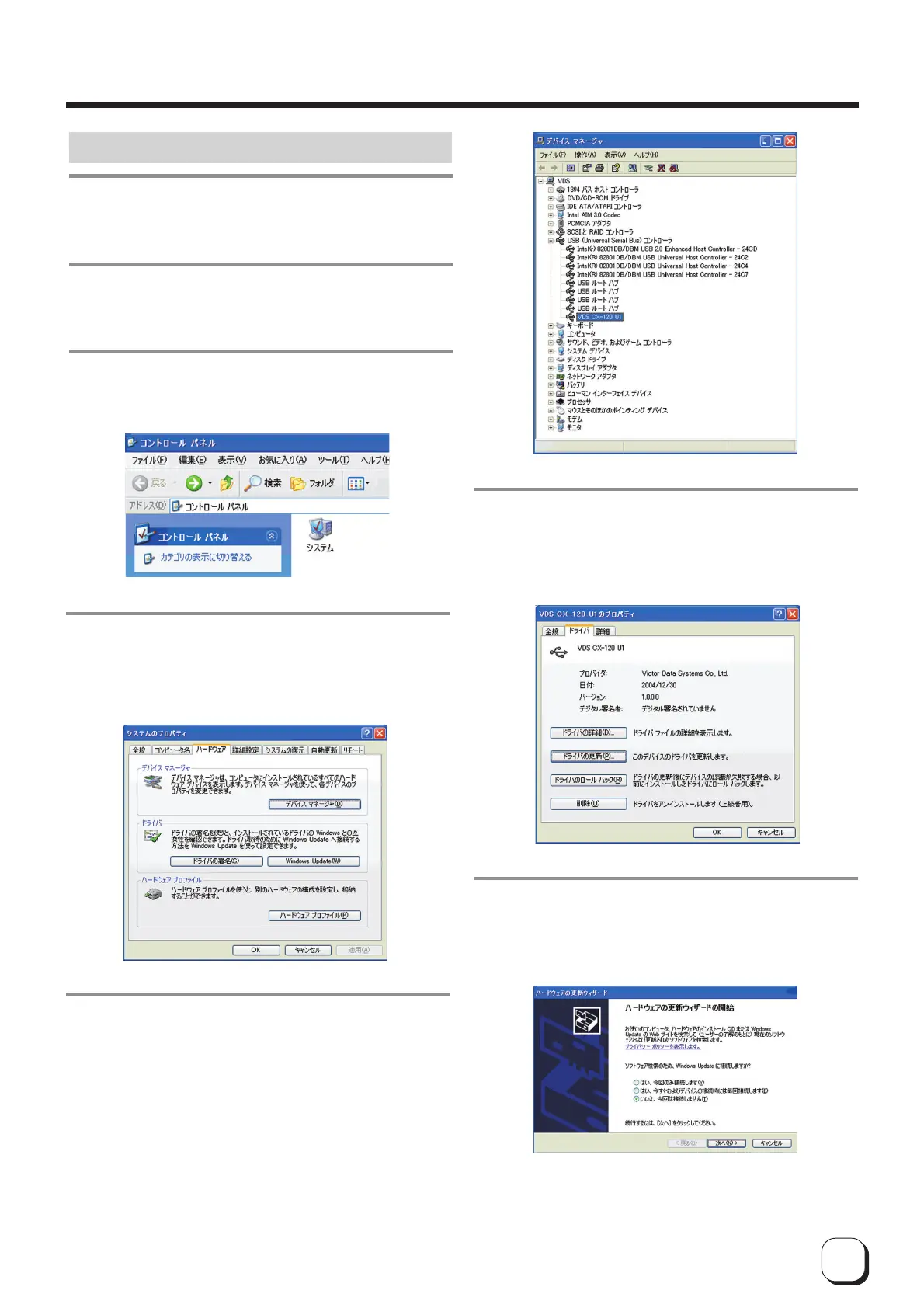
Update of USB Driver - Windows XP
1.
Check that the connection between com-
puter and card printer is on.
2.
Switch on the card printer.
3.
Open "Control Panel" from "My Computer"
and double-click on "System".
4.
When the following screen appears,
1
Select "Hardware" tab and
2 click on the "Device Manager" button
5.
When the following screen appears,
1
Select "USB (Universal Serial Bus) Controller" and
2 double-click to update [VDS CX-120 Un](nÅF1Å`7)
6.
When the following screen appears,
1
Select "Driver" tab and
2 click on the "Update Driver" button
7.
When the following screen appears,
1
Select "No, I do not wish to connect this time" and
2 click on the "next" button
Softwqre Upgrade



 To Next Page