6
Monitoring Printer Status
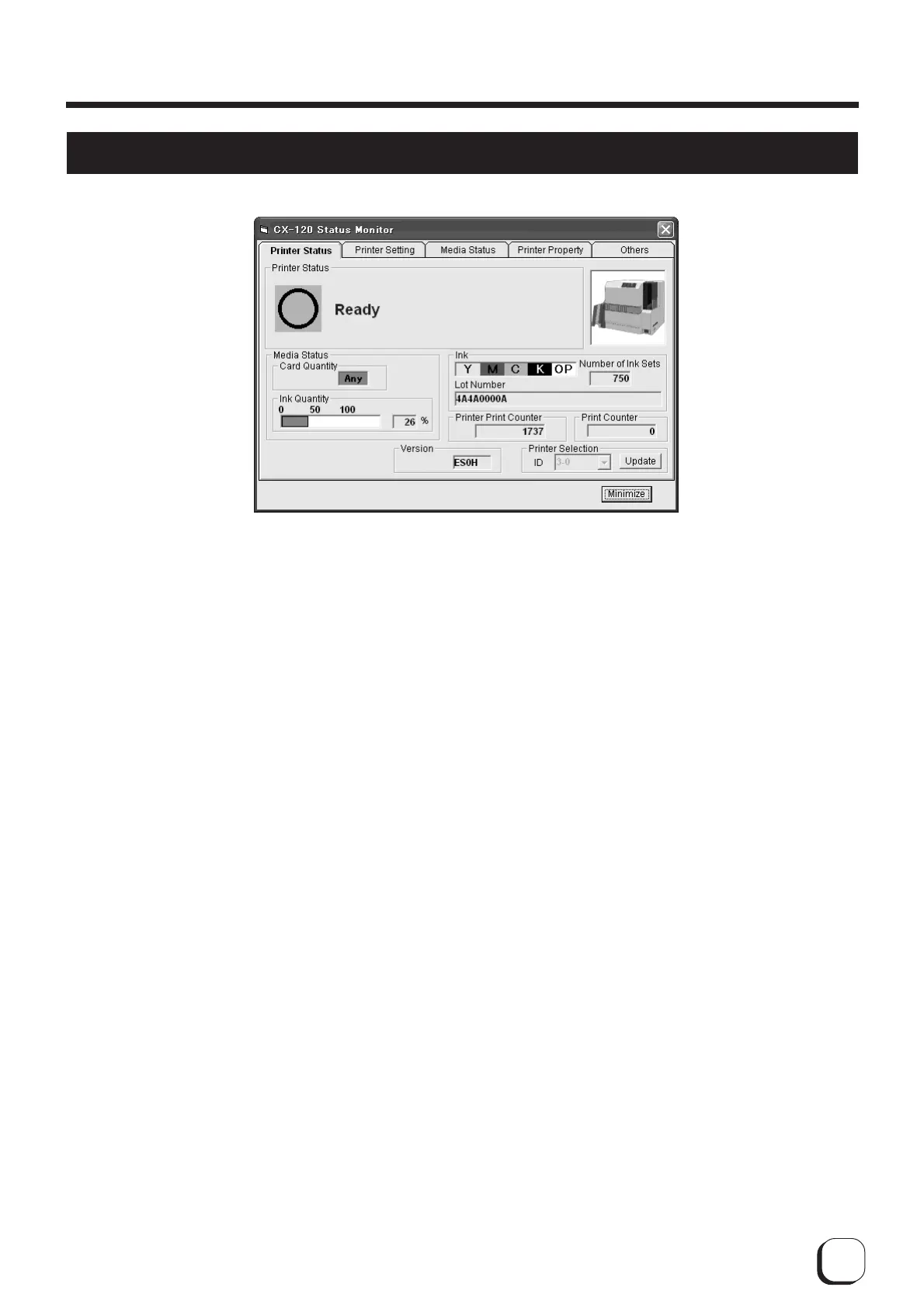
1 Printer status : Displays status of printer.
2 Media status : Indicates whether cards are present as well as the remaining ink quantity.
3 Ink : Displays information of the installed ink ribbon. The quantity and lot number will be blank
if ink ribbon is not recognized correctly. In such a case, it may not be possible to control
the ink ribbon properly. Check the installation status of the ink ribbon.
4
Quantity issued by printer
: Displays the number of cards issued by the printer.
5 Quantity issued : Displays the number of cards issued. This figure can be reset to 0 on the Others screen.
6 Version : Displays the version of the printer firmware.
7 Printer Selection : Switches to the target printer when the same host computer is connected to multiple
printers. Update the printer connection status using the Update button.
How to Use the Status Monitor



 To Next Page