16
Update of USB Driver - Windows2000
1.
Check that the connection between com-
puter and card printer is on.
2.
Switch on the card printer.
3.
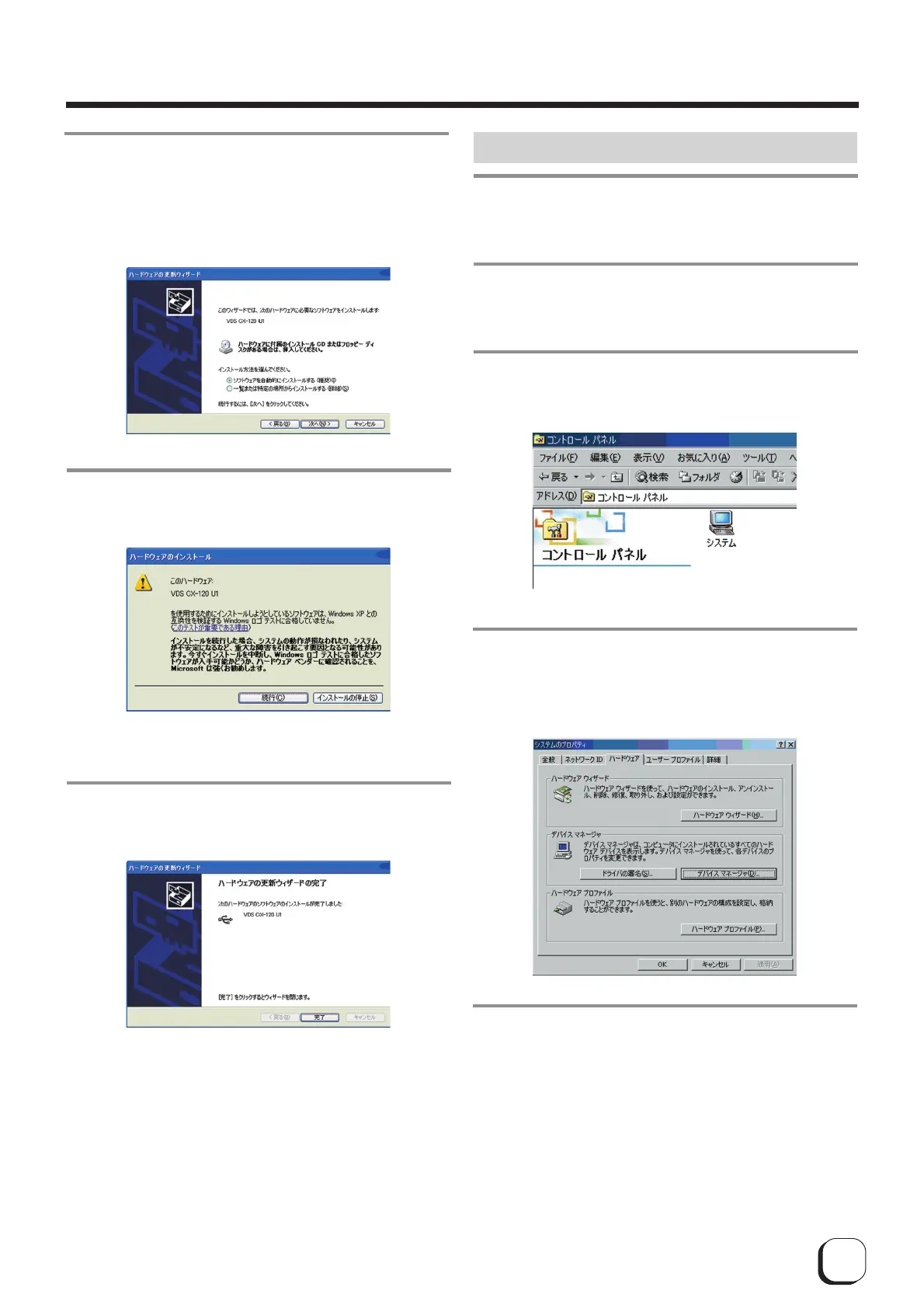
Open "Control Panel" from "My Computer"
and double-click on "System".
4.
When the following screen appears,
1
Select "Hardware" tab and
2 click on the "Device Manager" button
5.
When the following screen appears,
1
Select "USB (Universal Serial Bus) Controller" and
2 double-click to update [VDS CX-120 Un](n : 1 to 7)
8.
When the following screen appears,
1
Select "Automatic installation of Software
(recommended)" and
2 click on the "next" button
9.
When the following screen appears, click on
the "continue" button.
10.
When the following screen appears, click
on the "Finish" button.
Update of USB driver begins.
Update of USB driver is now complete.
Softwqre Upgrade



 To Previous Page