5
How to Use the Status Monitor
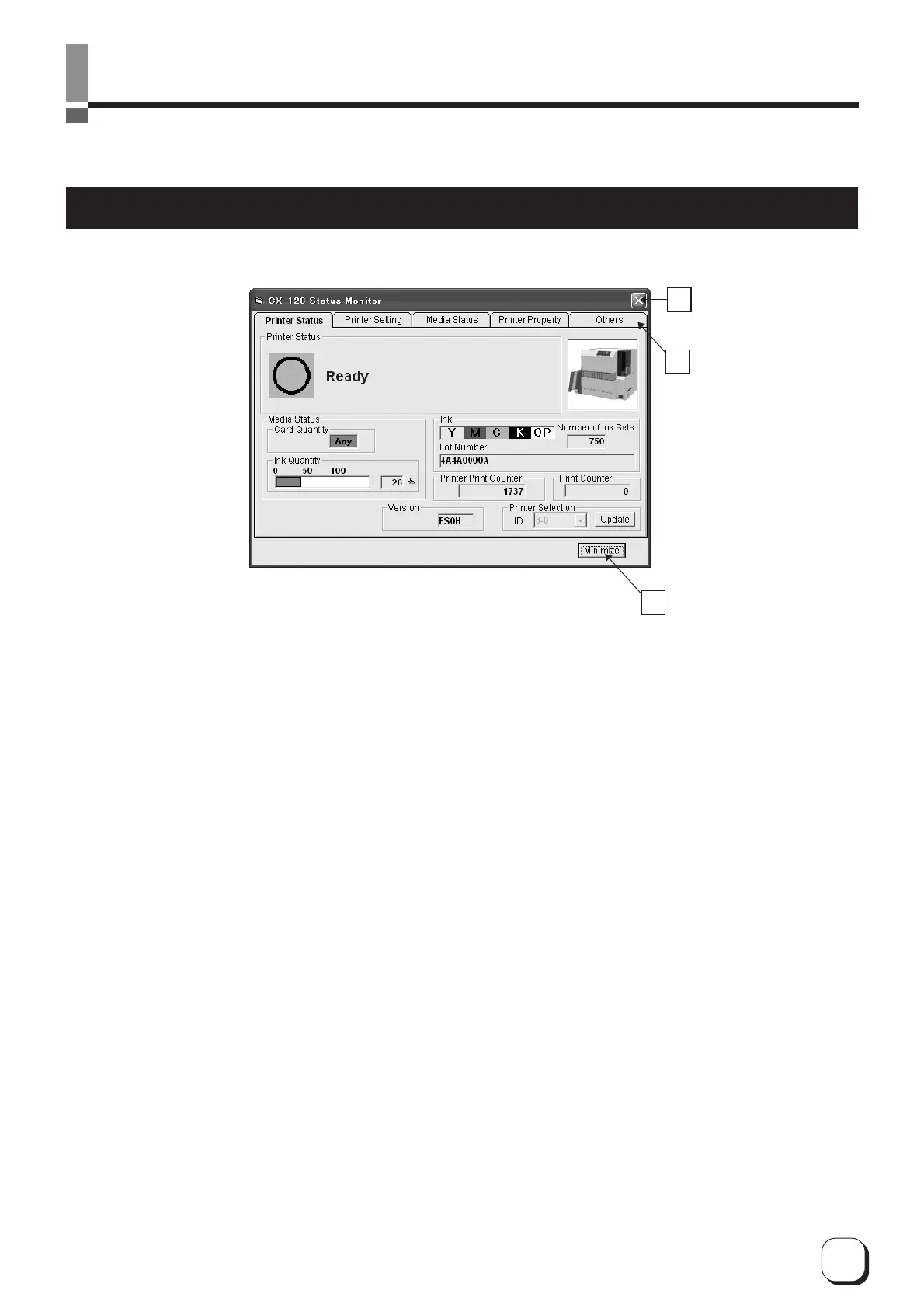
The Status Monitor is a software for displaying printer status and performing various printer settings.
Screen Configuration
A
B
C
A
: Close button
Exits the status monitor
B
: TAB for switching screens
Switches to the following screens.
1Status Display screen : Displays printer status.
2Printer Setting screen : For displaying/changing printer settings.
3
Media Information Display screen
: Displays status of card and ink ribbon.
4Property screen : Displays printer configuration.
5Others screen : For updating printer firmware and performing test printing. Number of cards
issued is set to 0.
C
: Minimize button
Minimizes the Status Monitor to an icon. The icon is displayed in the task bar.



 To Next Page