2
Operating the Printer
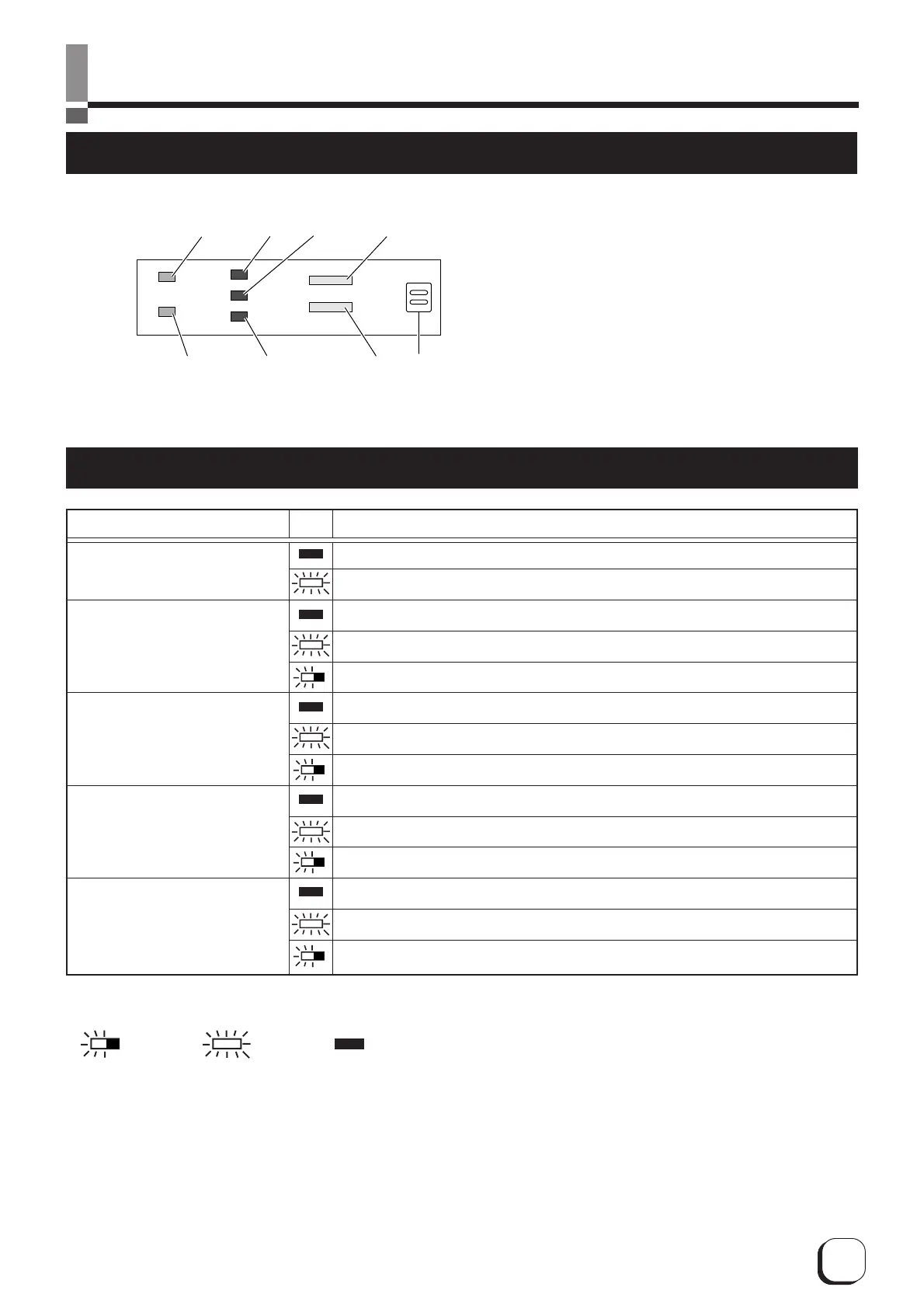
Names of Various Sections on Control Panel
ERROR
CARD
INK
RESET
CLEAN
Buzzer
POWER
READY
1
25 7
34 6
1 POWER LED (Green)
2 READY LED (Green)
3 ERROR LED (Red)
4 CARD LED (Red)
5 INK LED (Red)
6 RESET Button
7 CLEAN Button
Status
Description
Power Off
Power On
Not ready: Unable to issue card (unable to accept issuing command)
Ready: No card inside. Ready to issue card.
Active: Card inside. Ready to issue card.
No defect. Not lit in the cases of No Card and Ink End as these are not defects.
Irrecoverable error: Error that requires power to be turned off and on again.
Recoverable error: Error that requires reset or door to be opened and closed.
No defect or unknown defect related to card.
No card inside the card cassette.
Card transport error (JAM)
No defect or unknown defect related to ink ribbon.
Ink End
Ink defect (Ink ribbon ran out, unknown type of ink ribbon, etc)
INK (Ink ribbon status)
CARD (Card status)
ERROR (Error status)
READY (ONLINE/LOCAL)
Note) LED indicator status
-- Blinking -- Light on -- Light off
LED Name
POWER (Power supply status)
LED Display



 To Next Page