8
Changing Printer Settings
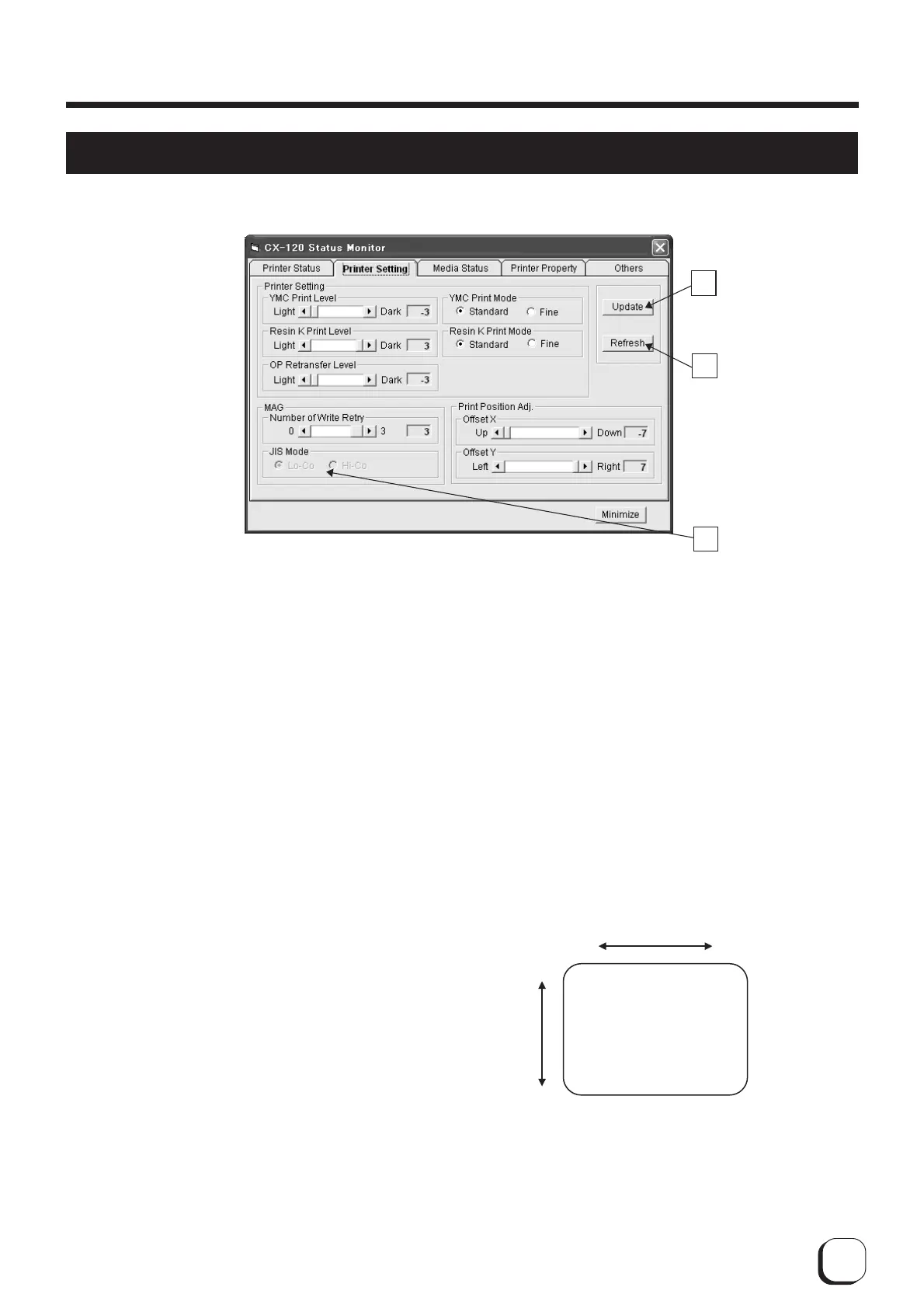
A
: Set button
Changes printer settings.
B
: Display button
Displays printer settings on the screen
1
YMC Print Density
: Adjusts the print density of
YMC ink.
2
K Resin Print Density
: Adjusts the print density of
K Resin ink.
3OP Transfer Level : Adjusts the transfer level
of the OP layer (protective
layer) of the ink to the
card.
4
YMC Printing Mode
: Adjusts the printing quality
of YMC ink. If "Fine" is
selected, print quality will
be enhanced but printing
speed will decrease.
5
K Resin Printing Mode
: Adjusts the print quality of
K Resin ink. If "Fine" is
selected, print quality will
be enhanced but printing
speed will decrease.
6
Number of Write Retries
: Sets the maximum
number of retries when
error occurs while writing
to the magnetic stripe.
A
B
C
Offset X
Offset Y
Left
Down
Right
Card Stacker Side
Card Cassette Side
Up
How to Use the Status Monitor
Change printer settings on the Printer Settings screen.
7
Coercive Force Setting
: Change using C on the
screen. It will not be
displayed if the magnetic
unit is not installed on the
printer. Changes can only
be made if the magnetic
unit is the ISO type, but
not for the JIS type.
8
Printing Position Adjustment
: Sets the position to start
printing. 1 unit is
equivalent to 1/150 inch.
The following diagram
illustrates the direction of
movement for the print
image.



 To Next Page