EasyManua.ls Logo

DNP DP-DS80D - Advanced Options

DNP DP-DS80D
43 pages
Print Icon
To Next Page IconTo Next Page
To Previous Page IconTo Previous Page
Loading...
16
Dai Nippon Printing Co.,Ltd
[DP-DS80D Printer Driver] Instruction Manual for Windows 7,8
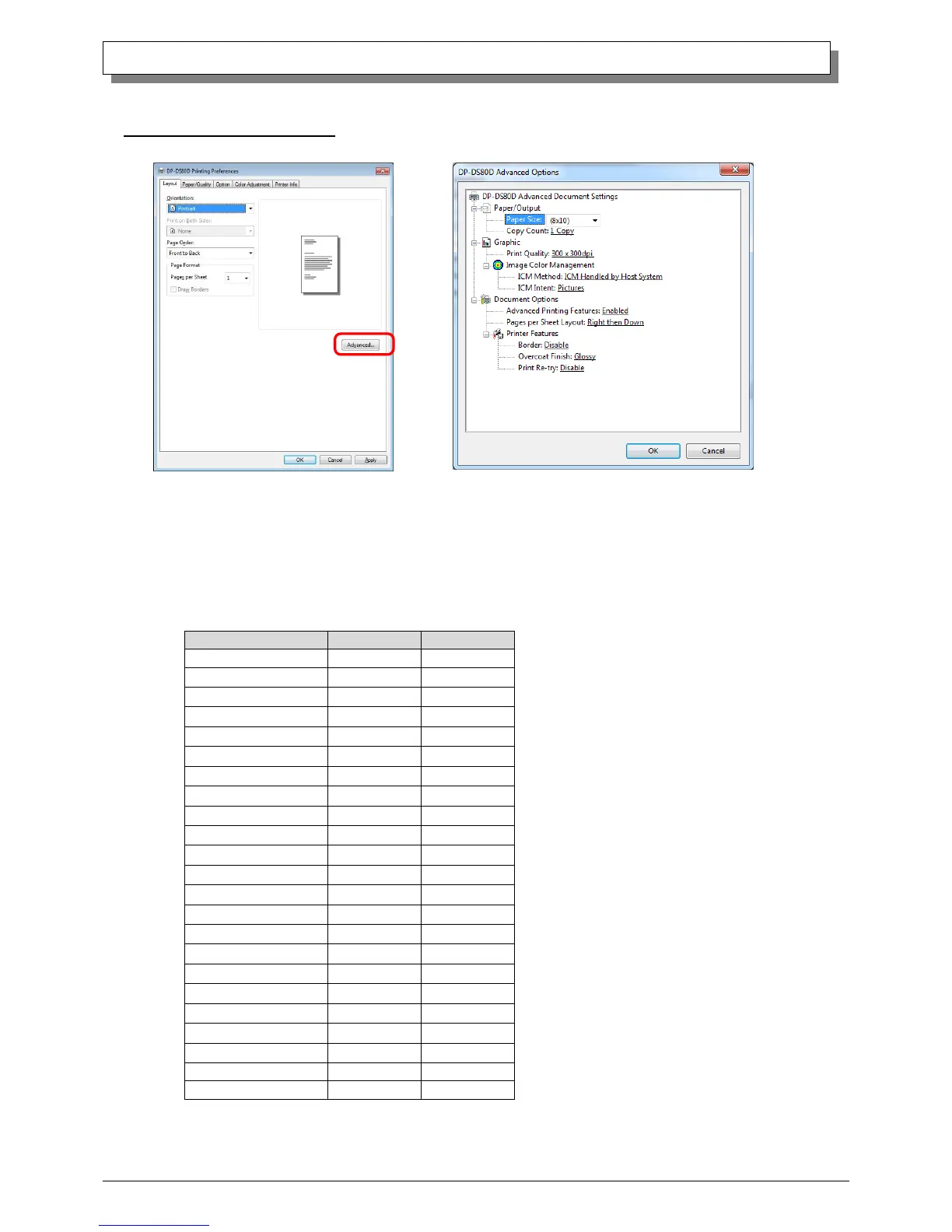
2.2.2 Advanced Options
By selecting [Advanced] in the Layout window, various settings can be made using Advanced Options.
Paper Size
You can designate the paper size. Please match the paper size to the media size with which the printer is equipped
With the DP-DS80D, the paper sizes that can be designated with the roll paper / cut paper (tray)
selection in “2.2.3 Paper/Quality” differ as shown in the table below.
Can be selected
Paper Size
Roll paper
Cut paper
(5x3.5)
(5x7)
(6x4)
(6x4)x2
(6x8)
(6x9)
(8x10)
(8x12)
(8x4)
(8x4)x2
(8x4)x3
(8x5)
(8x5)x2
(8x5)_(8x4)
(8x6)
(8x6)x2
(8x6)_(8x4)
(8x6)_(8x5)
(8x8)
(8x8)_(8x4)
A4Length
(8x10.50)
(8x10.75)
Fig 2.2.2.2 Advanced Options tab
Fig 2.2.2.1 Advanced Settings

Other manuals for DNP DP-DS80D

Related product manuals