2.7.3 Duplex Printing
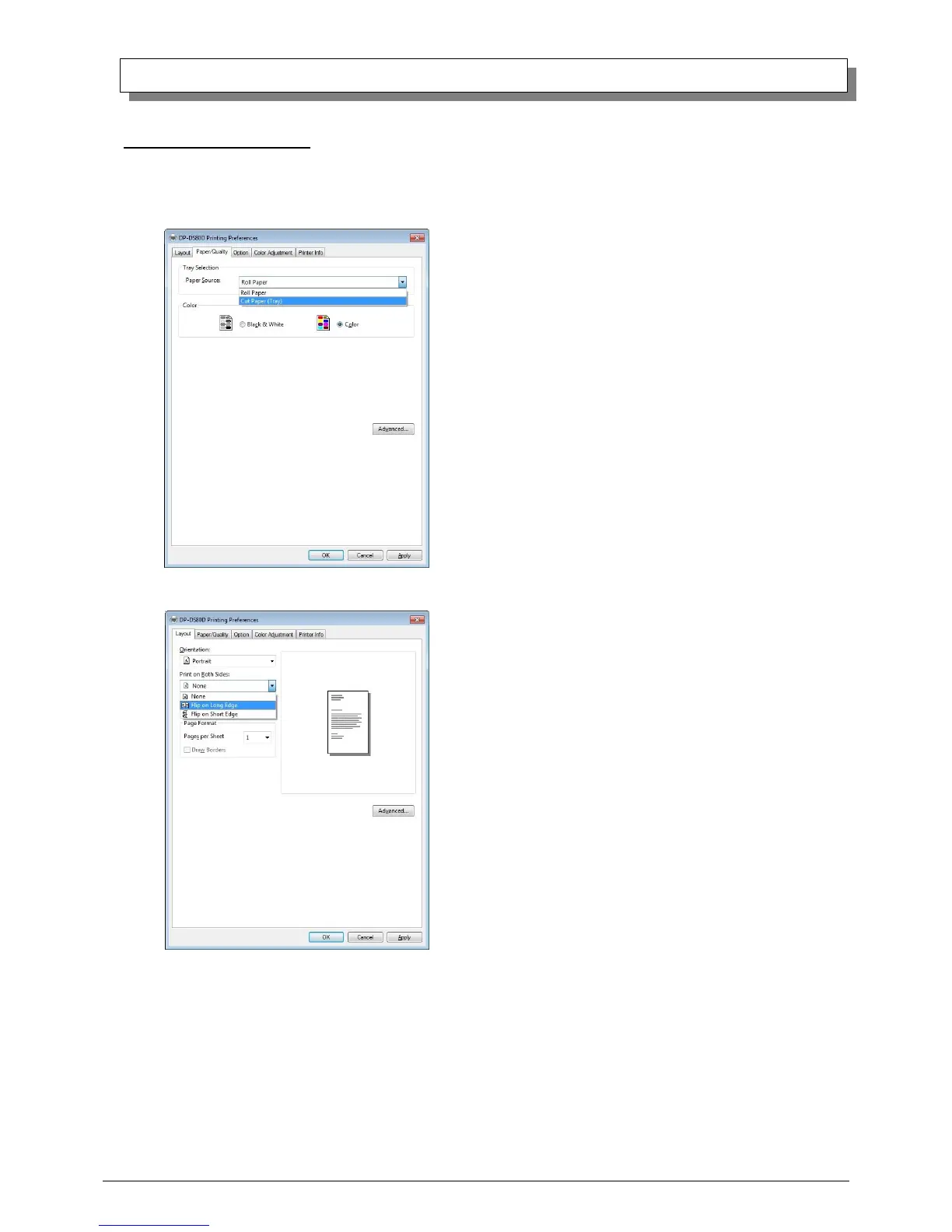
Duplex printing is possible on the DP-DS80D when cut paper is selected.
Duplex printing can be performed under the following conditions.
1. Select “Cut paper (tray)” in the Paper Supply Method on the “2.2.3 Paper/Quality” tab.
2. Select “Short-edge” or “Long-edge” orientation under Duplex Printing in the “2.2.1 Layout” tab.
Because Duplex printing is run on a job basis, it only works when there are 2 (front and back) or more images in a
single job.
When there are an odd number of images in 1 job, the back of the final page will be output as a white image. The
print method is the same as in “2.7.2 Example of Multi-lyout application use”.



 To Next Page