Dai Nippon Printing Co.,Ltd.
[DP-DS80D Printer Driver] Instruction Manual for Windows 7,8
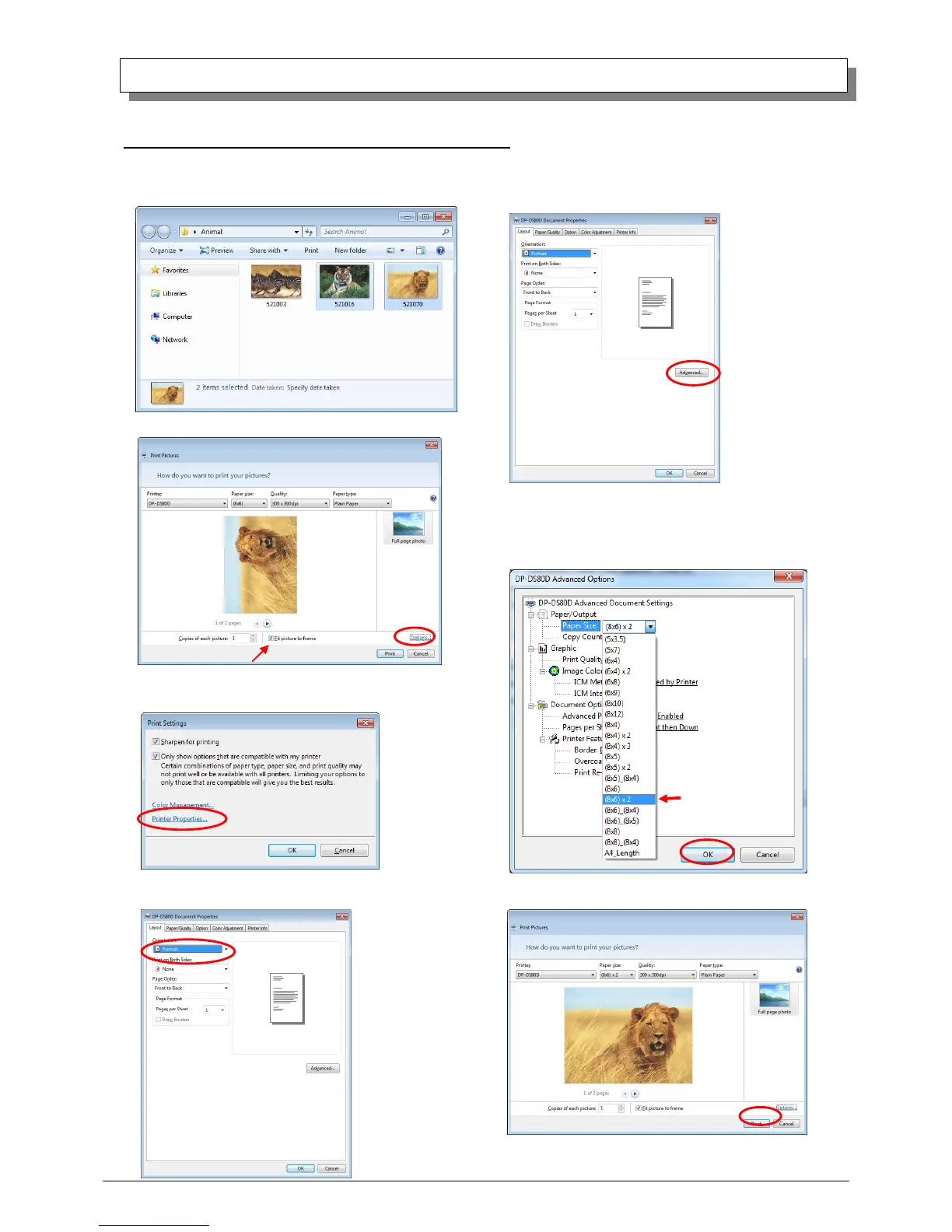
2.7.2 Example of Multi-layout application use
This is an example using Windows Explorer
Step 1. Select 2 or more images⇒Click “Print”.
Step 3. Click on “Printer Properties”.
Step 4. From the “Orientation” pull-down menu, select “Portrait”.
Step 5. Click on “Advanced”.
Step 7. Click on “Print”.
Step 6. Set the Paper Size to “(6x4)x2”. Then click “OK” on the windows
from steps 6⇒5, returning to the window displayed in Step 2.
Step 2. Check “Fit picture to frame” and click “Options”.



 To Next Page