Check that the power for the DP-DS80D printer is OFF.
Have a USB cable ready. But do not connect the printer to the computer with the USB cable at this point.
In order to install the driver, login with administrator right. The following explanations are given on the assumption of use with
administrator rights.
Insert the accessory CD into the disk drive.
Start Explorer, and click on the corresponding drive. (If the AutoPlay function is on, select “Open folder to view files – using
Windows Explorer”.)
In Windows 8 if the AutoPlay function is on, click on the message of “Tap to choose what happens with this disc.”, then select “Open
folder to view files File Explorer”.)
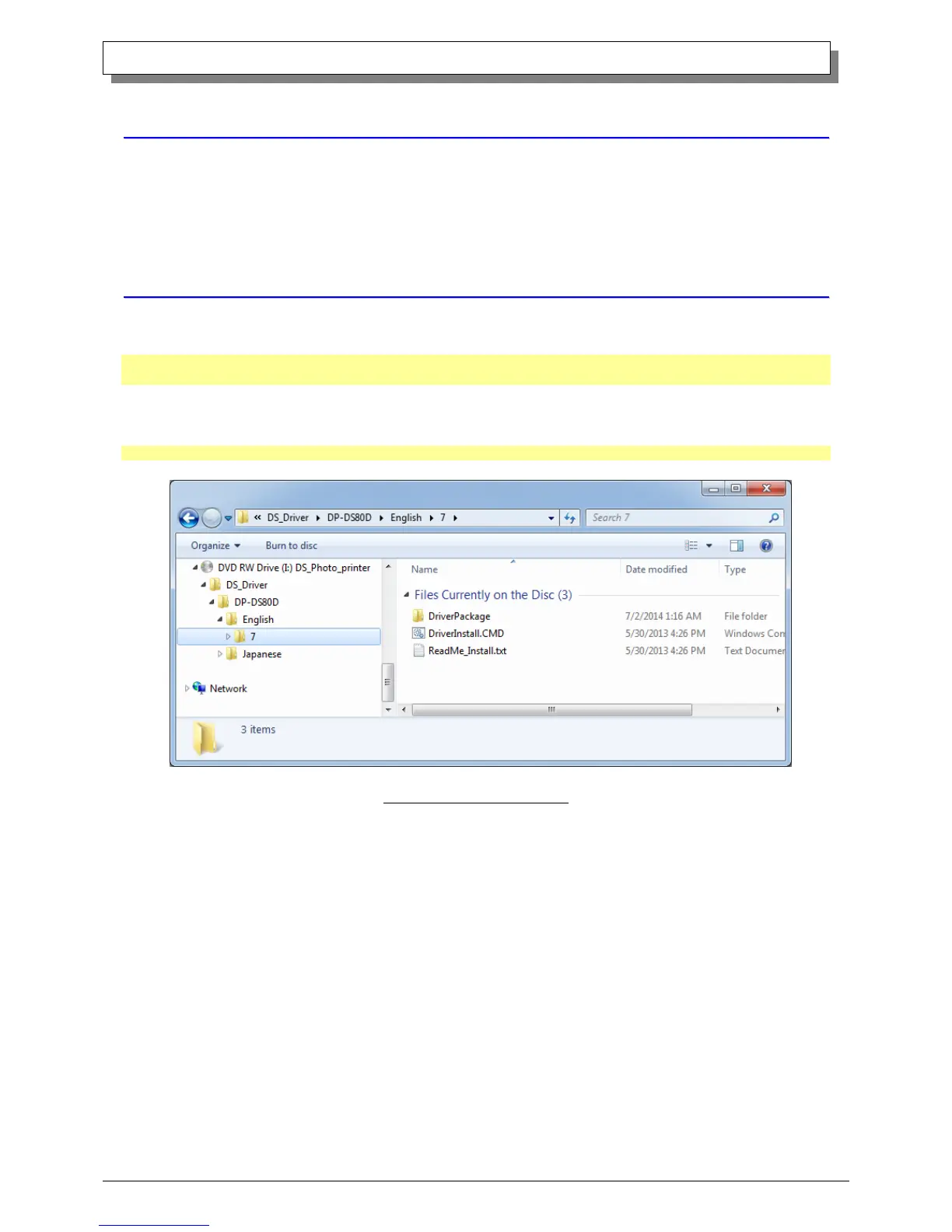
Select the following folders from the accessory CD. *Be sure to select the folder that matches your environment.
DP-DS80D =Windows7… Drive of CD:\Driver\DP-DS80D\English\7
Windows 8 … Drive of CD:\Driver\DP-DS80D\English\8
Fig 1.1 Driver Package Folder



 To Next Page