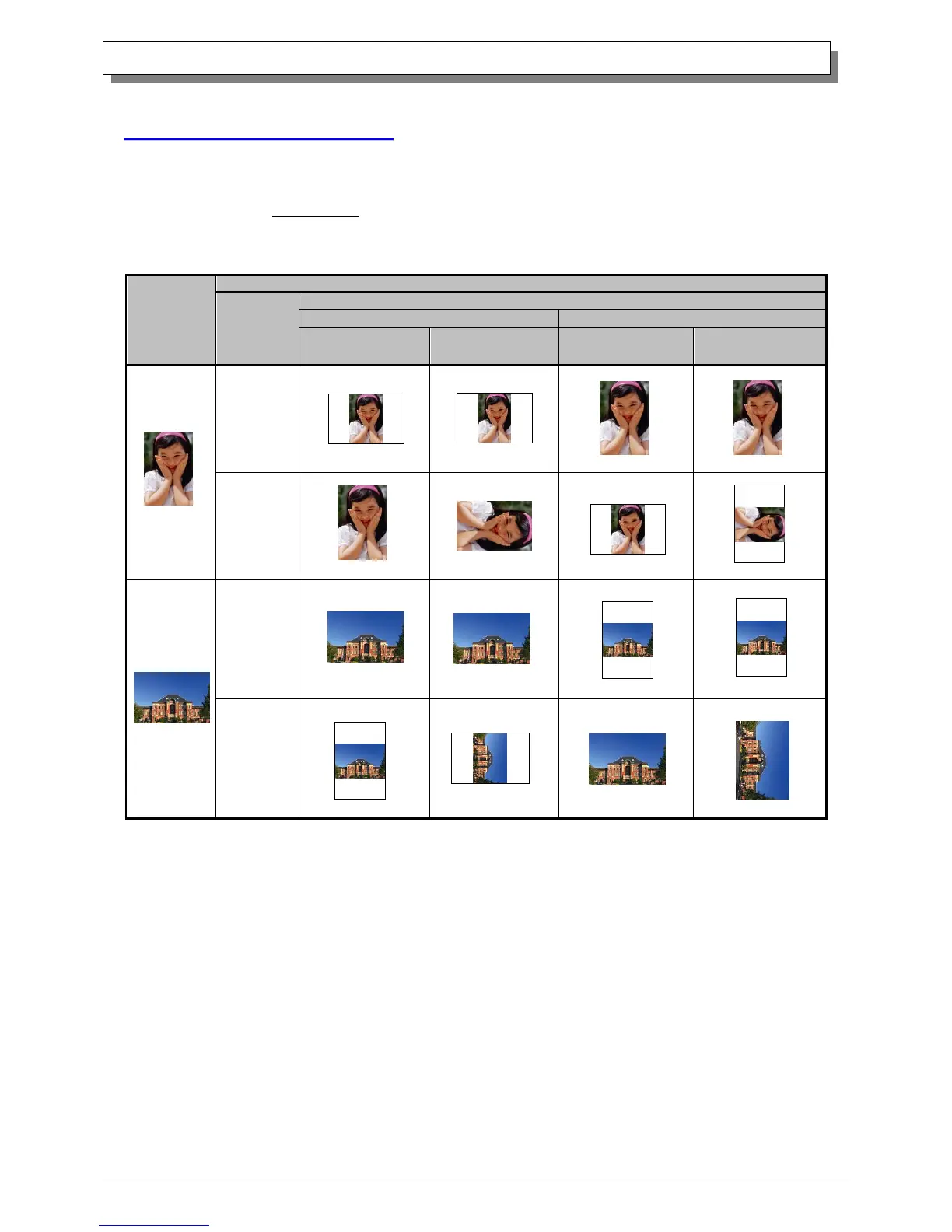
The relationship between application-created image and printed image(output orientation) by the driver settings(Layout
orientation) is as followed table.
These are limited by that original image is not rotated by the apprication and enlarged or scale downed within the image
size that is selected from 2.5 Image Size table.
◆The relationship between application-created image and printed image when performing simplex printing
as affected by the driver settings.
When performing Duplex printing, the Driver setting (Paper Size, Print Direction, Duplex-printing Print Orientation)
affects the relationship between the application-created image and the printer’s printing (front / back print direction) as
shown in the next page.



 To Next Page