Dai Nippon Printing Co.,Ltd
[DP-DS80D Printer Driver] Instruction Manual for Windows 7,8
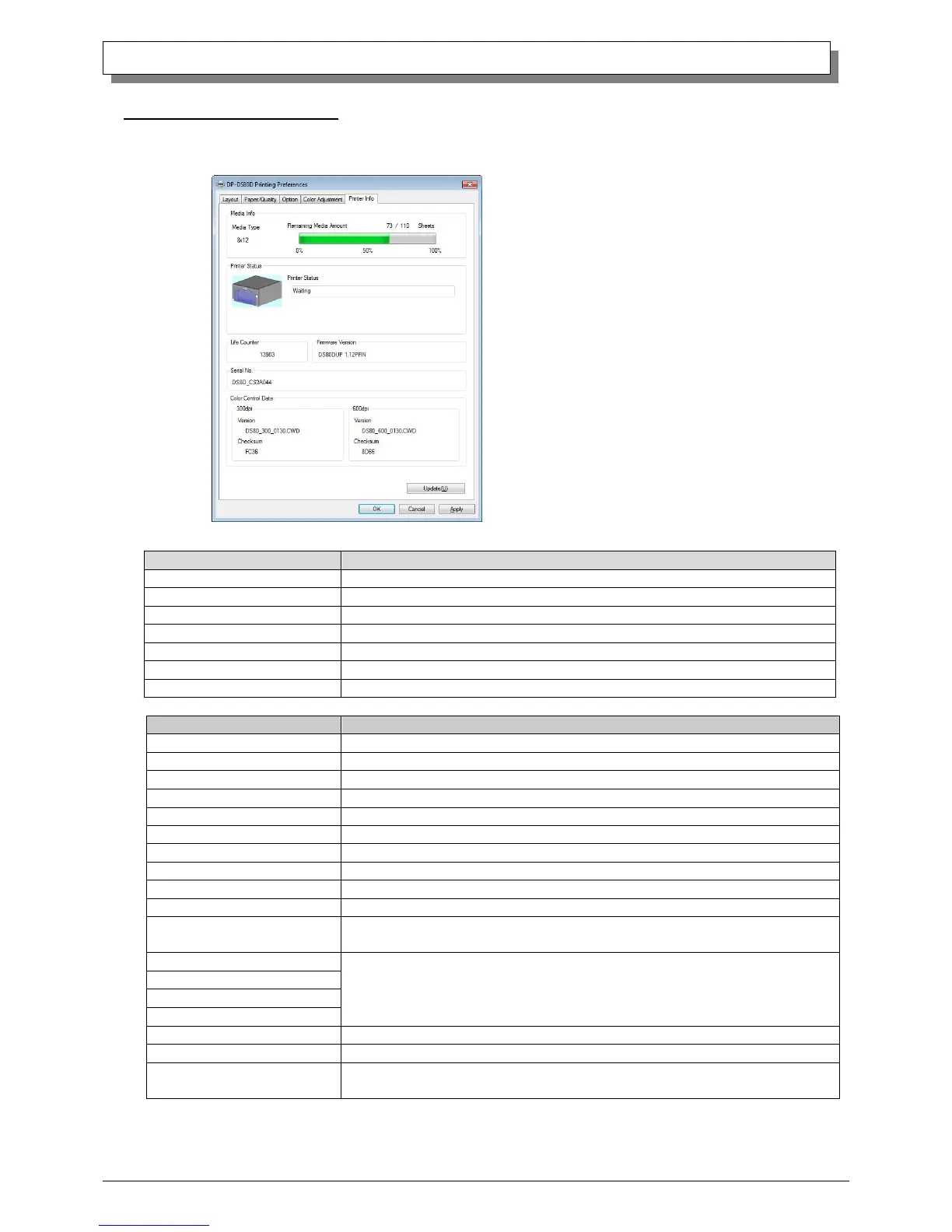
2.2.6 Printer Information
When the Printer Information tab is opened, the printer status can be checked.
This displays the type of ribbon that is set in the printer.
This displays the quantity of sheets remaining on the ribbon.
This displays the printer status. Information displayed is as below:
This displays the life counter of printer.
This displays the firmware version of printer.
This displays the serial number of printer.
This displays the color control data version and checksum.
Connect the printer to the computer, and turn the power ON.
Please wait. Printing will restart automatically.
Remove the jammed paper and rest it correctly.
Reset the ribbon correctly.
Check the paper size setting and the ribbon size.
Reboot the printer and computer.
If it doesn’t recover after rebooting, contact the service center.
Unit Paper Jam Supply area
Reboot the printer. The paper will be ejected automatically.
Please refer to the Duplex Unit User’s Manual for details
Unit Paper Jam Shell area
Unit Paper Jam Delivery area
Reboot the printer and computer.
If it doesn’t recover after rebooting, contact the service center.
Fig 2.2.6 Printer Information tab



 To Next Page