Dai Nippon Printing Co.,Ltd
[DP-DS80D Printer Driver] Instruction Manual for Windows 7,8
C
C
h
h
a
a
p
p
t
t
e
e
r
r
1
1
I
I
n
n
s
s
t
t
a
a
l
l
l
l
Installation Flow
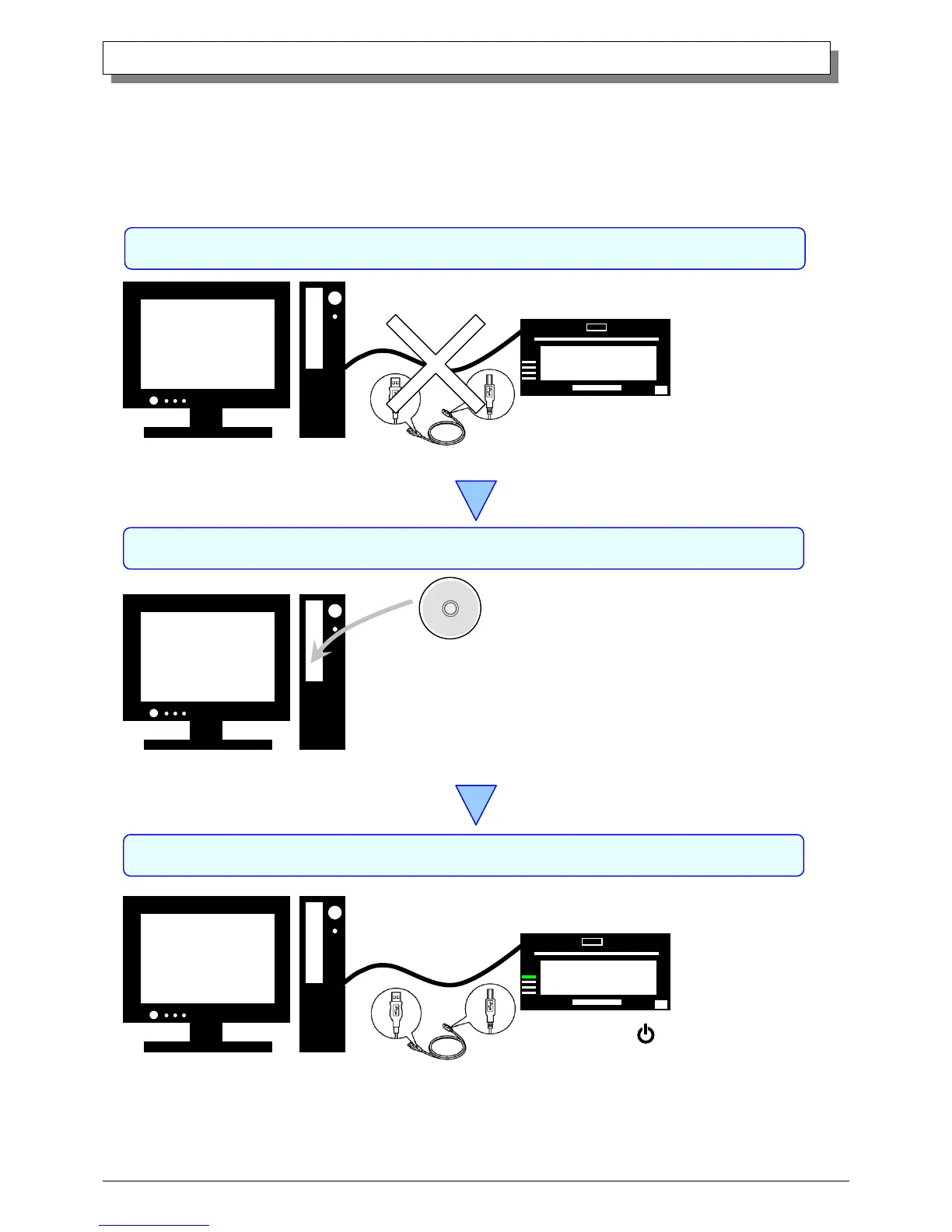
Installation is done in the following 3 steps.
Details of each step are shown in a subsequent page.
Insert the accessory CD into the disk drive
and install the driver package.
STEP 1 Prepare the printer and computer → ”1.1 Printer and Host computer Preparation”
Do not connect the USB cable at this step.
STEP 2 Install the driver package → ”1.2 Installing the Driver Package”
STEP 3 Install the printer driver → ”1.3 Installing the Printer Driver”
Connect the USB cable, turn the printer power ON,
and install the printer driver.
After installation is complete, reboot the computer.



 To Next Page