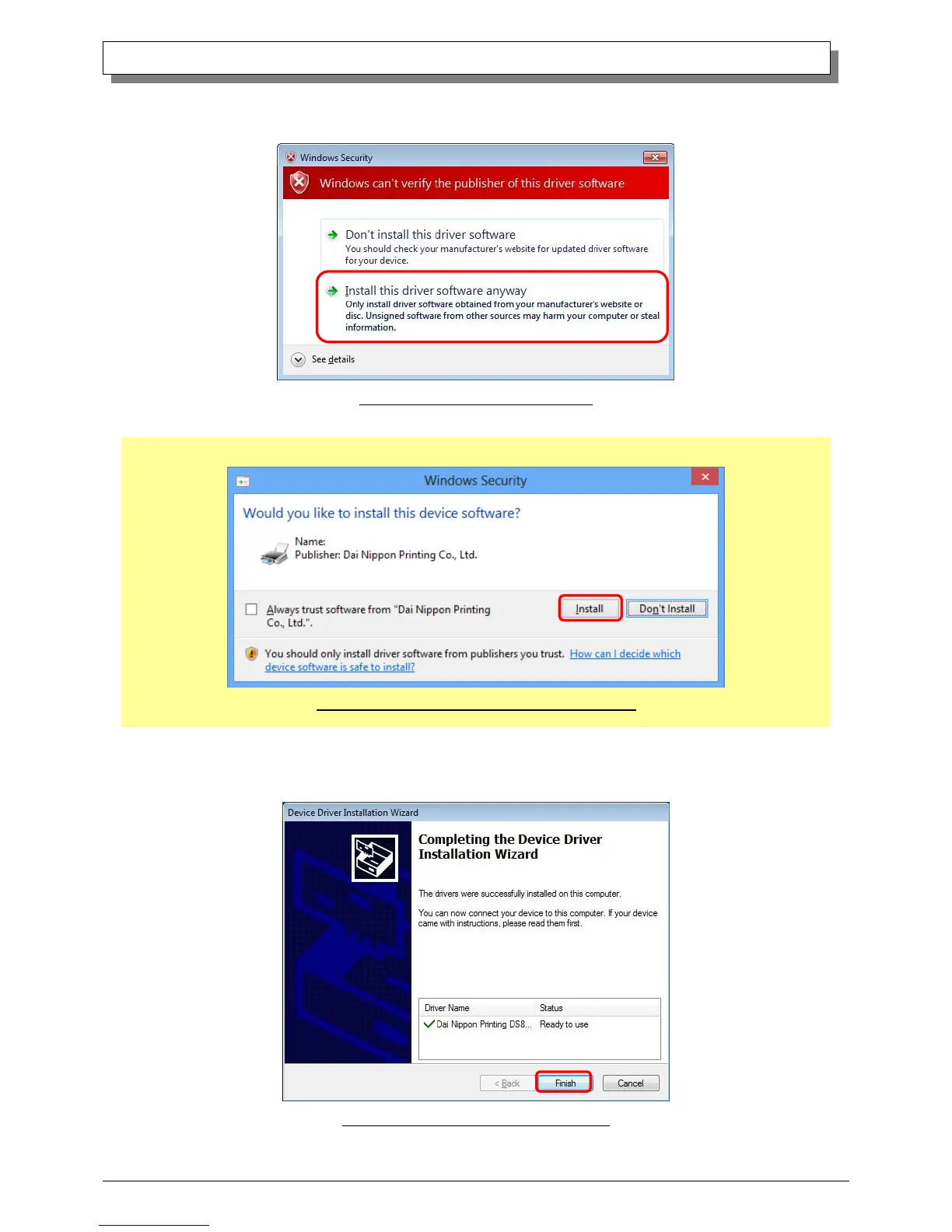
If the Windows Security confirmation window appears, click on “Install this driver software anyway”.
Fig 1.5 Windows Security confirmation
In Windows 8, click on “Install”.
Fig 1.5.ii Windows Security confirmation (Windows 8)
This starts the Driver Package installation. Please wait until it is complete.
When the “Completing the Device Driver Installation Wizard” window appears, click on “Finish”.
Fig 1.6 Completion of the Installation Wizard



 To Next Page