[DS-RX1 Printer Driver] Instruction Manual (For Windows 11)
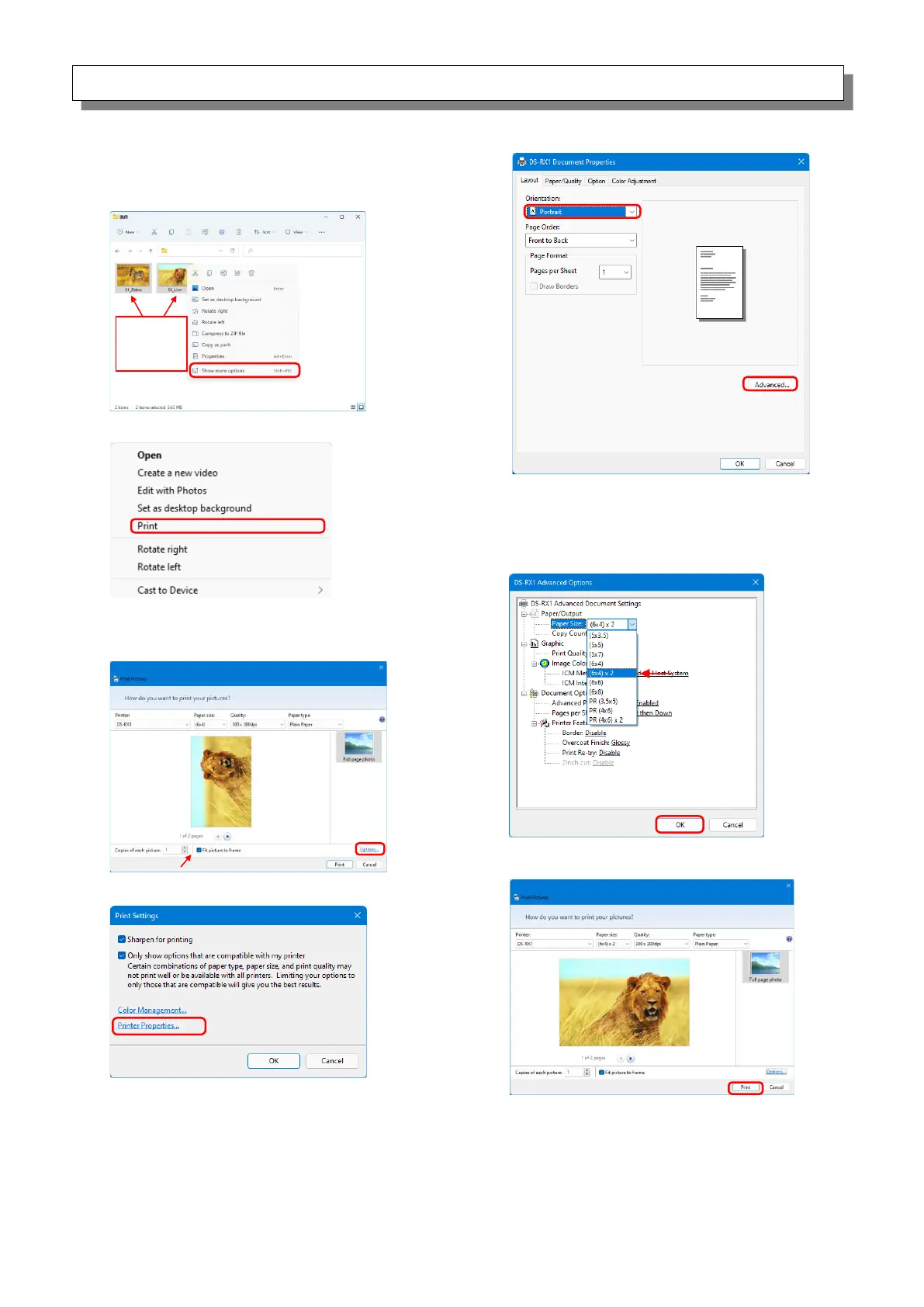
< Application usage example >
This usage example uses Windows Explorer.
Step 4. Click “Printer Properties...”.
Step 5. Set the Orientation to “Portrait”,
and click “Advanced...”.
Step 1. In Windows Explorer, select two or more pictures.
Next, click “Show more options”.
Step 3. Select “Fit picture to frame” check box, and
then click “Options...”.
Step 6. Set the paper size to the setting of the
multiple layout. Click “OK” twice to close the
dialog boxes in Step 6 and 5 and return to
the display in Step 3.
Step 7. Click the “Print” button.



 To Next Page