13
6. This screen shows the controls for the INDEX VISE,
FIXED VISE and INDEXER.
The hydraulics MUST be "on", the operation
mode MUST be in "manual" for the vises to
operate.
• To open the index vise, press the "1" key on the
numeric keypad; to clamp the index vise, press the
"3" key.
• To open the xed vise, press the "4" key on the
numeric keypad; to clamp the vise, press the "6"
key. To open the xed vise manually, the saw head
must be in the maximum up position.
• To move the indexer forward, press and hold the
"7" key on the numeric keypad; to reverse the
index vise, press and hold the "9" key. Releasing
the key will stop vise movement. One of the vises
must be open and the sensing arm must be in
the down position for the indexer to move in either
direction.
7. Press the Next Screen key to scroll to the next
screen.
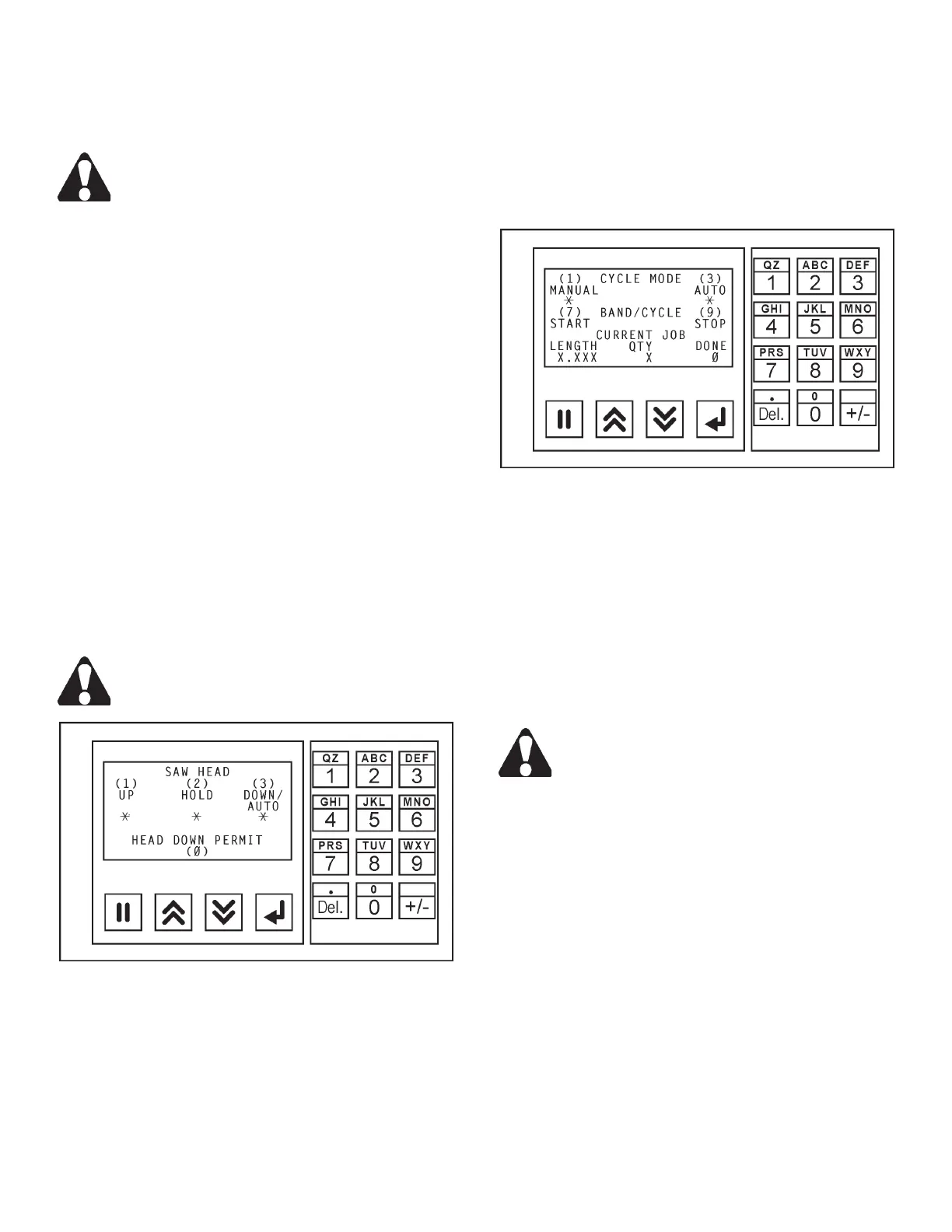
8. This screen shows the controls for the SAW HEAD
and HEAD DOWN PERMIT.
The hydraulics MUST be "on", the operation
mode MUST be in "manual" for the saw head
to operate.
Saw Head Controls Screen.
• To move the saw head up, press the "1" key on
the numeric keypad; to stop the movement of the
saw head, press the "2" key; to move the saw head
down, press the "3" key.
• To allow the saw head to be lowered when the band
drive motor is NOT running, press and release the
"3" key on the numeric keypad to allow the saw
head to be lowered. Then press and hold the "0"
(zero) key to actually lower the saw head. Release
the key to stop saw head movement.
9. Press the Next Screen key to scroll to the next
screen.
Cycle Mode, Band/Cycle and Current Job Screen.
• CYCLE MODE determines the operating mode of
the machine. Press the "1" key on the numeric
keypad for "manual" operation (the operator has
control over all machine functions); press the "3"
key for "automatic" operation (the machine controls
vise and saw head operations).
• To start the band drive motor, press the "7" key on
the numeric keypad; to stop the band drive motor,
press the "9" key.
For the band drive motor to start: (a) The
hyraulics must be "on"; (b) The SAW HEAD
control must be in "auto/down"; (c) Both vises
must be clamped when in "automatic" cycle
mode, or one (1) vise must be clamped when
in "manual" operating mode.
• CURRENT JOB shows the job being run at the
time. It shows the length of cut, quanitity desired
and number of cuts or "dones" that are completed.
No data can be entered on this screen.
11. Press the NextScreen key will bring the operator
back to the rst screen. The operator can scroll
through the screens again to check the selections
made and/or data entered.
MACHINE CONTROLS (Continued....)



 To Next Page