NOTE:
The engine must be running for the heated steering
wheel to operate.
For information on use with the Remote Start system,
see {REFERENCE REMOTE START COMFORT SYSTEM}.
WARNING!
•
Persons who are unable to feel pain to the skin
because of advanced age, chronic illness, diabe-
tes, spinal cord injury, medication, alcohol use,
exhaustion, or other physical conditions must exer-
cise care when using the steering wheel heater. It
may cause burns even at low temperatures, espe-
cially if used for long periods.
•
Do not place anything on the steering wheel that
insulates against heat, such as a blanket or steer-
ing wheel covers of any type of material. This may
cause the steering wheel heater to overheat.
DRIVER MEMORY SETTINGS —
IF EQUIPPED
This feature allows the driver to save up to two different
memory profiles for easy recall through a memory
switch. Each memory profile saves desired position set-
tings for the following features:
•
Driver seat
•
Easy Entry/Exit seat (if equipped)
•
Side mirrors
•
Power tilt and telescopic steering column
(if equipped)
•
A set of desired radio station presets
NOTE:
•
Your vehicle is equipped with two key fobs, each can
be linked to either memory position 1 or 2.
•
Be sure to program the radio presets prior to pro-
gramming the memory settings.
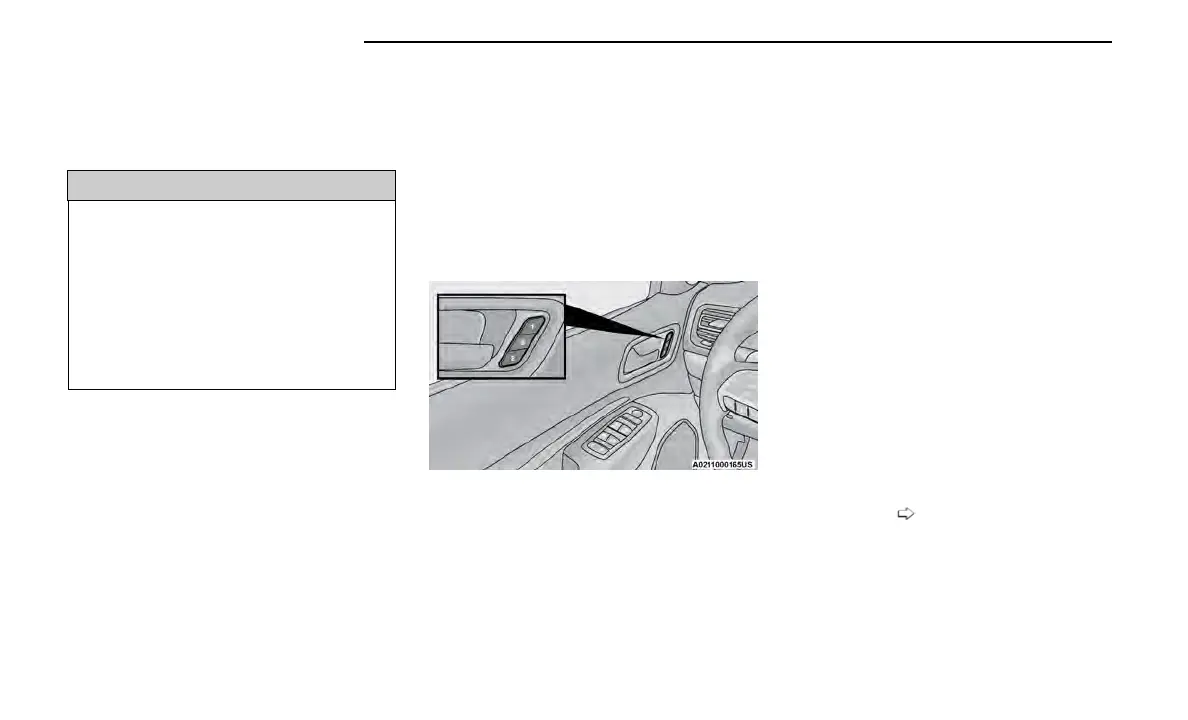
The memory setting switch is located on the driver’s
door trim panel. The switch consists of three buttons:
•
The set (S) button, which is used to activate the
memory save function.
•
The (1) and (2) buttons which are used to recall
either of two saved memory profiles.
PROGRAMMING THE MEMORY
FEATURE
To create a new memory profile, perform the following:
NOTE:
Saving a new memory profile will erase the selected
profile from memory.
1. Place the vehicle’s ignition in the ON/RUN position
(do not start the engine).
2. Adjust all memory profile settings to desired prefer-
ences (i.e., seat, side mirror, power tilt and tele-
scopic steering column [if equipped], and radio sta-
tion presets).
3. Push the set (S) button on the memory switch, and
then push the desired memory button (1 or 2) within
five seconds. The instrument cluster display will dis-
play which memory position has been set.
NOTE:
Memory profiles can be set without the vehicle in PARK,
but the vehicle must be in PARK to recall a memory
profile.
LINKING AND UNLINKING THE
REMOTE KEYLESS ENTRY KEY FOB
TO MEMORY
Your key fobs can be programmed to recall one of two
saved memory profiles.
NOTE:
Before programming your key fobs you must select the
“Personal Settings Linked To Fob” feature through the
Uconnect Settings
page 129.
Memory Setting Buttons
24 GETTING TO KNOW YOUR VEHICLE















 To Next Page