•
If all the requirements to select a new transfer case
position have been met, the current position indica-
tor light will turn off, the selected position indicator
light will flash until the transfer case completes the
shift. When the shift is complete, the position indi-
cator light for the selected position will stop flashing
and remain on.
AWDAUTOToAWDLOW
NOTE:
When shifting into or out of AWD LOW some gear noise
may be heard. This noise is normal and is not detrimen-
tal to the vehicle or occupants.
Shifting can be performed with the vehicle rolling 2 to
3 mph (3 to 5 km/h) or completely stopped. Use either
of the following procedures:
Preferred Procedure
1. With the engine running, slow the vehicle to 2 to
3 mph (3 to 5 km/h).
2. Shift the transmission into NEUTRAL.
3. While still rolling, push the AWD LOW control switch.
4. After the AWD LOW position indicator light is on (not
flashing), shift the transmission back into gear.
Alternate Procedure
1. Bring the vehicle to complete stop.
2. With the ignition in ON/RUN position and engine
running, shift the transmission to NEUTRAL.
3. Push the AWD LOW control switch.
4. After the AWD LOW position indicator light is on (not
flashing), shift the transmission back into gear.
NOTE:
•
If steps 1 or 2 of either the “Preferred” or “Alternate
Procedure” are not satisfied prior to attempting the
shift or if they no longer are being met while the
shift attempt is in process, the desired position indi-
cator light will flash continuously while the original
position indicator light is on, until all requirements
have been met.
•
The ignition switch must be in the ON/RUN position
for a shift to take place and for the position indica-
tor lights to be operable. If the ignition switch is not
in the ON/RUN position, then the shift will not take
place and no position indicator lights will be on or
flashing.
N (Neutral) Shift Procedure
For information regarding the transfer case N (Neutral)
shift procedure
page 125.
TOW N GO — IF EQUIPPED
Tow N Go combines the capabilities of the vehicle con-
trol systems, along with driver input, to provide opti-
mum performance for road conditions.
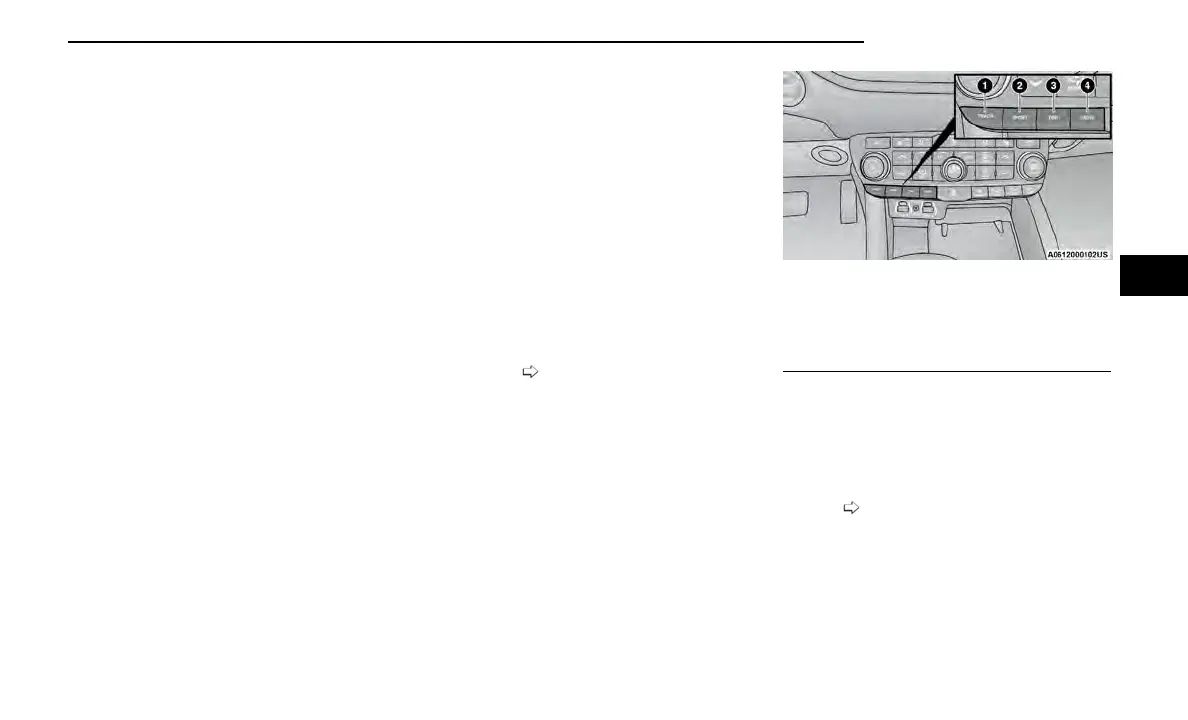
Push any one of the four drive mode buttons to select
the desired mode.
Tow N Go consists of the following positions:
•
TRACK – Optimizes settings for transmission,
engine, driveline, and suspension in order to maxi-
mize vehicle performance. Also the electric power
steering offers more feedback of the tire gripping
the road. This feature will reset to AUTO upon an
ignition cycle. To turn off Electronic Stability Control
(ESC)
page 152.
•
SPORT – Dry weather, on-road calibration. Perfor-
mance based tuning that provides a rear-wheel
drive feel but with improved handling and accelera-
tion over a two-wheel drive vehicle. This feature will
reset to AUTO upon an ignition cycle.
Drive Mode Buttons
1 — TRACK
2 — SPORT
3—TOW
4 — SNOW
STARTING AND OPERATING 93
4















 To Next Page