UCONNECT VOICE RECOGNITION —
IF EQUIPPED
INTRODUCING VOICE
RECOGNITION
Start using Uconnect Voice Recognition (VR) with these
helpful quick tips. It provides the key Voice Commands
and tips you need to know to control your Uconnect
system.
BASIC VOICE COMMANDS
The following Voice Commands can be given at any
point while using your Uconnect system.
Push the VR button
or for the Uconnect 5 NAV With
10.1-inch Display, say the vehicle’s Wake Up word, “Hey
Uconnect”. After the beep, say:
•
“ Cancel” to stop a current voice session
•
“ Help” to hear a list of suggested Voice Commands
•
“ Repeat” to listen to the system prompts again
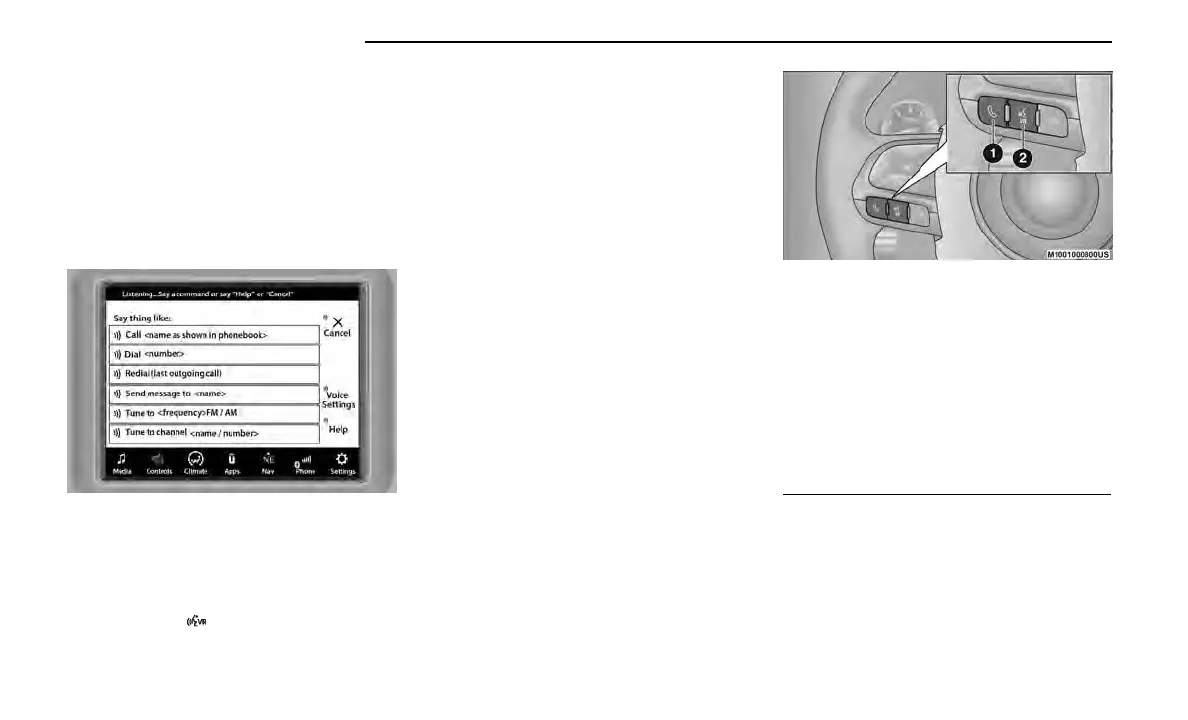
Notice the visual cues that inform you of your voice rec-
ognition system’s status. Cues appear on the
touchscreen.
NOTE:
On Uconnect 5 systems, the factory default Wake Up
word is set to “Hey Uconnect” and can be repro-
grammed through the Uconnect Settings.
GET STARTED
All you need to control your Uconnect system with your
voice are the buttons on your steering wheel.
Helpful hints for using Voice Recognition:
•
Reduce background noise. Wind and passenger
conversations are examples of noise that may
impact recognition.
•
Speak clearly at a normal pace and volume while
facing straight ahead.
•
Each time you give a Voice Command, first push the
VR button, wait until after the beep, then say your
Voice Command. You can also say the vehicle Wake
Up word and state your command. Some examples
of Wake Up words include “Hey Uconnect” or “Hey
Dodge”.
•
A passenger can press the VR button shortcut on
the radio status bar to also issue a command.
•
You can interrupt the help message or system
prompts by pushing the VR button and saying a
Voice Command from the current category.
Uconnect 4C/4C NAV With 8.4-inch Display Voice
Recognition
Uconnect Voice Command Buttons
1 — Push To Answer An Incoming Phone Call
2 — For The Uconnect 4C/4C NAV With 8.4-inch Display:
Push The Voice Recognition Button To Start A Phone
Call, Begin Radio, Media, Navigation (If Equipped) And
Climate Functions, Or Send Or Receive A Text
2 — For The Uconnect 5/5 NAV System Vehicles
Equipped With Navigation: Push The Voice Recognition
Button To Begin Radio, Media, Navigation, Climate,
Start Or Answer A Phone Call, And Send Or Receive A
Text
2 — For The Uconnect 5/5 NAV System Vehicles Not
Equipped With Navigation: Push The Phone Button To
Answer An Incoming Phone Call
34 GETTING TO KNOW YOUR VEHICLE















 To Next Page